
WooCommerce order emails not sending to customers usually means the notification was not triggered, failed inside WordPress, was rejected by the mail provider, or was delivered but filtered by the recipient’s inbox. Check the order status and WooCommerce transactional-email log before installing another SMTP plugin or repeatedly resending the message.
The repair should identify the exact failed layer. A “sent” result only proves WooCommerce handed the message to the mail system; it does not prove inbox delivery. A missing log entry points back toward the order event, notification settings or a code conflict.
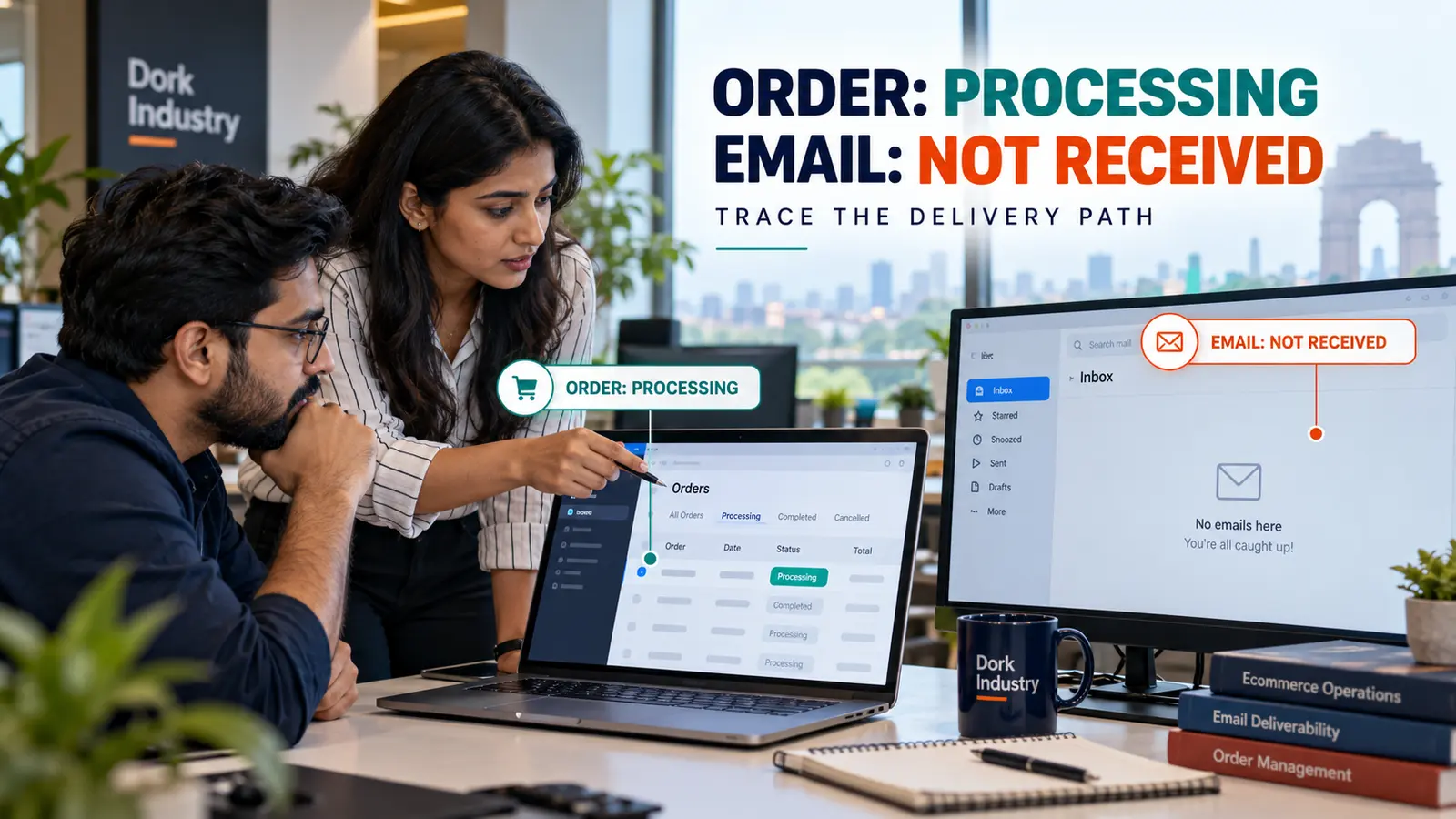
Why do missing WooCommerce order emails matter commercially?
Customers use transactional emails to confirm payment, review order details, track fulfilment and recognize legitimate store communication. When the message is absent, support receives avoidable “Did my order go through?” questions. Staff may manually resend emails without knowing whether the same delivery failure will happen again.
The problem can also expose a deeper order-processing defect. If payment succeeds but the order remains Pending payment, the expected Processing email may never be triggered. That is a gateway or status-update problem, not simply an email-design problem. Treating every case as SMTP can hide the real fault.
What evidence should a store capture before changing plugins?
- Record the order ID, status history, payment method and expected notification type.
- Confirm the customer billing email and whether the notification is enabled.
- Open WooCommerce Status logs and locate the
transactional-emailsentry. - Record whether the attempt is Sent, Failed, Disabled, Skipped or absent.
- Check private order notes for order-related email attempts.
- Capture the mail-provider event, rejection or delivery response without exposing customer data.
- Test a controlled order to a mailbox on a different domain.
- List recent WooCommerce, payment, email-template, SMTP and hosting changes.
WooCommerce’s current email troubleshooting documentation says that Pending payment orders do not trigger the expected email. It also directs stores to check whether the notification is enabled and whether an error prevented the order status from changing.
Why are WooCommerce order emails not sending to customers?
| Evidence | Likely failure layer | Next decision |
|---|---|---|
| No log entry | Order event, trigger, disabled hook or fatal error | Trace status transition and conflicts |
| Disabled | WooCommerce email settings | Enable the correct notification |
| Skipped | Required condition or recipient missing | Correct data or trigger conditions |
| Failed | WordPress mail, host or SMTP handoff | Read the reported error and provider logs |
| Sent, no provider event | Mail transport integration | Verify connector and credentials |
| Provider accepted, inbox empty | Authentication, reputation or filtering | Inspect delivery event and DNS alignment |
| One email type fails | Template override, customization or extension | Compare the affected notification with core |
According to WooCommerce, the transactional log records Sent, Failed, Disabled and Skipped outcomes and associates order-related attempts with private order notes. WooCommerce also notes that it uses WordPress wp_mail() by default, so the failure can occur outside WooCommerce after the message is generated.
How should a developer diagnose the complete email-delivery path?
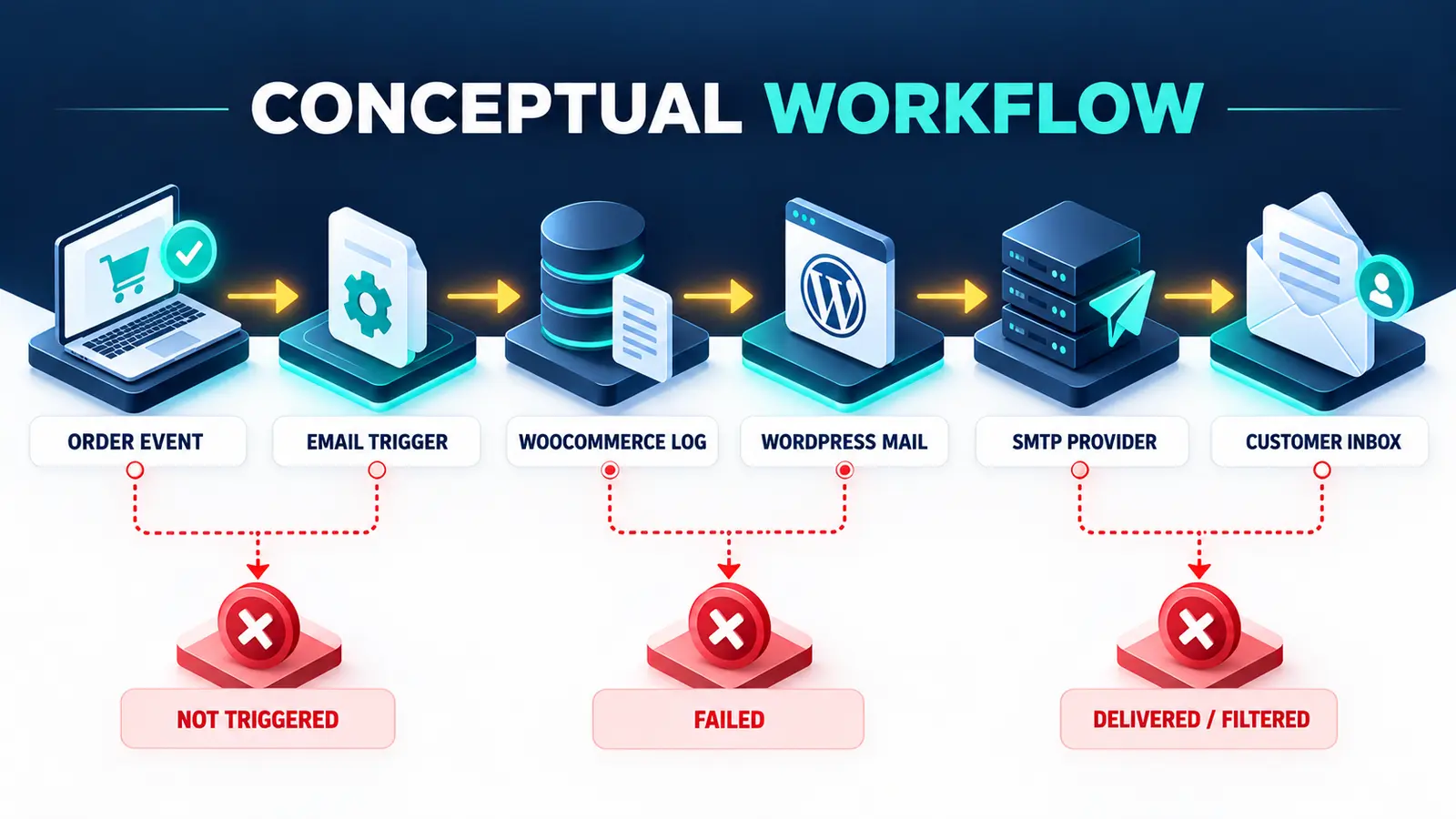
Begin with one expected notification and one controlled order. Verify the transition that should trigger it. For example, the Processing order email normally follows payment, while Completed order emails follow completion. According to WooCommerce’s email settings reference, the platform documents the built-in notification types, sender identity, individual enablement and test-preview controls.
Next match the order to the transactional-email log. If the attempt failed, use the error rather than guessing. If it was sent, check the SMTP or transactional-email provider for the same message. Provider acceptance, delivery, deferral, bounce and suppression are different states. Finally, test the recipient mailbox, spam folder and organizational filtering.
Do not troubleshoot by disabling production plugins without a safe duplicate or staging environment. Preserve the order event, logs and provider evidence. If checkout itself never completes, first diagnose the related WooCommerce checkout loading failure. If paid orders remain pending, compare the WooCommerce Razorpay pending-payment workflow.
When does SMTP solve WooCommerce email delivery?
SMTP or an email API helps when WordPress needs a reliable authenticated transport and provider-level delivery events. It does not repair a notification that was never triggered, a disabled email, a missing recipient, a fatal error before the status transition, or a broken custom template.
Configure a sender on the store’s own domain, align the provider’s authentication records, and keep a separate Reply-to address when replies belong elsewhere. WooCommerce recommends a domain-matching From address because public mailbox domains can create sender mismatches and filtering. Test through a real order event, not only the provider’s generic connection test.
Dork Industry’s web development service can diagnose WordPress/WooCommerce triggers and template code. Its custom software development service can integrate transactional providers, fulfilment systems and governed notification workflows where a standard plugin is insufficient.
How should a WooCommerce email repair be acceptance-tested?
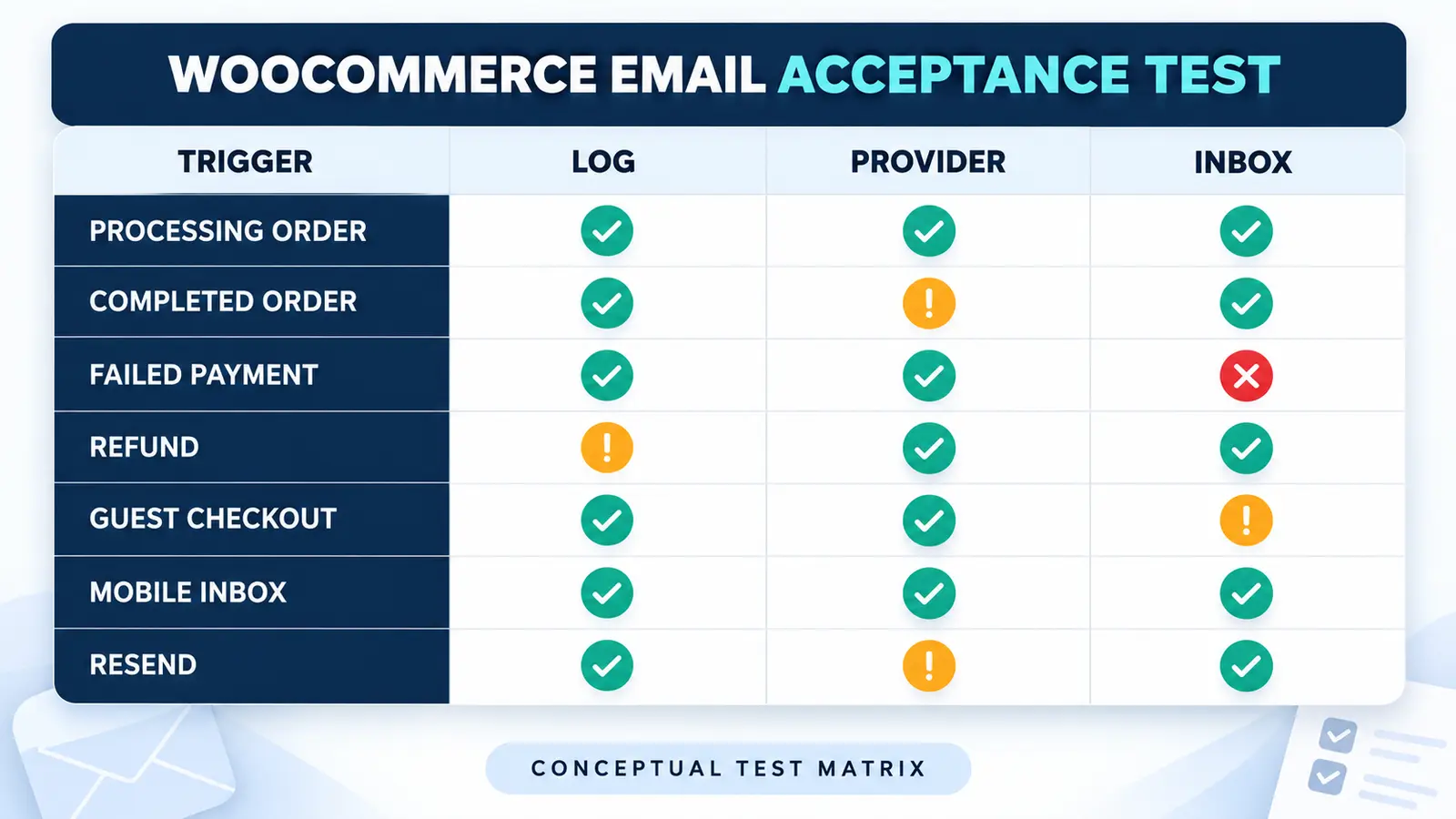
| Scenario | Expected evidence | Pass condition |
|---|---|---|
| Paid processing order | Trigger, log, provider event and inbox copy | Correct customer receives one message |
| Completed order | Status change and completed-email event | Correct template and order details |
| Failed payment | Expected failed-order behaviour | No misleading paid confirmation |
| Refund | Partial/full refund state and email | Amount and status are accurate |
| Guest checkout | Billing recipient and provider event | Guest receives the intended notification |
| Mobile inbox | Responsive rendering and working links | Content is readable and actionable |
| Resend | New attempt linked to the order | No uncontrolled duplicate sequence |
Include one control email and more than one mailbox provider. Verify sender, Reply-to, subject, order number, products, totals and links. Preserve anonymized screenshots and message IDs as acceptance evidence. Never place passwords, API keys, customer addresses or payment details in the worksheet.
When should you hire a WooCommerce developer?
Professional investigation is justified when paid orders remain in the wrong status, logs are missing, one template fails after an update, custom hooks modify recipients, messages duplicate, provider events disagree with WooCommerce, or the fault returns under real traffic. The repair scope should include reproduction, root cause, smallest safe change, rollback and acceptance tests.
If you need dedicated capacity, Dork Industry offers developer staff augmentation. For adjacent fulfilment logic, see the guide to WooCommerce stock not reducing after an order.
What do store owners ask about WooCommerce email delivery?
Why does a Processing order have no customer email?
Read the answer
Confirm that the Processing notification is enabled and inspect the transactional-email log. A missing attempt suggests a trigger or code issue; Failed points to mail transport; Sent requires checking the provider and inbox.
Does Sent in WooCommerce mean the customer received it?
Read the answer
No. Sent means WooCommerce successfully handed the message to the site’s mail system. Provider acceptance, delivery, filtering, suppression and inbox placement still need separate evidence.
Will installing an SMTP plugin fix every missing email?
Read the answer
No. SMTP improves authenticated transport, but it cannot trigger a disabled notification, repair a missing recipient, change an incorrect order status or remove a fatal error that occurs before email generation.
Why do admin order emails work but customer emails fail?
Read the answer
The notification types have different recipients, templates and triggers. Compare their enablement, log outcomes, recipient data, template overrides and provider events rather than treating one successful admin message as proof of customer delivery.
What evidence should we send a developer?
Read the answer
Send the order status timeline, expected email type, anonymized transactional log, provider message event, template override status, active mail integration and recent changes. Never send customer payment details or production credentials.
How do we know the repair is complete?
Read the answer
Run controlled Processing, Completed, failed-payment, refund and guest scenarios. Each should show the intended trigger, WooCommerce log, provider event and inbox result without incorrect or duplicate messages.