
Diagnostic lab report delivery automation should send only final, correctly matched reports through an approved patient channel while preserving delivery evidence and routing exceptions to a person. It should not blindly attach every PDF to a message. The workflow must distinguish “report ready” from “safe and authorised to deliver.”
Contents
Why does manual report delivery create operational risk?
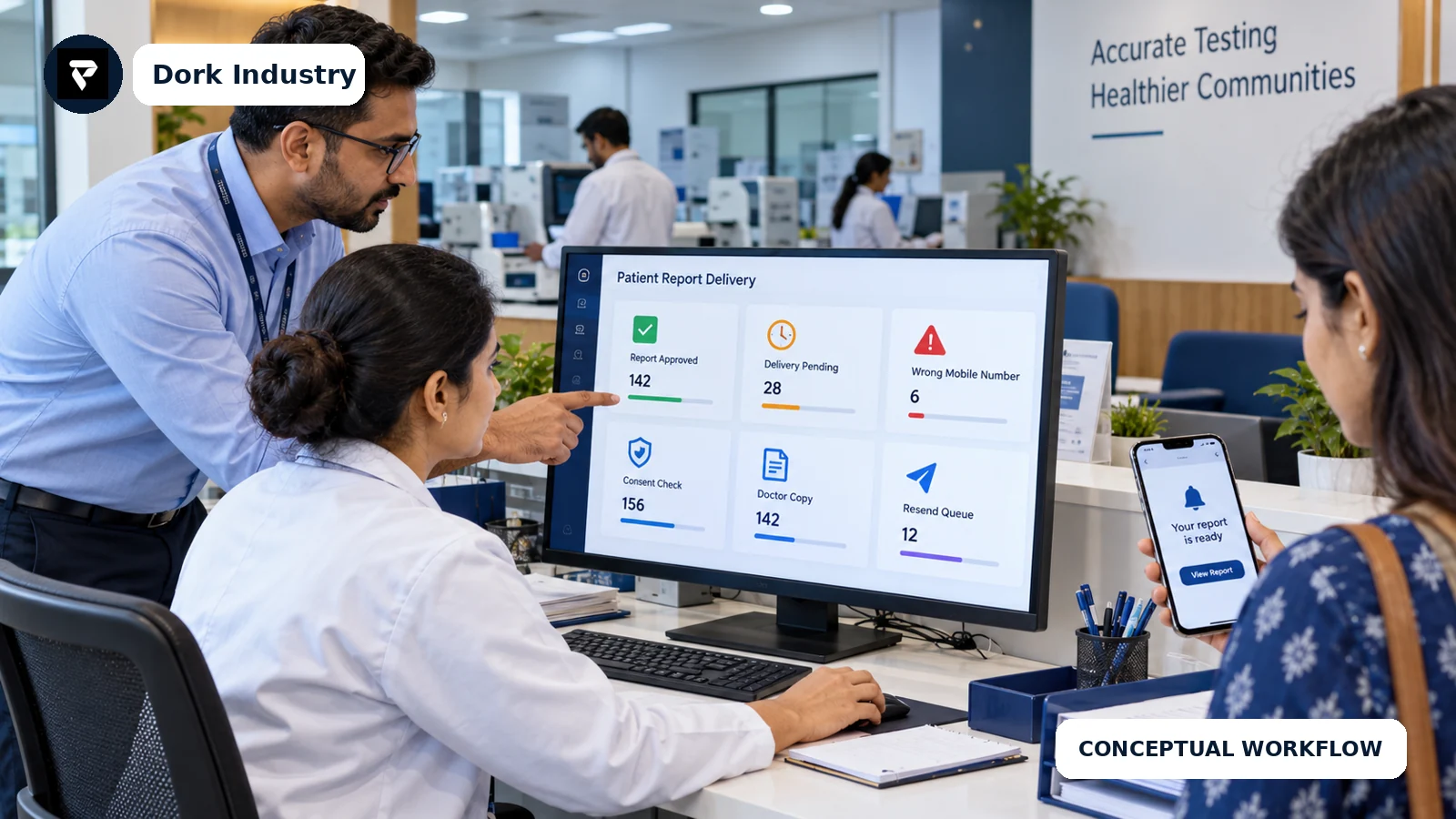
When staff download a report, search for a phone number, write a message and mark a spreadsheet, the process depends on repeated manual matching. Common exceptions include an old mobile number, duplicate patient records, a partial report, an amended result, a failed message or a doctor who needs a separate copy. The business consequence is more follow-up work, uncertain delivery status and avoidable rework across branches.
This is separate from sample tracking. Sample tracking asks where the specimen and test are; report delivery begins after an authorised result is ready. Dork Industry’s related guide explains multi-branch diagnostic-lab sample tracking.
What should diagnostic lab report delivery automation do?
- Listen for an authorised final-report event from the LIS or reporting system.
- Match the report to the correct patient, visit and requesting provider.
- Check the recorded delivery preference and consent state.
- Create a time-limited portal link or approved delivery action.
- Send a neutral notification without exposing unnecessary health information.
- Record delivery, failure and retry events.
- Route mismatches, amendments and repeated failures to a named queue.
- Allow an authorised user to correct and resend without losing history.
- Measure completion and exceptions separately.
The HL7 FHIR DiagnosticReport specification models report status, subject, specimen, performer, issued time, results and formatted representations. It can inform an integration contract, but an implementation still needs lab-specific identity, consent and exception rules. Review the HL7 DiagnosticReport resource.
What should not be automated without human approval?
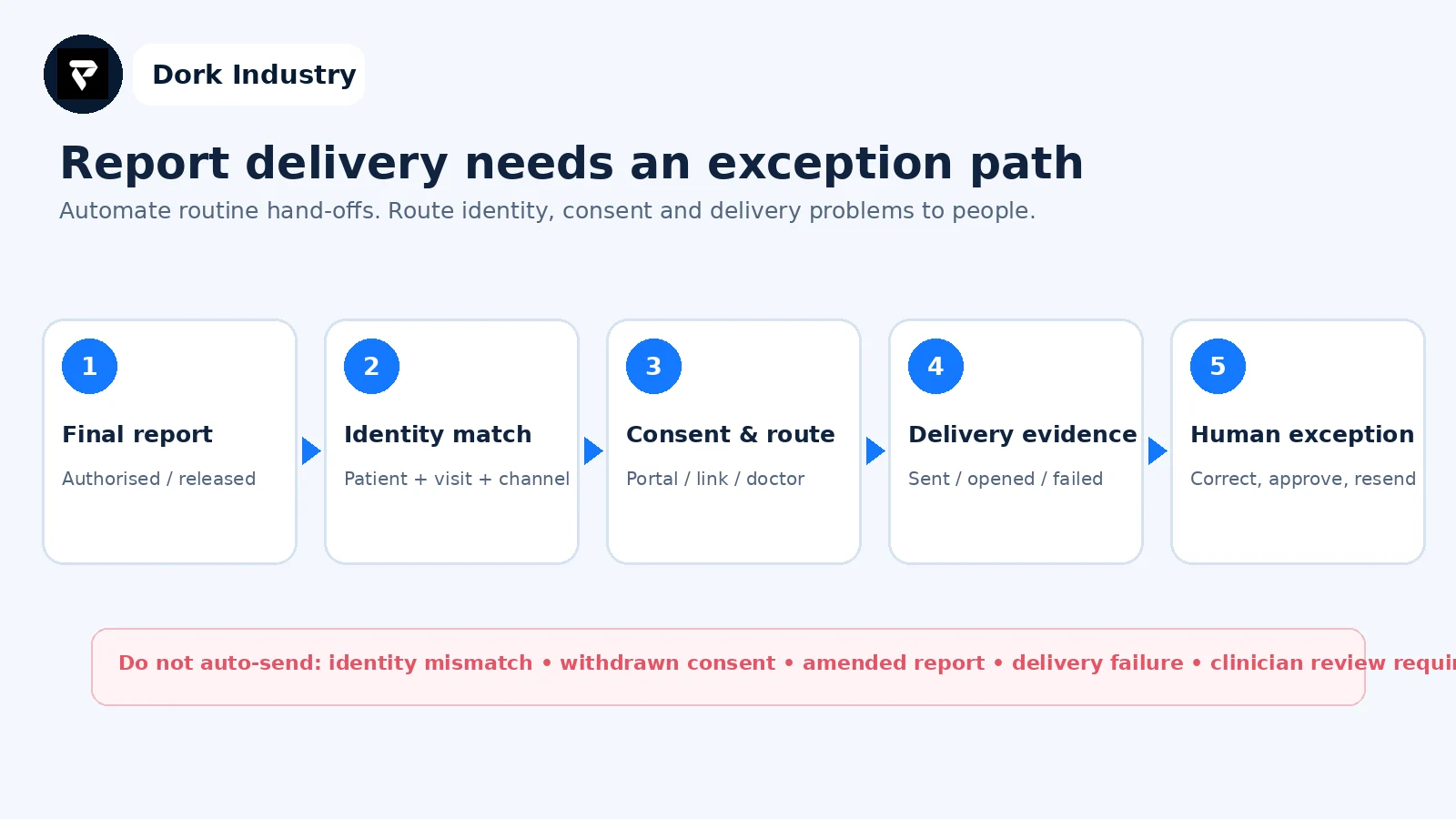
- A report that is preliminary, cancelled or awaiting verification.
- A patient match based only on a name or an unverified phone number.
- An amended report when the earlier version may already have been opened.
- A report requiring clinician review under the lab’s own policy.
- A failed delivery retried indefinitely without an escalation owner.
- Sharing through a channel that the patient did not approve.
ABDM describes personal health records as controlled by the individual and highlights identity, record linking and consent management. That supports a design principle: access and sharing choices should be explicit rather than assumed. See the Government of India’s ABDM overview.
Which systems and data are required?
| Component | Minimum data | Failure to handle |
|---|---|---|
| LIS / reporting system | Report ID, patient/visit ID, status, version, issued time | Partial or amended report sent as final |
| Patient master | Verified identifier and current contact route | Report linked to the wrong recipient |
| Consent / preference | Channel, purpose, timestamp, withdrawal state | Delivery continues after preference changes |
| Messaging or portal | Template, secure link, expiry, delivery event | No reliable proof of success or failure |
| Exception queue | Reason, owner, priority, action history | Failed deliveries disappear from operations |
| Branch dashboard | Ready, delivered, failed, amended and unresolved counts | Managers cannot distinguish volume from backlog |
How should a lab test readiness before development?
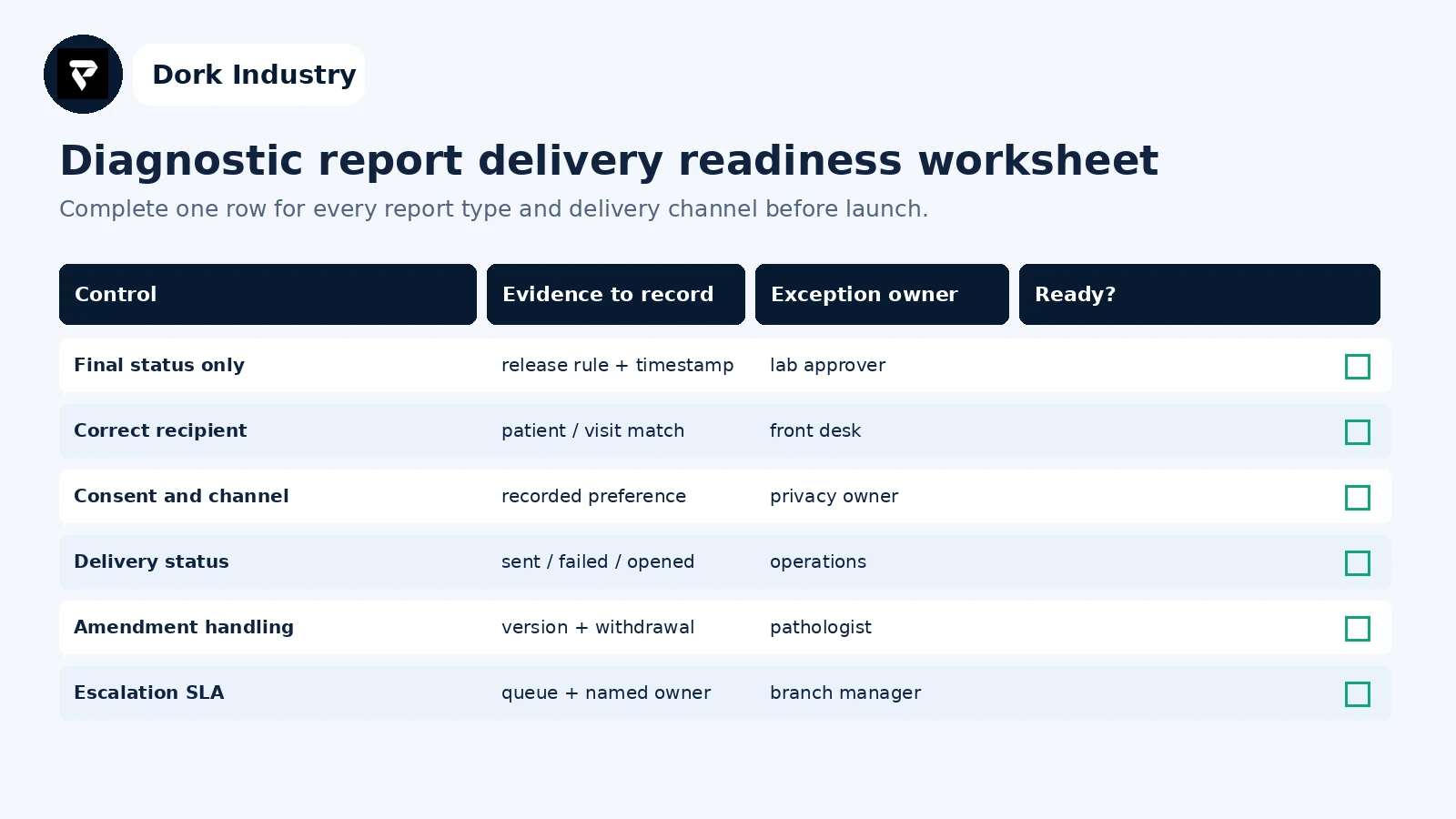
Run a tabletop test with hypothetical records: a correct patient, duplicate name, outdated mobile number, withdrawn preference, preliminary result, amended result, failed link and doctor-copy request. Record the expected automated action and the human owner. This creates a practical acceptance-test set without using real patient information.
Should the lab buy a tool, integrate its LIS, or build custom software?
| Situation | Likely option | Professional work |
|---|---|---|
| Existing LIS has reliable portal and events | Configure and integrate | Identity mapping, templates, exception dashboard |
| Multiple branches use disconnected systems | Integration layer | Common report contract, queues, branch visibility |
| Workflow has specialised approvals or partners | Custom portal/workflow | Role design, audit history, APIs and testing |
| Rules are still unclear | Short proof of concept | Validate one report type and one channel first |
Diagnostic lab report delivery automation is a paid implementation problem when it requires LIS APIs, patient identity matching, portal or messaging integration, version handling, branch roles and operational monitoring. A simple “send PDF on WhatsApp” connection is not an adequate enterprise workflow.
How can Dork Industry help?
Dork Industry can map the current reporting workflow, define exceptions and acceptance tests, integrate an existing LIS where supported, build a patient portal or internal operations dashboard, connect approved messaging services, and develop custom web or mobile components. The exact scope depends on verified APIs, data readiness and the lab’s policies. Review Dork Industry’s healthcare industry, application development and industries pages.
Request a report-delivery automation assessment: share your branch count, current LIS, report states, delivery channels, exception examples and required integrations. Dork Industry can scope a proof of concept, integration repair or custom build without assuming a one-size-fits-all product.
What do diagnostic-lab teams ask before automating report delivery?
Can reports be sent directly as WhatsApp attachments?
The technical possibility is not the full decision. The lab should first define identity verification, consent, minimum message content, report status, link or attachment controls, delivery evidence, amendments and failed-delivery escalation.
Does this replace the laboratory information system?
Usually not. The LIS may remain the source of the authorised report. The automation layer listens for report events, applies delivery rules, sends through approved channels and records outcomes and exceptions.
What is the safest first proof of concept?
Choose one branch, one final report type and one approved channel. Use synthetic test records, include failure cases, retain human approval for exceptions and define success before connecting more branches or report types.
Can AI interpret the diagnostic result before delivery?
That is a separate clinical scope. Report delivery automation should not add interpretation or advice unless qualified clinical governance, validated models, regulatory requirements and explicit human review have been addressed.