
A WooCommerce Razorpay order stuck pending payment usually means the customer-facing payment and the store’s order record did not reach the same confirmed state. The charge may be authorised or captured in Razorpay while WooCommerce is still waiting for a valid callback or webhook. Before fulfilment, reconcile the transaction ID, amount, currency, capture state and webhook result; do not change orders to Processing in bulk.
This is not only an admin inconvenience. A paid order can miss the warehouse queue, stock can later be released, a customer may pay again, and support may promise a refund before finance has identified the actual transaction. A repair project should restore reliable state synchronisation and leave an auditable exception path for genuine mismatches.
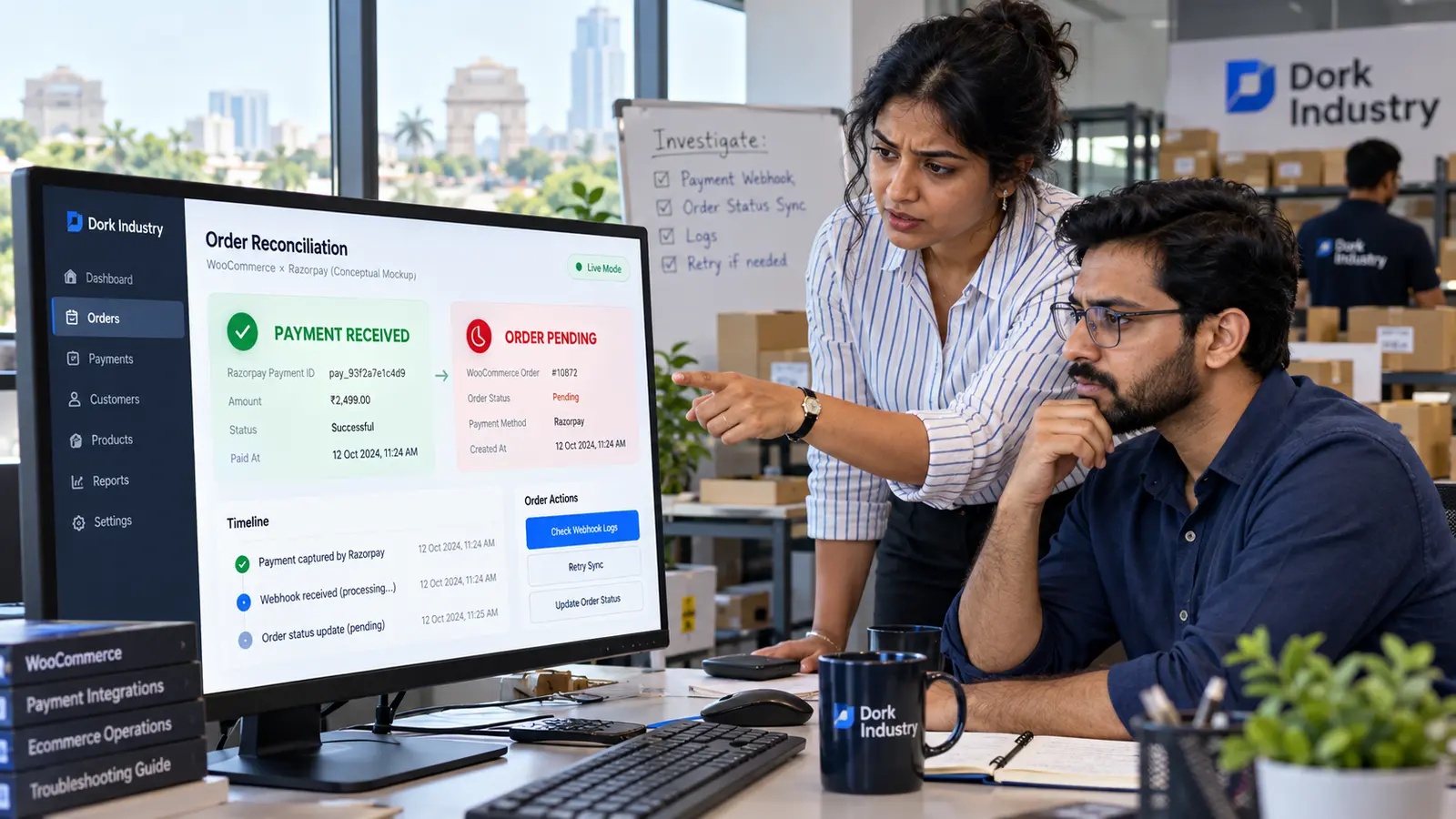
Why is a WooCommerce Razorpay order stuck pending payment?
WooCommerce defines Pending payment as an order that has been received but for which payment has not been confirmed. A normally paid physical-goods order generally moves to Processing, which reduces stock and makes it ready for fulfilment. Therefore, a successful message shown to a shopper is not enough evidence that WooCommerce received and accepted the final payment state.
According to Razorpay’s official WooCommerce integration documentation, merchants should configure webhooks because they make payment updates more robust when browser redirects or connectivity are unreliable. Its setup uses a public HTTPS webhook URL and a secret that validates the sender. The documented WooCommerce events include payment.authorized and payment.failed. A store’s exact event and capture behaviour still depends on its plugin version and payment settings, so diagnosis must use the current configuration—not copied settings from another site.
Why does a paid-but-pending order affect revenue and fulfilment?
The payment gateway and the order-management system serve different operational roles. Razorpay can show that money moved, while WooCommerce decides whether the order enters picking, stock reduction, email, ERP and courier workflows. A mismatch can create four immediate problems:
- Delayed dispatch: the warehouse filters for Processing orders and never sees the paid order.
- Duplicate payment pressure: the customer is asked to retry although the first payment may have succeeded.
- Inventory errors: held stock can be released if a pending order is cancelled after the configured hold period.
- Manual status mistakes: staff mark an order paid without matching the gateway transaction, amount and capture state.
If the failure happens before the order is submitted or the checkout keeps spinning, use our separate guide to diagnose WooCommerce checkout loading after Place Order. This article addresses the later state-sync problem: a WooCommerce order exists, and gateway evidence indicates a payment attempt.
What should a store owner check before requesting a repair?
Collect evidence without changing production data. For one affected order and one unaffected order, record the WooCommerce order ID, order creation time, payment method, order notes, Razorpay payment ID, Razorpay order ID, amount, currency, authorisation/capture state and webhook delivery status. WooCommerce’s payment troubleshooting guidance also points owners to WooCommerce > Status > Logs.
- Confirm the payment belongs to the same WooCommerce order and environment (test or live).
- Compare amount and currency; stop if either differs.
- Check whether the payment is authorised or captured rather than relying on “successful” language.
- Inspect the order notes for callback, signature or status-transition messages.
- Review Razorpay webhook delivery attempts and HTTP responses for the affected time.
- Preserve logs before updating plugins, clearing caches or recreating webhook settings.
Where can the WooCommerce–Razorpay status update fail?
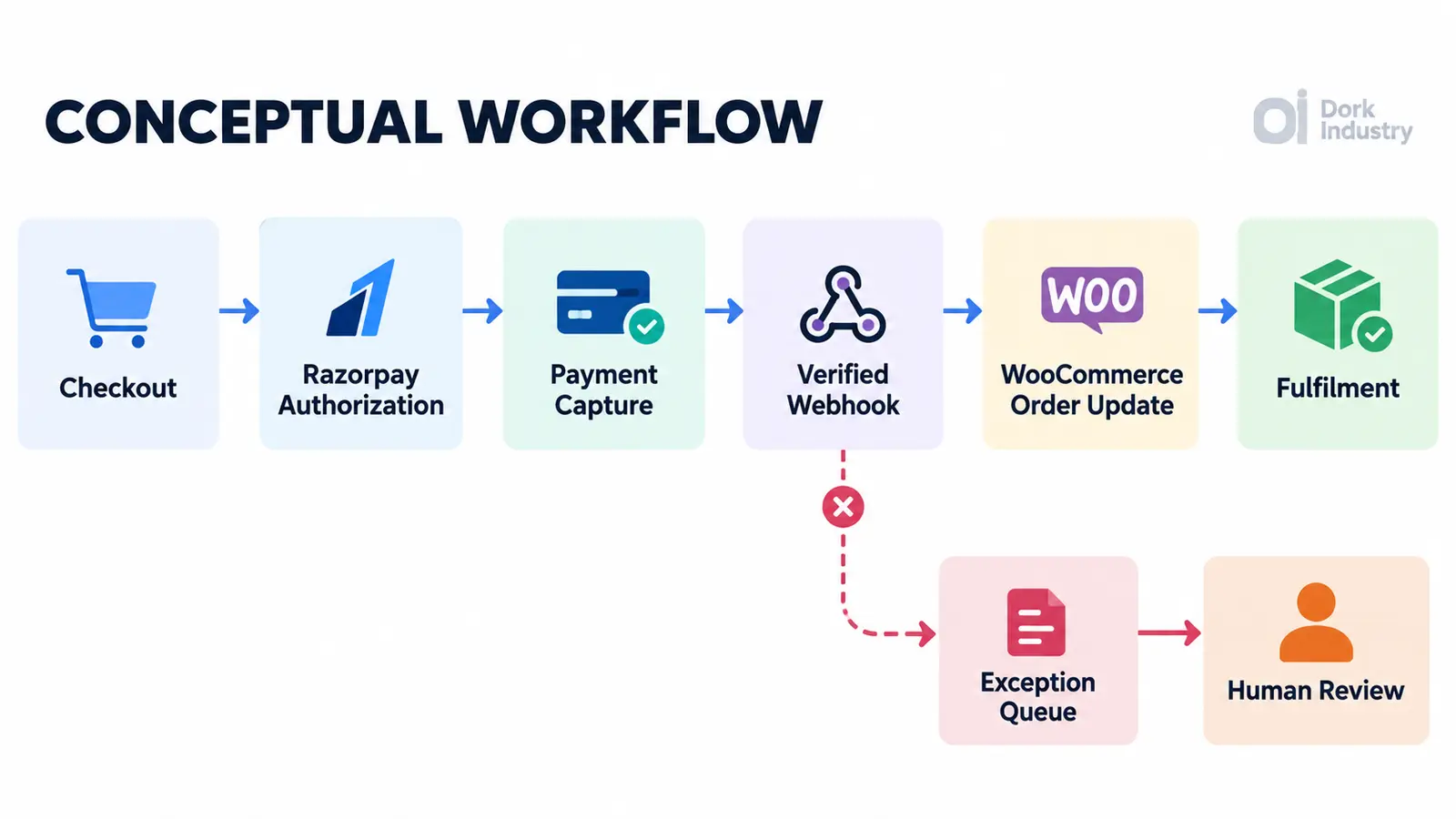
| Failure point | Evidence to inspect | Likely repair work |
|---|---|---|
| Capture configuration | Authorised versus captured state; current payment-action setting | Align capture policy with the business’s fulfilment control |
| Webhook endpoint | Configured URL, HTTPS reachability, firewall/CDN response | Restore public delivery without bypassing validation |
| Signature validation | Webhook secret, signature errors, secret-rotation timing | Correct secret handling and safely test old-event retries |
| Plugin or theme conflict | Version history, PHP errors, WooCommerce logs | Reproduce in staging and isolate the conflicting hook |
| Duplicate or delayed event | Event IDs, timestamps, repeated requests | Add idempotent processing and exception logging |
| Custom fulfilment integration | Status hooks, ERP/courier jobs, Action Scheduler | Separate payment confirmation from downstream job failure |
Razorpay’s webhook guidance notes that failed deliveries can be retried and that duplicate deliveries can be identified using the event ID header. That is why a custom handler must be idempotent: replaying a legitimate event should not duplicate stock changes, emails, invoices or fulfilment jobs.
What should a professional WooCommerce Razorpay repair include?
A useful engagement starts with a reproducible transaction path, not a blanket plugin reset. Dork Industry can scope the work as a WooCommerce and web development repair, a custom payment or ERP integration, or a dedicated resource through staff augmentation when an internal team needs implementation capacity.
The repair should define the source of truth, expected order state for authorised and captured payments, signature validation, retry behaviour, duplicate-event handling, logging, reconciliation and a controlled exception queue. It should also identify downstream effects: stock, email, tax invoice, accounting, courier, subscription and ERP updates.
Configure, customise or rebuild?
- Configure: use when the official plugin and webhook setup are correct for the required workflow but settings or endpoint delivery are wrong.
- Customise: use when the business needs additional status mapping, reconciliation alerts or a controlled ERP/warehouse hand-off.
- Rebuild the integration: consider only when unsupported code, conflicting payment flows or business rules cannot be handled safely by the maintained plugin.
How should a repaired payment integration be acceptance-tested?
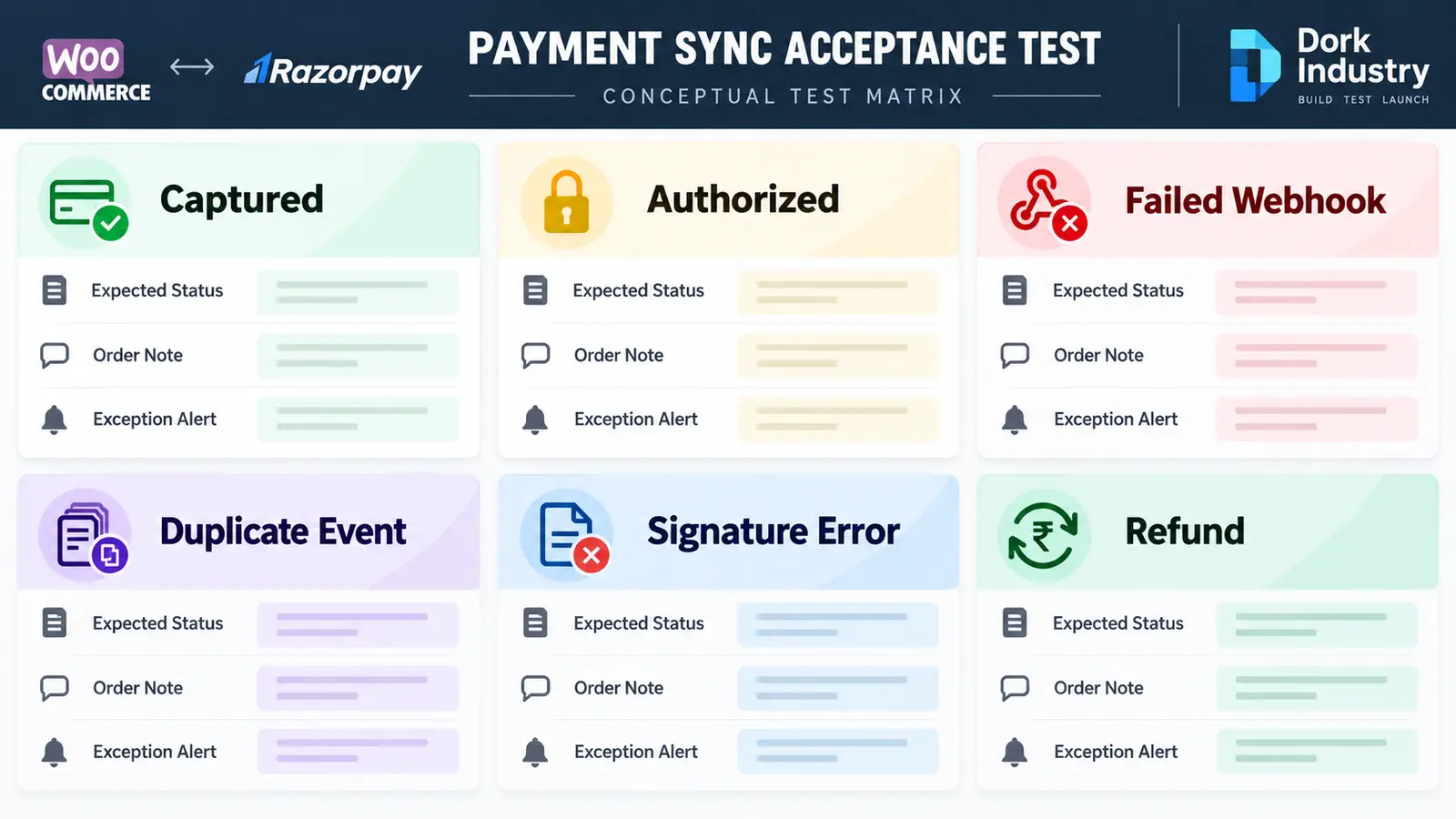
| Scenario | Expected control | Evidence |
|---|---|---|
| Captured payment | Order moves once to the agreed paid status | Payment ID, order note, stock and fulfilment event |
| Authorised but not captured | No premature fulfilment | Gateway state and explicit exception/status |
| Failed webhook | Retry or reconciliation identifies the gap | Delivery response, retry log and alert |
| Duplicate event | No duplicate stock, email or ERP action | Event ID and single downstream record |
| Invalid signature | Event rejected and logged without exposing secrets | Sanitised security log |
| Refund | Order and finance workflow follow the approved policy | Refund ID, amount and order note |
Test in staging with documented test credentials, then run a controlled live validation approved by the merchant. Keep a rollback plan and monitor the first production transactions. A repair is complete only when the status transition and every critical downstream action can be traced.
Need the payment mismatch diagnosed?
Send Dork Industry one affected order ID, the approximate payment time, your WooCommerce and Razorpay plugin versions, and sanitised order notes. A Dork Industry developer can assess the webhook, capture and status flow, propose a contained proof of repair, integrate the result with your existing systems, or provide a developer resource.
Frequently asked questions
Why is Razorpay showing success while WooCommerce says Pending payment?
The gateway and store records were not synchronised. Check capture state, matching identifiers, webhook delivery, signature validation and order notes before changing the status.
Can I manually change the order to Processing?
Only after an authorised staff member verifies the exact transaction, amount, currency and capture state under the merchant’s controls. A manual change does not repair the underlying webhook or integration.
Should I ask the customer to pay again?
Not until the original attempt has been reconciled. Asking for another payment can create a duplicate charge and a preventable support problem.
Can a cache or firewall block Razorpay webhooks?
Yes, an endpoint can be cached, challenged or blocked by security/CDN rules. Confirm the webhook URL and delivery response before changing broad security settings.
What information should I send a WooCommerce developer?
Send the affected order ID, approximate timestamp, plugin versions, payment and order identifiers, sanitised order notes, gateway state and webhook response. Never send API secrets through an ordinary enquiry form.
Do I need custom code?
Not always. Correct official-plugin configuration may be enough. Custom work is justified when the store needs special capture rules, reconciliation, ERP or fulfilment integration, or durable exception handling.