
WooCommerce subscription renewal payment failed: determine whether the scheduled renewal ran, a reusable payment token was available, the gateway attempted the charge and the asynchronous result returned to WooCommerce. A successful first checkout proves only that the original payment worked; it does not prove future off-session charges can complete.
When recurring payments fail, the business consequence is more than one unpaid order. A subscription can move on hold, access may be interrupted, support tickets increase and staff may retry a payment without knowing whether the gateway already processed it. Preserve the evidence chain before changing statuses or charging again.
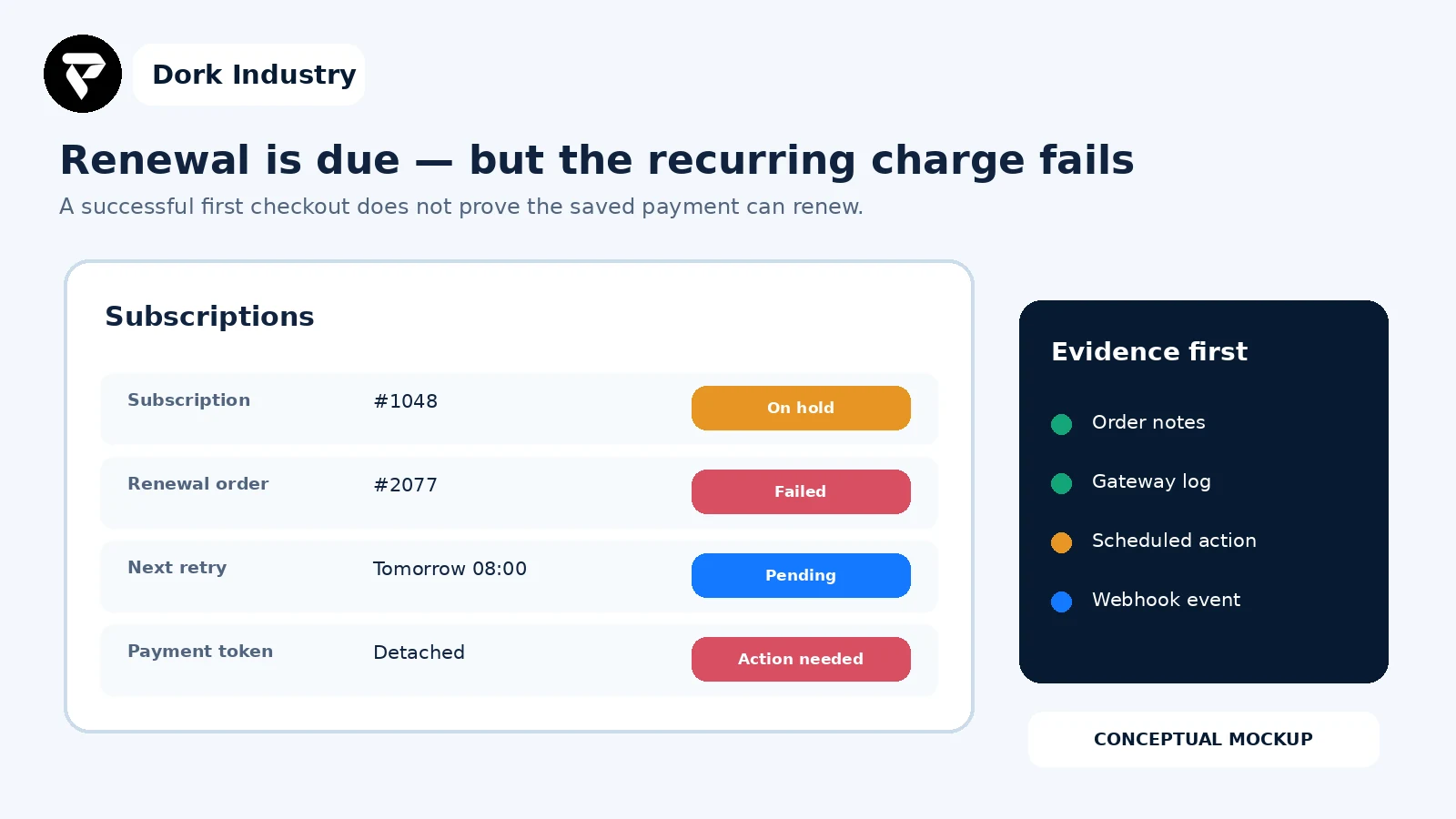
What does a failed WooCommerce subscription renewal mean?
It means one stage of the recurring-payment contract did not complete: the renewal may not have been scheduled, its renewal order may not have been created, its saved payment method may be unusable, the processor may have declined or rejected the charge, or WooCommerce may not have received the final result.
WooCommerce documents that renewal orders depend on scheduled actions and that failures can involve cron, memory, missing or detached tokens, gateway errors or stuck scheduled actions. See WooCommerce’s current subscription error guidance.
What should you capture before retrying?
- Subscription and renewal-order IDs, status history and timestamps.
- Payment gateway and whether the subscription is automatic or manual renewal.
- The relevant Action Scheduler hook, result and log—without editing it.
- Order notes and the first gateway error code or message.
- Whether a saved token/customer reference exists; never copy its value.
- Gateway transaction or event ID and webhook delivery result.
- Plugin versions and the last known successful renewal.
Renewals failing after a gateway, plugin or site change?
Share one affected subscription ID, redacted order notes, scheduled-action result, gateway event ID and the last successful renewal. Dork Industry can scope a focused WooCommerce subscription diagnosis, integration repair or recovery test.
WooCommerce subscription renewal payment failed: which checks identify the cause?
| Check | Evidence | Decision |
|---|---|---|
| 1. Confirm renewal mode | automatic/manual and gateway | expected charge or customer action |
| 2. Verify dates | next payment and site time | due or not yet due |
| 3. Inspect scheduled action | hook, status and log | job ran, failed or is delayed |
| 4. Inspect renewal order | notes, totals and status | order creation or payment failure |
| 5. Verify token relationship | method/customer references | usable, missing or detached |
| 6. Read gateway decision | event ID and decline code | customer, merchant or integration issue |
| 7. Reconcile webhook | delivery and response | processor result reached WooCommerce |
| 8. Review retry state | rule, pending action and statuses | safe retry or possible duplication |
| 9. Run acceptance test | controlled renewal matrix | repair proven or redesign required |
1. Is this subscription meant to renew automatically?
Confirm the subscription’s renewal mode and gateway capability. Manual renewals create a customer payment step; automatic renewals require a gateway integration that supports the scheduled-payment flow. Do not diagnose an intentionally manual renewal as a broken automatic charge.
2. Are the billing dates and site time correct?
Compare the next payment date, last order date, site timezone and subscription history. A migration, manual date change or copied staging database can move dates or cause a test environment to process a real schedule. Pause unsafe processing before investigating live billing data.
3. Did Action Scheduler execute the renewal hook?
Search Scheduled Actions using the subscription or renewal order. Record whether the action is pending, complete or failed and preserve its log. If jobs are broadly delayed, inspect WP-Cron or the server cron, queue backlog, fatal errors and available resources. Re-running a single job without reconciling the gateway can create a duplicate attempt.
4. Was the renewal order created correctly?
Check the renewal relationship, line items, taxes, currency, total and order notes. Distinguish “no renewal order” from “renewal order exists but payment failed.” The first is scheduler/order-generation work; the second continues into token and gateway evidence.
5. Does the subscription have a reusable payment method?
Verify that the method, customer reference and token relationship exist without exposing values. Tokens can be missing after a migration, detached in the processor, associated with another merchant account or created through a flow that did not support future off-session use. Ask the customer to update the method through the supported account flow when appropriate; do not paste raw token data into the database.
6. What did the payment gateway actually decide?
Use the transaction or event ID to inspect the processor decision. Separate a normal issuer decline from authentication requirements, merchant configuration, invalid credentials, unsupported recurring mode or an integration exception. Copy only the redacted code and timestamp into the incident record.
7. Did the final gateway result return through the webhook?
A processor can accept an asynchronous payment while WooCommerce remains pending or on hold because a webhook was delayed, rejected, signed with the wrong secret or routed to an old site. Compare event delivery time, endpoint response and corresponding order note before changing any status.
8. Is an automatic retry already pending?
WooCommerce Subscriptions can apply retry rules to failed automatic recurring payments and schedule the retry with Action Scheduler. Its developer documentation describes checks on renewal order state, subscription state and gateway support before processing a retry. Review WooCommerce’s retry-system flow. Avoid aggressive custom schedules; the documentation warns that excessive retry attempts can affect gateway or bank reputation.
9. Can the repair pass a controlled renewal test?
Use a staging environment and gateway-supported test method. Verify renewal order creation, a successful automatic charge, a controlled decline, retry scheduling, customer notification, webhook reconciliation and protection against a second charge. Production customer tokens should not be copied into an unsafe test environment.
Where can the recurring-payment chain break?
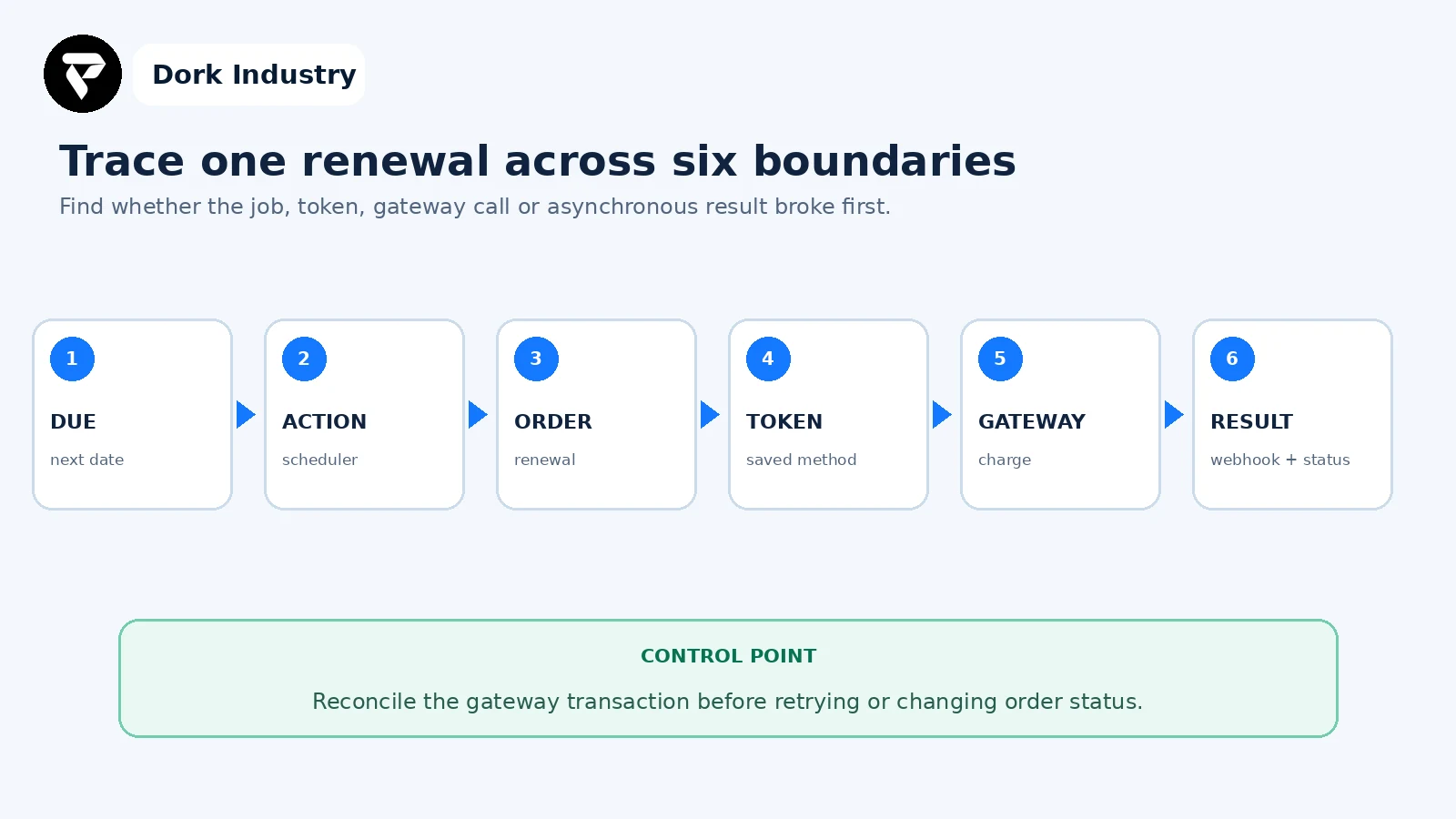
The first boundary without matching evidence is the repair target. This prevents teams from changing the order status when the actual problem is a missing scheduler job, detached token or undelivered gateway event.
Worked example: renewals fail after a merchant-account change
This is an illustrative diagnostic example, not a client result. New checkouts succeed through a newly connected gateway account, but older subscriptions fail on their next renewal. Scheduled actions complete and renewal orders exist. Their order notes reference invalid saved methods, while the gateway shows those customer/payment references belong to the previous account.
- The team pauses manual bulk retries and records affected subscription ranges.
- It reconciles each failed order against gateway events to rule out successful charges.
- Customers receive the supported payment-method update path rather than a database token edit.
- The developer validates that new subscriptions store reusable methods against the current account.
- A controlled renewal, decline, retry and webhook test proves the repaired flow before broader recovery.
The paid project may involve gateway-account migration planning, customer update workflows, renewal recovery tooling, webhook correction and a repeatable acceptance test—not merely switching a plugin setting.
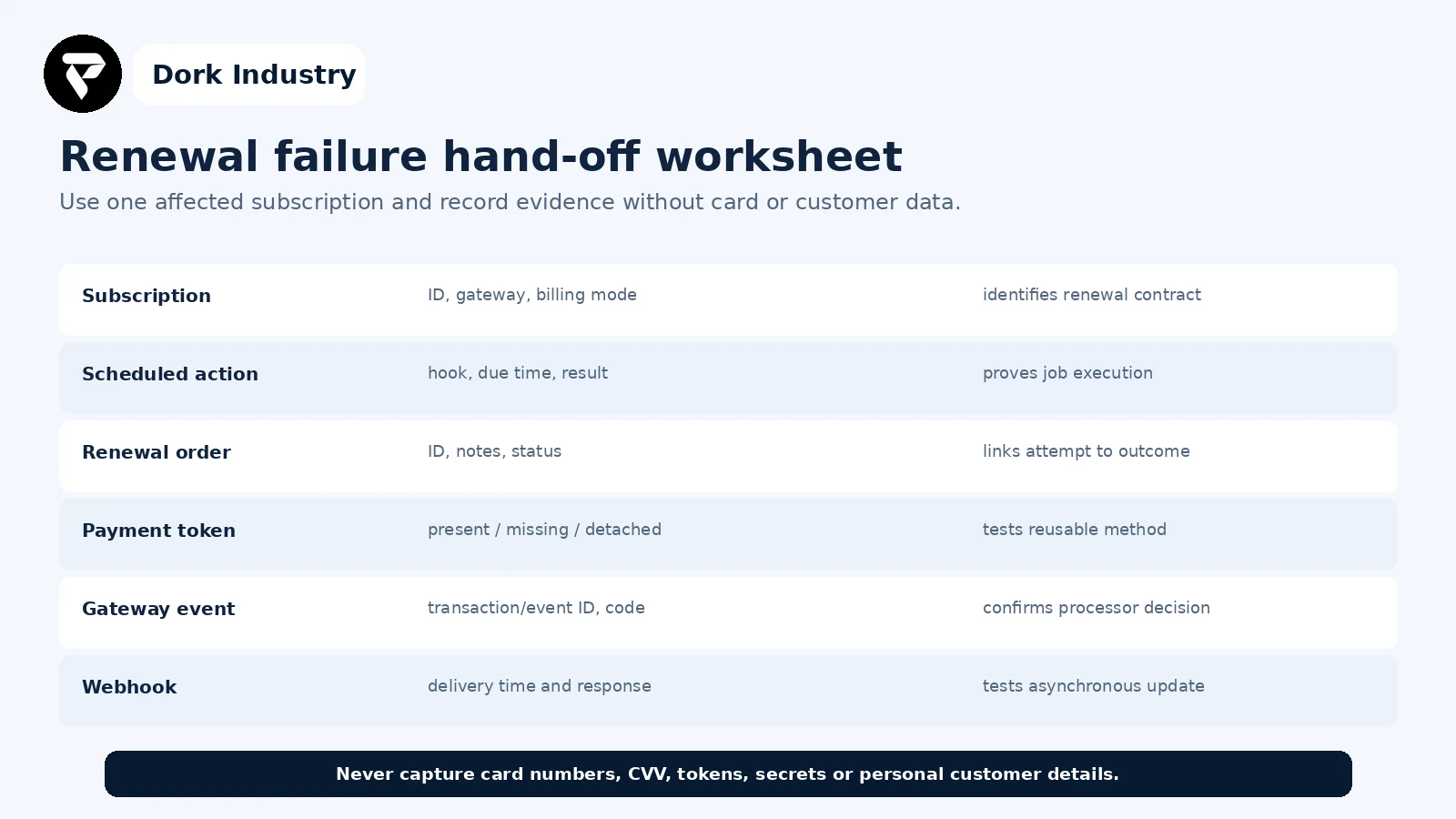
What evidence belongs in a renewal-repair hand-off?
When is this a repair versus an integration redesign?
| Finding | Likely work | Professional work is warranted when |
|---|---|---|
| One failed scheduled action | queue or runtime repair | renewals are delayed across the store |
| Missing/detached tokens | supported method-update workflow | a migration or account change affected many customers |
| Webhook rejected | endpoint/signature/routing repair | gateway and order statuses disagree |
| Gateway lacks required support | gateway migration or custom integration | automatic recurring billing is a core requirement |
| Duplicate retry risk | idempotency and reconciliation controls | staff cannot determine whether payment succeeded |
How can Dork Industry help?
Dork Industry can reproduce one renewal failure, trace scheduled actions, renewal orders, payment-token relationships, gateway logs and webhooks, repair WooCommerce or custom integration code, and build controlled recovery and acceptance tests. Scope depends on the gateway’s supported recurring-payment model and authorised access.
Review Dork Industry’s IT services and custom development scope, application development services, industry solutions, WooCommerce payment-method availability guide and Razorpay pending-payment guide. Those articles cover checkout availability and an original transaction stuck pending; this article covers a later off-session subscription renewal and its scheduled retry lifecycle.
Repair recurring billing without guessing or double-charging
Send one subscription ID, renewal order, scheduled-action result, redacted gateway event and webhook status. Dork Industry can propose a focused repair, migration or integration-support scope.
Frequently asked questions
Why did the first subscription payment succeed but renewal fail?
The original checkout can succeed while the future charge lacks a reusable token, uses another merchant account, encounters a later issuer decline or depends on a scheduled action and webhook that did not complete.
Should I click Process Renewal again?
Only after reconciling the renewal order with the gateway and checking for a running or pending retry. Repeating the action without that evidence can create a second attempt.
Can WooCommerce retry failed recurring payments automatically?
WooCommerce Subscriptions provides a retry system for eligible automatic renewals, subject to gateway and billing-schedule support. Configure and test it rather than assuming every gateway follows the same retry model.
What should I send a WooCommerce developer?
Send the subscription and renewal-order IDs, timestamps, renewal mode, gateway name, redacted order notes, scheduled-action result, gateway event ID and webhook response. Never send card numbers, CVV, tokens or customer secrets.