
AI automation is quietly changing how product teams build roadmaps: instead of arguing about opinions in a meeting room, they turn a month of support tickets into a ranked, evidence-backed list of what customers are actually struggling with. Yes — an AI automation pipeline can cluster thousands of tickets into pain themes, rank them by frequency, severity, and customer value, and hand your product team a roadmap draft backed by real customer evidence. But the system must do the analysis, not the deciding: humans still own priorities, promises, and the build list.
This article walks through how the approach works: where ticket data actually goes today, what data your queue already holds, how the AI automation pipeline turns noise into roadmap signal, what it must never do alone, whether you should build or buy, and how to pilot it in 30 days before committing to anything bigger.
Where does a month of support tickets actually go?
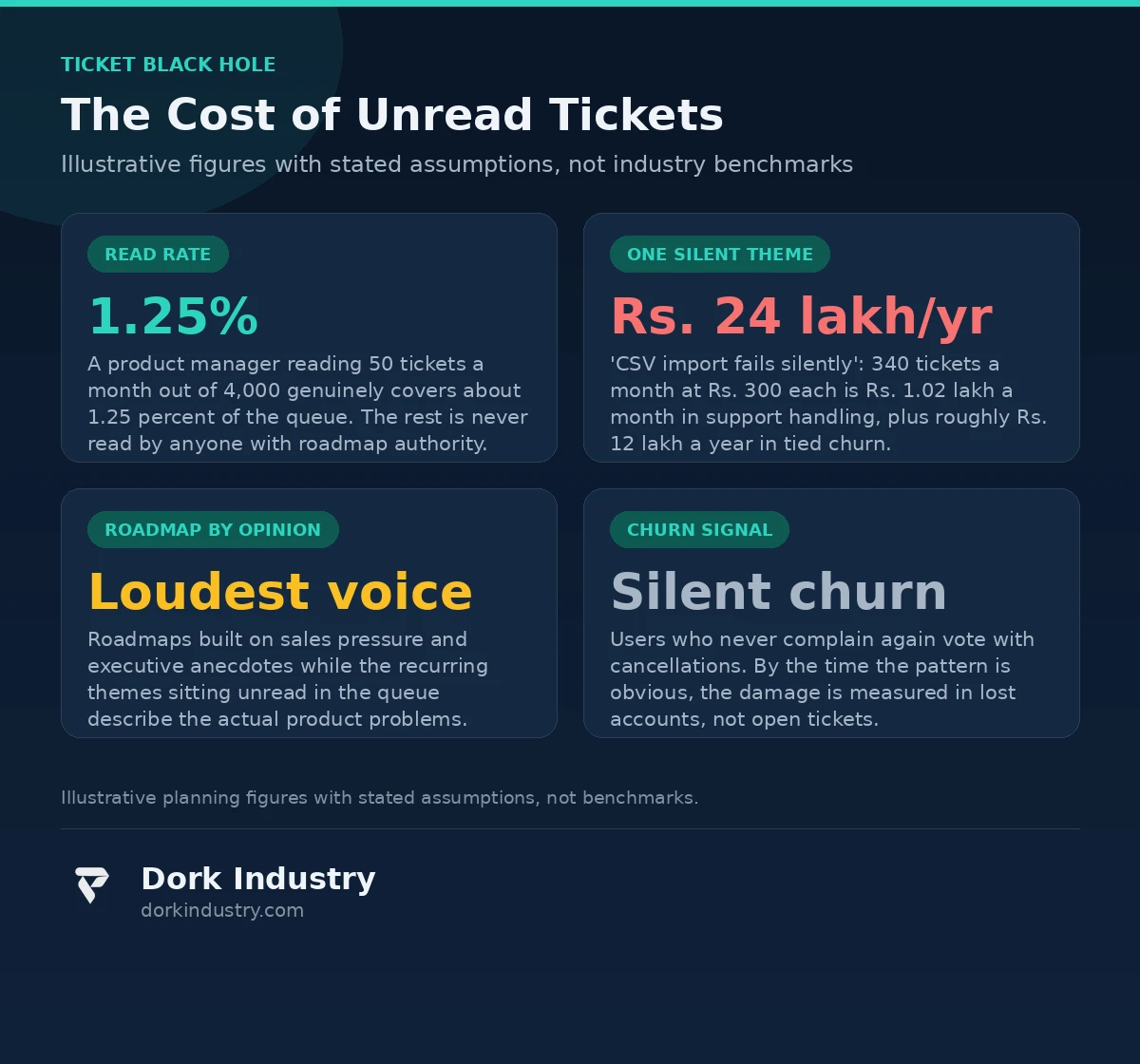
Into a black box labeled “resolved.” A typical support operation processes thousands of tickets a month — and once a ticket is closed, its insight dies with it. The agent who solved it remembers the pattern vaguely, the product team never sees it, and the roadmap is set the way roadmaps have always been set: by the loudest voice in the room.
Why do product teams build features nobody asked for?
Because roadmaps are opinion pipelines. Sales asks for the feature the current prospect wants. An executive asks for the feature a competitor demoed. Engineering builds what is technically interesting. None of these inputs is wrong on its own, but together they produce a roadmap optimized for whoever shouted last — while the 340 tickets a month about the same broken import flow sit unread in the helpdesk, each one a customer saying “this is costing me time” in plain language.
Why does the loudest customer win?
Enterprise accounts get a customer success manager, a quarterly business review, and a direct line to product. Everyone else gets a ticket queue. So the roadmap reflects the needs of the customers with the most contact, not the customers with the most pain. The silent majority — the thousands of users who file a ticket, get a workaround, and never complain again — votes with churn instead of with feature requests. By the time the pattern is obvious, the damage is measured in lost accounts, not open tickets.
What data is already sitting in your ticket queue?
Most companies already own the raw material for a customer-driven roadmap. Every ticket contains the complaint in the customer’s own words, the product area, the time and date, the customer segment, the agent’s resolution notes, and the eventual outcome. That is a richer signal than any survey — surveys capture what customers think you want to hear; tickets capture what broke at 2 AM.
Which ticket fields carry product signal?
- Subject and first message: the customer’s own phrasing of the pain, in their vocabulary
- Conversation thread: workarounds attempted, repeat contacts, escalation depth — a proxy for severity
- Product, plan, and segment tags: which customers and which revenue tiers the pain touches
- Resolution and reopen counts: tickets that reopen are the loudest signal of an unsolved problem
- CSAT and churn outcomes: linking themes to actual cancellations turns opinions into arithmetic
What is the data missing?
Tickets describe pain, not solutions — customers rarely propose the right fix. They are also skewed: power users file more tickets than silent sufferers. And the data needs cleaning before any AI automation touches it: internal test tickets, spam, “how do I” questions that are documentation gaps rather than product gaps, and threads in multiple languages all sit in the same queue. A pipeline that does not account for these biases will confidently recommend the wrong roadmap.

How can AI automation turn ticket noise into roadmap signal?
The technology intervention is concrete, not magical. An AI automation pipeline reads every ticket, groups similar ones into themes, ranks those themes against business value, and packages each theme with evidence a product manager can actually use in a roadmap review. The steps are deliberately boring:
What does the pipeline actually do, step by step?
- Export: pull tickets on a schedule via the helpdesk API. According to Freshdesk’s official API documentation, every ticket — including conversations, custom fields, and timestamps — can be exported programmatically (Freshdesk API docs).
- Clean: filter internal, spam, and documentation-gap tickets with a rules layer before the AI ever sees them — garbage in, roadmap out.
- Cluster: group tickets into themes by meaning, not keywords — “export broken,” “CSV won’t download,” and “report empty after export” are one theme: broken data export.
- Enrich: attach frequency, affected revenue tier, reopen rate, and linked churn to each theme.
- Rank: score themes by tickets × severity × customer value — a theme with 40 enterprise tickets outranks one with 400 free-tier “how do I” questions.
- Evidence packs: each theme ships with 5–10 real ticket quotes, trend over time, and affected segments — so the roadmap review discusses evidence, not anecdotes.
- Weekly review: the pipeline produces a one-page theme report for the product meeting; humans decide what ships.
How does it handle tickets in other languages?
Translate-then-cluster is the pragmatic answer: machine-translate non-English tickets into a common language for theme clustering, but keep the original text attached to every evidence quote so reviewers see the customer’s actual words. Clustering quality on translated text is good enough for theme detection; customer-facing output should never be auto-translated without human review. This mirrors the AI automation discipline we describe in our warehouse-vs-ERP reconciliation article: the AI reads and organizes operational data, but humans approve every conclusion that leaves the building.
What does the math look like? An illustrative example
Consider a B2B SaaS company receiving 4,000 support tickets a month. At a fully loaded agent cost of ₹25 per agent-minute and an average handle time of 12 minutes, each ticket costs roughly ₹300 to resolve — ₹14.4 lakh a month in support handling alone. These are illustrative figures with stated assumptions, not industry benchmarks.
Now suppose the AI automation pipeline finds one dominant theme: “CSV import fails silently,” accounting for 340 tickets a month (8.5%). That single theme costs ₹1.02 lakh a month — ₹12.24 lakh a year — in support time, before counting anything else. If just 10% of the roughly 1,000 distinct customers who hit this issue in a year consider switching, and 2% actually churn at an average ₹60,000 in annual revenue each, that is ₹12 lakh a year in churn tied to one fixable theme. The feature that kills this theme pays for the entire AI automation pipeline several times over — and you only know it exists if somebody reads the tickets.
The same arithmetic applies in reverse: a feature the roadmap team “felt” customers wanted, built over two quarters, that moves no ticket theme at all. Roadmap-by-opinion has a cost too; it just never appears on a slide.
Should you build or buy? An honest breakdown
Not every support team needs custom AI automation. The honest options, in order of investment:
| Approach | Best for | Relative investment | Where it breaks |
|---|---|---|---|
| Manual sampling | Under 500 tickets/month; a product manager reading 50 tickets monthly | Minimal | Random samples miss recurring themes; does not scale past a few hundred tickets |
| Native helpdesk analytics | Teams already on Zendesk or Freshdesk who need tag trends and CSAT slices | Low (existing subscription) | Reports count tags, not meaning — “export broken” and “CSV fails” stay separate rows |
| Custom AI automation pipeline | 2,000+ tickets/month, multi-channel, revenue-tiered prioritization | Highest | Overkill below a few thousand tickets; needs ongoing human review to stay honest |
| Dedicated voice-of-customer platform | Teams that want theme analytics without building or maintaining software | Medium subscription | Generic ranking rarely matches your revenue model; you inherit their taxonomy |
A similar build-vs-buy judgment applies to adjacent problems: our call-quality AI article walks through when AI automation earns its cost on support calls versus when sampling is enough. The pattern is the same — automation earns its cost when the volume of unread customer signal exceeds what any human team can honestly process.
What should AI automation never do alone?
Technology boundaries matter as much as capabilities — especially where the system starts looking smart enough to decide.
- Never promise customers a roadmap. The pipeline must not auto-reply with “we are building this.” Roadmap commitments are made by product leadership, in writing, with dates they can defend.
- Never auto-prioritize engineering work. Theme ranking is an input to planning, not a plan. A theme with 400 tickets may be correctly deprioritized if the fix requires re-architecting the product.
- Never auto-close duplicates. Merging tickets without a human reading both risks burying a distinct edge case inside a lookalike theme.
- Never label customers. “Frequent complainer” tags are a short road to biased support. Themes describe problems, never people.
- Never leak customer data between systems. Ticket text contains credentials, personal data, and business secrets pasted in desperation. The pipeline must redact before it analyzes, and evidence packs shared outside support must be scrubbed.
How do you test it in 30 days before full investment?
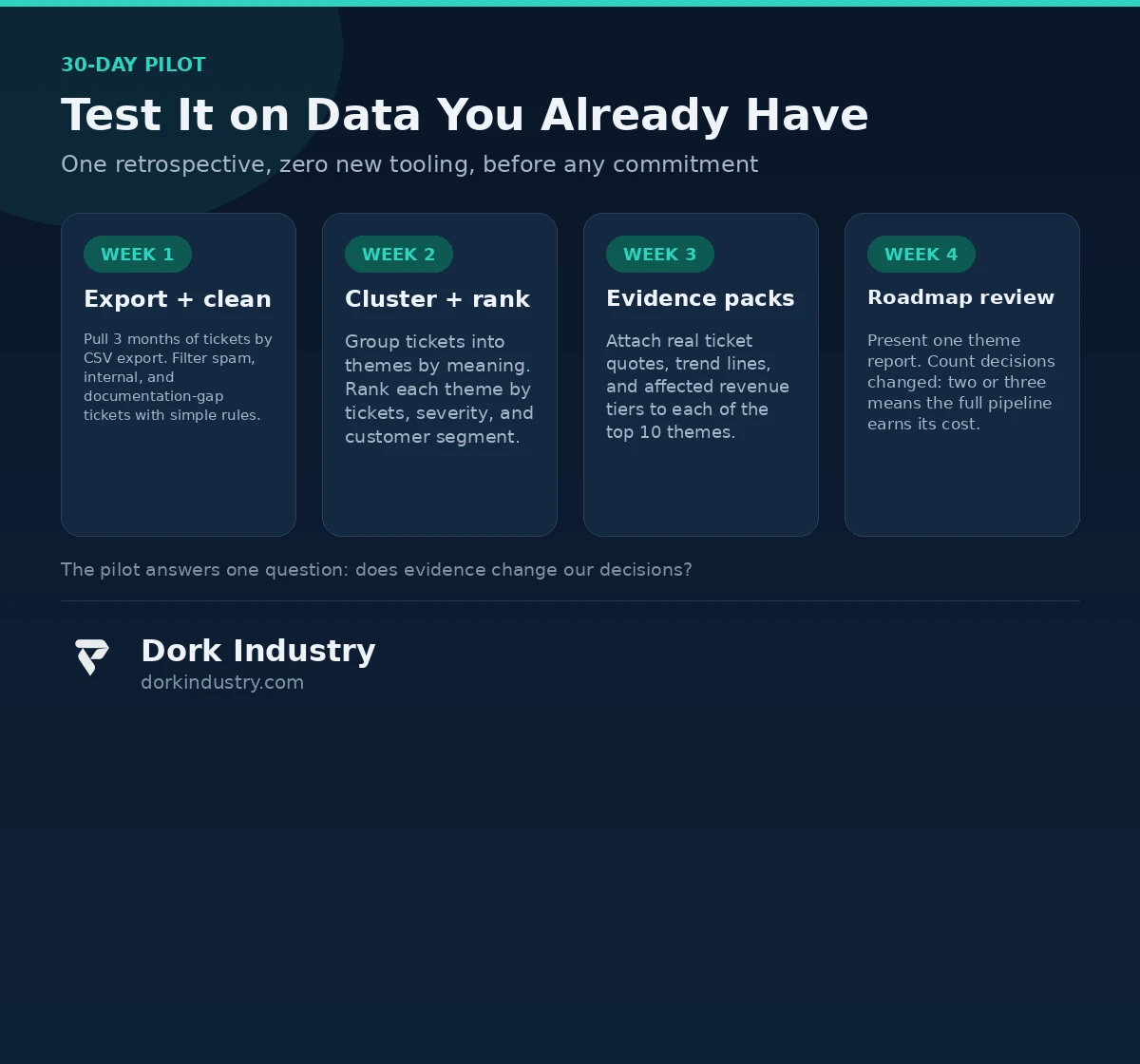
The lowest-risk path is a one-month retrospective on data you already have — no new tooling, no integration, no commitment:
- Export 3 months of tickets (CSV export from the helpdesk, no API work yet)
- Clean obvious spam and internal tickets with simple filters
- Cluster into themes and rank by frequency × severity × customer segment
- Produce one theme report: top 10 themes, each with quotes, trend, and affected revenue
- Present it at the next roadmap review and count how many decisions it changes
If the report changes zero decisions, the problem is not the tooling — it is that nobody with roadmap authority is willing to be guided by evidence. A full AI automation build will not fix that either. If it changes two or three, you have the business case in hand.
What drives the cost of ticket-to-roadmap AI automation?
Pricing varies widely because scope does. The real cost drivers are:
- Ticket volume and channels: 2,000 email tickets vs 20,000 across chat, email, and phone changes the ingestion work completely
- Languages: single-language clustering is straightforward; multi-language pipelines add translation and quality review
- Integration depth: read-only export vs two-way helpdesk integration vs CRM and billing linkage for revenue-tier enrichment
- Human review staffing: the reviewer who validates themes weekly is a recurring cost most quotes forget to mention
- Model choice: API-based language models vs self-hosted — different cost curves, different data-privacy postures
Anyone quoting a fixed price without asking about volume, channels, languages, and who reviews the output is guessing.
The bottom line
The question is not whether AI automation can read your support tickets — it can. The question is whether your roadmap process will listen to what they say. A month of tickets contains the most honest product feedback your company will ever collect: customers describing, in their own words, exactly where your product costs them time and money. The teams that win are not the ones with the smartest AI; they are the ones that put ticket evidence on the roadmap table every single week and let it argue with opinions on equal footing.
Free Support-Ticket Roadmap Assessment
Send us a 3-month ticket export and we will cluster it into themes, rank them by frequency, severity, and customer value, and show you the top 5 product problems your queue is already describing — with evidence quotes and trend data. You walk away with a one-page theme report and an honest read on whether AI automation earns its cost in your support operation, before any development is discussed.
Request your free support-ticket roadmap assessment WhatsApp +91 8210792477
About Dork Industry
Dork Industry (dorkindustry.com) is a custom software development company building mobile apps, AI automation systems, and IoT platforms for businesses across India. Our team designs ticket-analytics pipelines, document-automation agents, and support-intelligence tools — from 30-day retrospectives on your existing data to full production AI automation.
Frequently asked questions
How many tickets does AI automation need before it is useful?
Roughly 2,000 tickets a month is where manual reading breaks down and automation starts paying for itself. Below that, a product manager reading a disciplined weekly sample usually extracts the same themes for far less money.
Can AI automation replace the product manager’s judgment?
No. It replaces the reading, not the deciding. The pipeline surfaces and ranks themes with evidence; humans weigh strategy, technical cost, and timing. Any vendor promising automated roadmaps is selling you their roadmap, not yours.
How accurate is AI theme clustering on messy ticket text?
Good enough for planning, not perfect for anything customer-facing. Themes with hundreds of tickets cluster reliably; rare edge cases get misfiled. That is why weekly human review of the theme report is a required part of the system, not an optional extra.
What about tickets in Hindi, Hinglish, or other languages?
Translate-then-cluster handles this pragmatically for theme detection, with original text preserved alongside every evidence quote. Customer-facing output from translated text should always pass human review before it leaves the building.
How long does a ticket-to-roadmap pilot take?
A retrospective pilot on 3 months of exported tickets takes about 30 days end to end, with the theme report ready for one roadmap review. The question it answers is not “does the technology work” but “does evidence change our decisions” — which is the only question that matters.