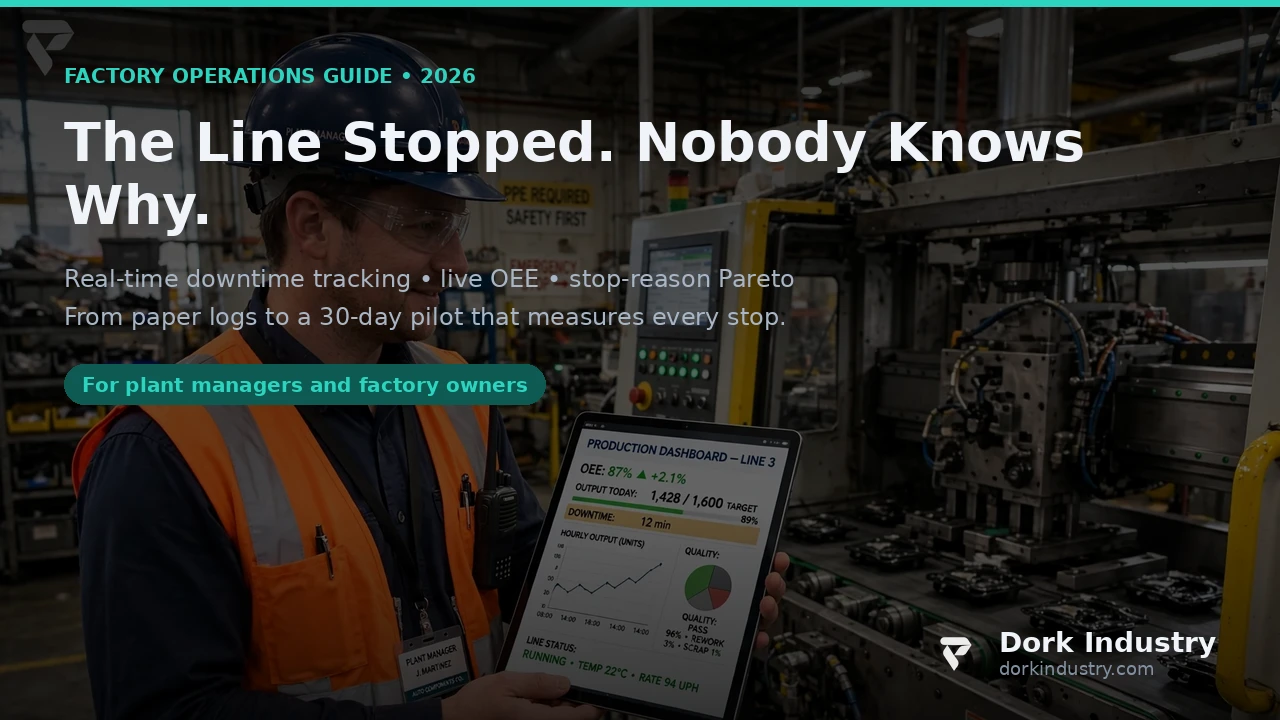
IoT development can build a real-time downtime tracker for a factory whose stoppages are still logged on paper — yes. Sensors on the bottleneck machine record every run and stop event with a timestamp, the operator taps one reason code at the station, and a live board turns those events into OEE, a stop-reason Pareto and shift alerts within seconds. That is the direct answer: the tracker does not replace your maintenance team; it replaces the end-of-shift guesswork about why the line stopped, how long it really stopped, and which reason is costing you the most — while every restart, safety and scheduling decision stays human.
This article covers what paper-logged downtime costs, why the paper log undercounts stops, what data you already have, what an IoT tracker looks like on the floor, what it must never do alone, when not to build custom, and a 30-day pilot on one bottleneck machine.
What does paper-logged downtime actually cost?
The expensive failure is not that a machine stops — machines stop. It is that nobody can say, at the end of the shift, how many times it stopped, for how long, or why. A production meeting that opens with “the line was down a lot today” and closes with no number and no reason has just paid for downtime twice: once in lost output, and again in a maintenance plan built on anecdote.
Here is the math — an illustrative example with stated assumptions, not industry statistics:
- 72 minutes of unplanned stops per shift. Assume the bottleneck machine stops 6 times per shift at an average of 12 minutes each. The paper log, filled in at the end of the shift, captures about 40 of those minutes; the rest dissolve into “minor stops” that nobody writes down.
- 720 hours of lost production a year. Assume 2 shifts a day across 300 production days: 72 minutes × 2 × 300 = 43,200 minutes the line is not producing.
- $612,000 of annual exposure. Assume $850 per hour of contribution margin on that line: 720 hours × $850 = $612,000 a year lost to stops nobody can explain.
- $153,000 recoverable from a 25% cut in stop time. Faster detection and faster response — the technician arrives while the stop is happening, not after the shift report — that cuts average stop duration by a quarter recovers a quarter of the exposure.
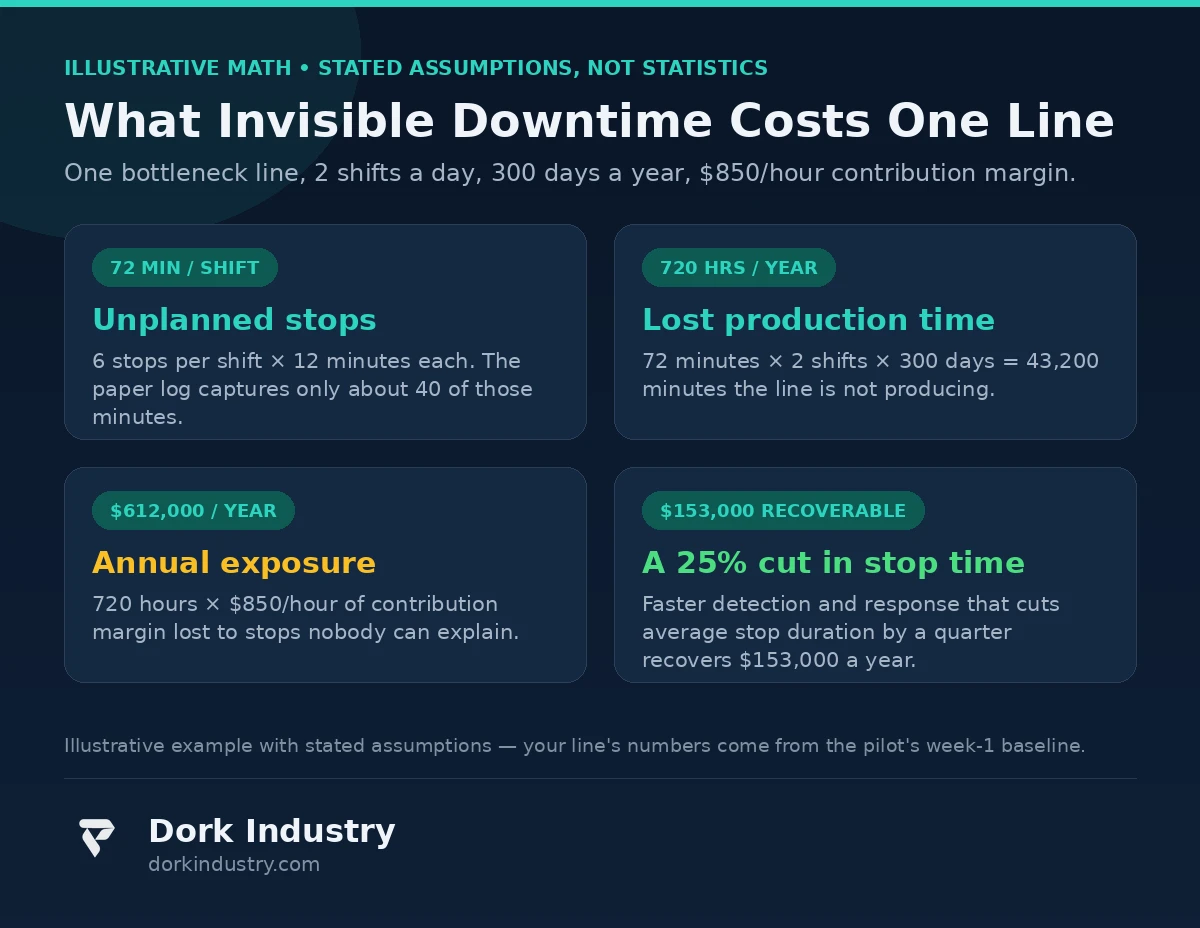
The point is not the dollar figure — your line’s numbers will differ, and the pilot’s first week exists to measure them. The point is the shape of the loss: much of it is invisible to the system supposed to record it. You cannot fix a stop pattern you cannot see, and a paper log shows you only the stops someone remembered to write down.
Why does the paper log always undercount the stops?
Almost every plant has a downtime sheet, and almost every plant’s sheet is wrong in the same direction: down. Five structural reasons explain why:
First, short stops never make the sheet. A 3-minute jam feels too small to record, and recording it takes longer than clearing it. But twenty 3-minute jams are an hour of lost production — and the most fixable hour on the line, if anyone knew it existed.
Second, the log is written from memory. The sheet is filled in at shift end, or next morning, from what the operator remembers. Memory compresses a bad hour into “down for a while” and drops the 11:40 stop entirely. A log written hours later is a story, not a record.
Third, the reason codes are too vague to act on. “Mechanical”, “electrical” and “operator error” cover everything and explain nothing. A Pareto built on those buckets tells maintenance to “fix mechanical things” — not a work order anyone can execute.
Fourth, nobody benefits from an honest log. The operator who records every stop makes their shift look worse than the one who records two. The system quietly punishes honesty, so the log drifts toward the least troublesome version.
Fifth, the log has no clock. Without timestamps, you cannot tell whether the 40 minutes of “mechanical” downtime were one 40-minute breakdown or eight 5-minute jams. Those two problems need completely different fixes — a spare-parts decision versus a feed-rate adjustment — and the paper log cannot distinguish them.
What data do you already have before buying a single sensor?
More than the paper log suggests, and it is worth inventorying before any purchase:
- PLC cycle counters and run signals. Most machines already count cycles and know when they run. That signal, tapped rather than replaced, is the tracker’s backbone.
- Operator notes and handover sheets. Messy, but they name the recurring jams the formal log hides. Read a month of them before designing reason codes.
- Maintenance work orders. They show which breakdowns were expensive enough to call a technician — the Pareto’s top, already documented.
- Production counts by hour. Output per hour against the shift plan shows the dips even when the downtime sheet is flat.
The foundation is one rule: the machine’s own signal is the record; the human adds the reason. Sensors timestamp the stop; the operator who was standing there names it in one tap.
What does an IoT downtime tracker actually look like on the floor?
Here is the concrete implementation — no buzzwords:
Run/stop sensing on the bottleneck machine. A current sensor, cycle-pulse tap or PLC run signal records machine state every few seconds. The tracker now knows, to the second, when the machine stopped and restarted. This is the core of the IoT systems approach: instrument the existing machine, don’t replace it.
One-tap reason capture at the station. When the machine stops, a station tablet shows six to eight reason buttons from your own handover notes — jam, starved, blocked, changeover, no operator, quality hold, planned maintenance, other. One tap, no typing, no login. If the list needs a ninth button, your taxonomy is wrong, not your operators.
An edge gateway, not a cloud dependency. A small gateway on the line collects the signals, timestamps them and computes running OEE locally. The board keeps working if the internet drops; the cloud gets a copy for history. A tracker that dies when the Wi-Fi dies will be ignored within a week.
OEE computed from the same events. Availability from run/stop time, performance from actual versus ideal cycle rate, quality from good versus total units. One event stream, three numbers — so the OEE figure and stop list can never disagree.
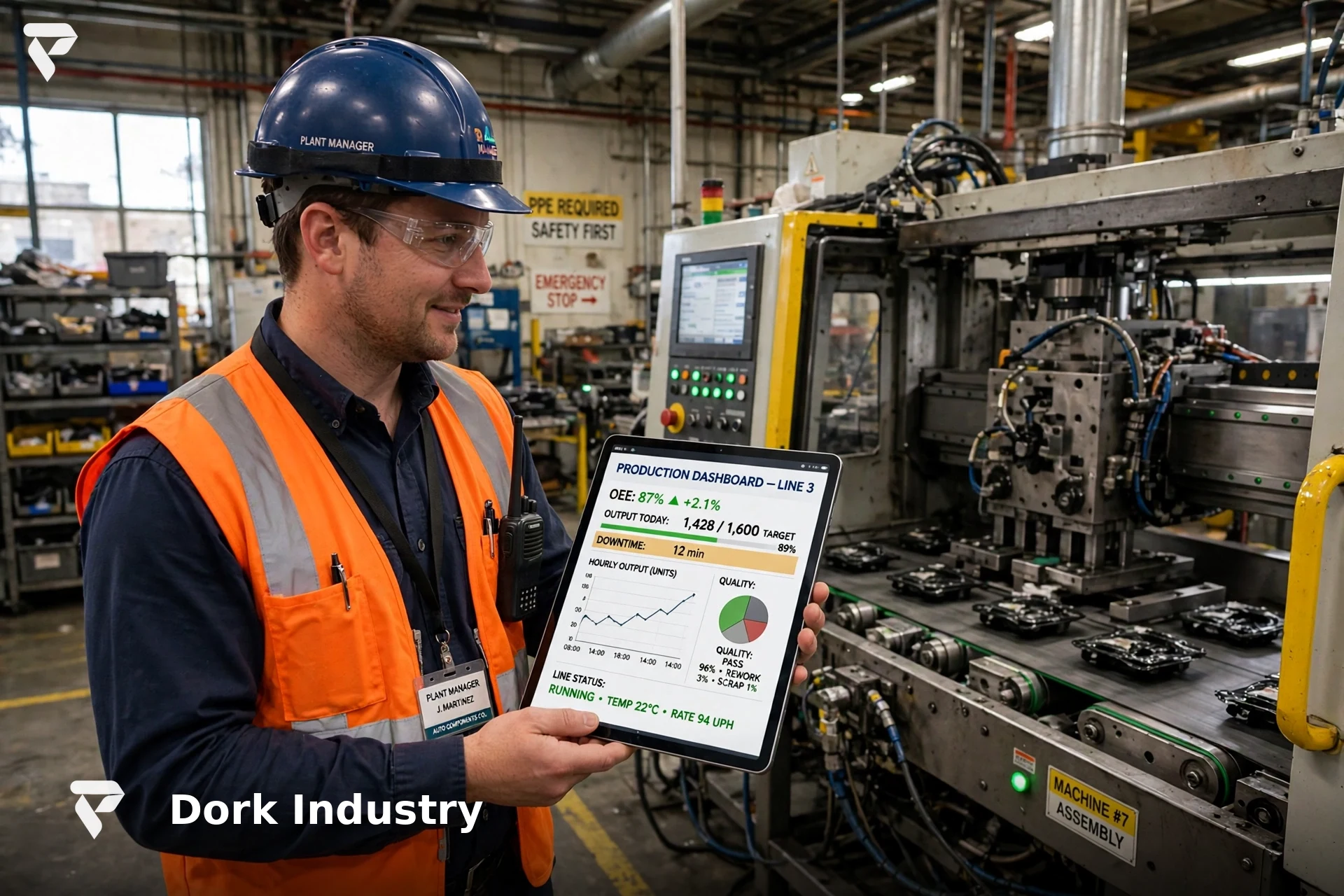
A live board and a stop alert. The line board shows current state, today’s OEE, the top 3 stop reasons and the longest current stop. When a stop passes a threshold you set — say 10 minutes — the maintenance lead gets an alert with the machine, elapsed time and reason tapped so far. The alert goes to a person who can act, not to a dashboard nobody watches.
According to the ISA (International Society of Automation), industrial IoT deployments succeed when they instrument the existing procedure and equipment rather than replacing it — retrofit sensing on legacy machines is the standard first move (ISA: standards for industrial automation). A downtime tracker retrofits onto your line; it needs no new line.
What must the downtime tracker never do alone?
This is the boundary that keeps the system trustworthy:
- Never restart a machine autonomously. The tracker detects and reports; the restart decision is always a human’s. An automatic restart after a jam is how a cleared jam becomes an injury.
- Never override a safety interlock or guard. Stop detection reads the machine’s state; it never writes to safety circuits. According to OSHA’s lockout/tagout guidance, the control of hazardous energy depends on the application of the procedure by people — a sensor platform does not get a vote (OSHA: Control of Hazardous Energy).
- Never rank or discipline operators from stop data. Stops are a property of the machine, the material and the plan — not a league table. The first time a stop flag becomes a write-up, the reason taps stop being honest.
- Never rewrite the maintenance schedule on its own. If data shows a bearing failing every 400 hours, the maintenance lead proposes the change through your existing review process. A sensor platform gets no editorial authority over maintenance.
- Never act on a single sensor without a fallback. A dead current sensor must not certify a machine as running or stopped. Every critical signal needs a defined degraded mode — and an honest “insufficient evidence” state instead of a guess.
- Never certify OEE to a customer or auditor on its own. The tracker produces the evidence; a human signs the report. Sensors measure; they do not attest.
When should you NOT build a custom downtime tracker?
Honesty first: many plants do not need a custom build yet.
Buy when the fleet is standard. If your lines run mainstream OEM equipment with the vendor’s own OEE or downtime modules, start there. A packaged OEE tool with your reason taxonomy configured is a legitimate first step — and it is far cheaper than a custom build when the machines already expose clean run signals.
Build custom only when one of four things is true: your bottleneck machines span mixed-vendor legacy equipment with no common signal, your stop reasons need a taxonomy no packaged tool fits, your OEE number has to feed an existing ERP or maintenance system that packaged tools cannot reach, or your lines run in an environment — heat, dust, washdown — where off-the-shelf sensors do not survive. When those conditions hold, a custom software build that retrofits onto your existing machines is the honest answer.
The pilot below works either way: if the packaged tool clears your bar, you saved a custom build; if not, you have the mismatch data a custom build needs.
What does a 30-day pilot look like?
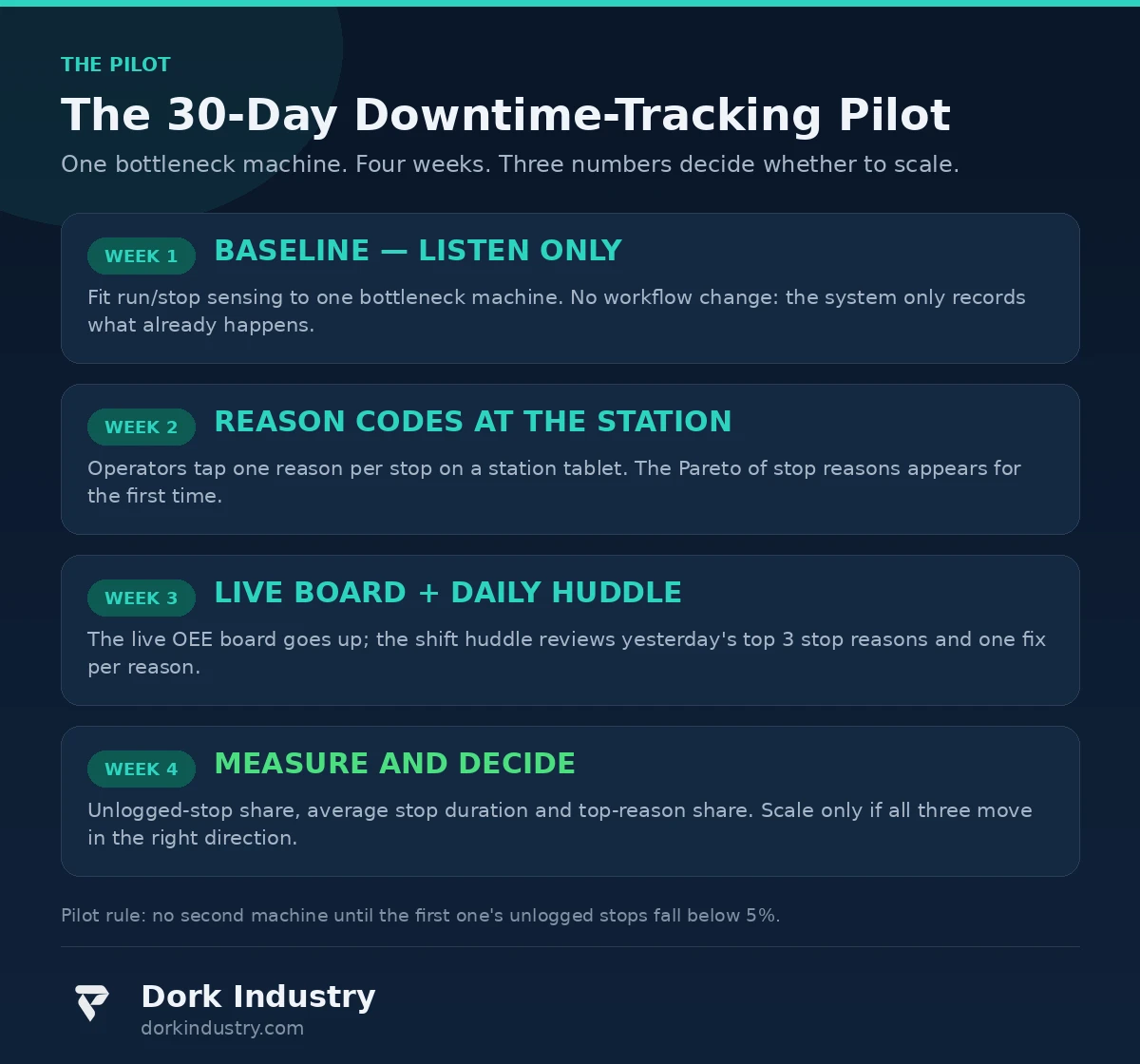
Week 1 — baseline, listen only. Fit run/stop sensing to one bottleneck machine. No workflow changes. Compare sensor stop time against the paper log: the gap is the business case, measured, not estimated.
Week 2 — reason codes at the station. The station tablet goes live with your six-to-eight reasons. By week’s end, the Pareto of stop reasons exists for the first time — and the top reason is rarely the one the meetings blame.
Week 3 — live board and daily huddle. The live OEE board goes up, and the shift huddle reviews yesterday’s top 3 stop reasons with one fix assigned per reason.
Week 4 — measure and decide. Three acceptance gates: unlogged stops below 5% of total stop time, average stop duration falling week over week, and 100% of stops carrying a reason code. Pass all three and you scale to the next machine.
What drives the cost of a downtime-tracking build?
Five cost drivers, in rough order:
- Sensor count and signal access. One bottleneck machine with a clean PLC signal is a day’s work; a 20-machine mixed-legacy line is a project. Mapping the minimum signal set with your maintenance lead is the biggest variable.
- Legacy equipment integration. A machine with an existing run contact is a wire tap; a 30-year-old press needs a current sensor and bracket. Mixed-vendor floors multiply this work.
- Reason taxonomy design. The buttons look simple; getting them right takes a month of handover notes and operator feedback. A taxonomy operators won’t tap is the most expensive part of the system.
- Network and power on the floor. Gateways, cabling and coverage across a concrete-and-steel building — the connectivity layer is a real project, not an afterthought.
- Reporting and integration. The live board, the Pareto, the ERP or maintenance feed, the auditor export — the back end that makes the numbers defensible.
A one-machine pilot runs on a fraction of a full-line build’s budget — you buy the measurement before you buy the system.
How do paper logs, packaged OEE tools and custom IoT tracking compare?
| Approach | Stop evidence | Reason quality | Typical outcome |
|---|---|---|---|
| Paper log | Memory, end of shift | Vague, 3 buckets | Undercounts stops; meetings run on anecdote |
| Packaged OEE tool | Machine signal, if available | Vendor taxonomy | Good on standard fleets; struggles on mixed legacy lines |
| Custom IoT tracker | Second-accurate run/stop events | Your taxonomy, one tap | Full Pareto on any machine; costs more to build |
What else do factory teams ask about downtime tracking?
Can IoT development track downtime on a 30-year-old machine with no PLC?
Yes, in most cases. A current sensor on the motor feed, a vibration sensor or a simple cycle counter gives a run/stop signal without touching the machine’s controls. The tracker reads the machine’s behavior; it does not need the machine’s permission or its data port.
Will operators actually tap a reason code for every stop?
They will if tapping is faster than not tapping and the data is never used against them: one tap, six to eight buttons, no login, and a visible rule that stop data is never disciplinary. Plants breaking either half get garbage reasons within a fortnight.
How is OEE calculated from stop events?
Availability is planned time minus stop time, over planned time. Performance is actual versus ideal output while running. Quality is good units over total units. Multiply the three for OEE — all from the same event stream, so number and stop list always agree.
Does the tracker need the internet to work?
No. The edge gateway on the line computes the live board locally, so a network outage costs you the cloud copy, not the shift’s visibility. Connectivity is for history and reporting, not for the operator standing at the machine.
What is the smallest pilot that proves anything?
One bottleneck machine, four weeks, three gates: unlogged stops below 5% of stop time, average stop duration falling, and every stop carrying a reason. If the pilot cannot clear those gates on one machine, it will not clear them on twenty — and you have learned that for a pilot’s budget, not a plant-wide budget.
The bottom line
Paper logs undercount stops, blur reasons and arrive too late to change anything. IoT development fixes the measurement, not the machine: second-accurate run/stop events, one-tap reasons from the operator who was there, a live OEE board and a daily Pareto for the morning huddle. The system must never restart a machine, override a safety control or judge an operator — it measures, humans decide. Start with one bottleneck machine, one month and three gates, and let the measured gap between sensor truth and paper fiction make the case for scaling.
If you are comparing providers to build this, see our guide on how to compare AI automation providers in India, which rates eight providers on delivery, integrations, governance and pricing.
Is your bottleneck line’s downtime still a guess at the end of the shift?
Dork Industry will map your bottleneck line’s stop signals, instrument one machine, and run the 30-day pilot measurement with you — so you get a real stop Pareto before you commit to a plant-wide build.
Request a free downtime tracking assessment WhatsApp +91 8210792477
About Dork Industry
Dork Industry is a software development company building custom web, mobile, AI and IoT systems for businesses that need production-grade software, not demos. We instrument the machines you already own, integrate with the systems you already run, and measure every pilot against gates agreed before the build starts — sensors measure, people decide — and we stay accountable for the numbers after go-live.