When a Flutter app API works in debug but not release, the request is usually crossing a boundary that changed between builds: the base URL, compiled environment values, Android network policy, signing identity, TLS trust, API-key restrictions, or error handling. Test the same signed build and record the actual failure before changing HTTP code.
“Not working” is not a diagnosis. A timeout, TLS handshake failure, DNS error, HTTP 401, HTTP 403 and valid error response hidden by the interface all point to different owners and fixes. The fastest route is to identify the first layer where debug and release stop behaving alike.

When a Flutter app API works in debug but not release, what changed?
A debug build can pass a developer demonstration while the signed build blocks login, catalogue data, field updates, checkout, booking or staff workflows. That makes the defect business-critical even when the interface opens normally. If the problem appears only after Play distribution, it can also be tied to the store-signed certificate or packaged release configuration rather than the source branch alone.
According to Flutter’s build-mode documentation, release mode disables assertions and debugging, strips debugging information, and optimizes the application for deployment. That is why a debug-only assumption or an error path that depends on development output can disappear in the shipped build. See Flutter’s current build modes documentation.
What evidence should you collect before changing code?
- Record the exact artifact: debug APK, locally signed release APK, app bundle, or Play internal-test install.
- Confirm the application ID, version, signing certificate and source commit used for that artifact.
- Log the effective API hostname without exposing tokens, passwords or personal data.
- Capture request time, endpoint path, response status, safe error category and backend correlation ID.
- Repeat on Wi-Fi and mobile data to separate app configuration from one network path.
- Check server access logs for the same timestamp. “No request arrived” is different from “the server returned 401.”
- List release-only values supplied through flavors, CI secrets, build files or
--dart-define. - Test a clean installation so stale debug storage does not mask token or migration behaviour.
Do not place privileged API secrets inside the mobile binary. According to Flutter’s obfuscation guidance, obfuscation that does not encrypt resources or protect embedded secrets.
Which layer is likely failing?
| Observed evidence | Likely layer | Next controlled test |
|---|---|---|
| Release points to an empty, local or old host | Build configuration | Print a redacted effective hostname at startup |
| HTTP URL works in development but fails on Android 9+ | Network security policy | Use a valid HTTPS endpoint; inspect domain policy |
| TLS handshake or certificate error | Certificate chain, hostname or trust configuration | Validate the production chain from a clean device |
| 401 or 403 reaches the app | Token, API key, app ID or signing restriction | Compare safe headers and registered release identity |
| Local release works; Play build fails | Distribution signing or packaged values | Compare Play signing certificate and internal-track build |
| Request succeeds in server logs but UI stays empty | Parsing, state or response handling | Capture response schema and controlled error state |
| Failure begins when minification is enabled | Native SDK optimization rules | Reproduce with optimization isolated; inspect documented keep rules |
According to Android’s Network Security Configuration documentation, cleartext HTTP is disabled by default for apps targeting Android 9 (API level 28) or higher. Broadly enabling insecure traffic is not a production repair; prefer HTTPS and use a narrowly scoped, justified configuration only when required.
How should the issue be diagnosed?
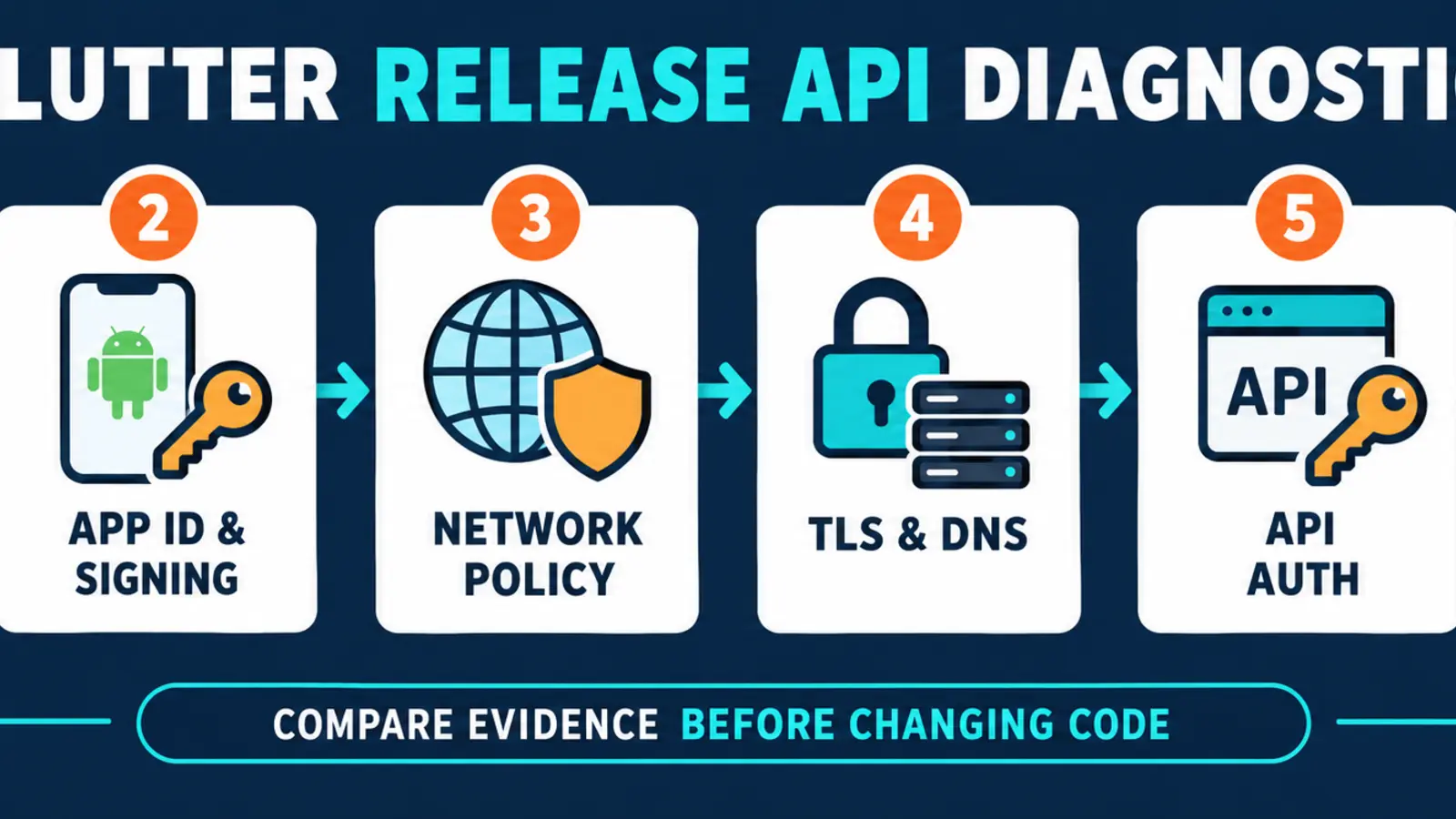
- Freeze one reproducible request. Choose a harmless endpoint and one test account with no production personal data.
- Build a comparison pair. Use the same source commit for debug and signed release artifacts.
- Verify effective configuration. Compare host, flavor, application ID and non-secret feature switches.
- Inspect the transport boundary. Separate DNS, connection, TLS and HTTP response failures instead of collapsing them into “offline.”
- Match app and server evidence. Use timestamps and correlation IDs to determine whether the request arrived and how it was rejected.
- Check identity restrictions. Confirm package name, release certificate fingerprints and allowed API clients for services that enforce them.
- Isolate optimization only when evidence points there. Android’s R8 guidance explains how optimization can remove or rename code; use the SDK vendor’s documented rules rather than permanently disabling optimization without analysis.
- Retest the distributed artifact. A locally signed APK is not proof that a store-distributed bundle uses the same signing identity and values.
If the release problem blocks notification registration instead of ordinary API traffic, use the related Flutter release push-notification guide. If the app never reaches its first usable screen, start with the Flutter splash-screen diagnosis.
Should you configure, repair or integrate?
Configure when the app has the wrong production host, missing release value, unregistered certificate or incorrect network policy. Repair application code when initialization, token storage, parsing or error handling differs in release behaviour. Repair the backend or integration when the correct signed client reaches the API but is rejected, redirected incorrectly or served an incompatible response.
A good scope defines the artifact, failing endpoint, safe evidence, owning layer, rollback and acceptance matrix. Dork Industry’s verified mobile development service covers cross-platform mobile engineering and release pipelines. Where the fix also needs backend or operational integration, scope it alongside custom software development.
How should a Flutter release API repair be tested?
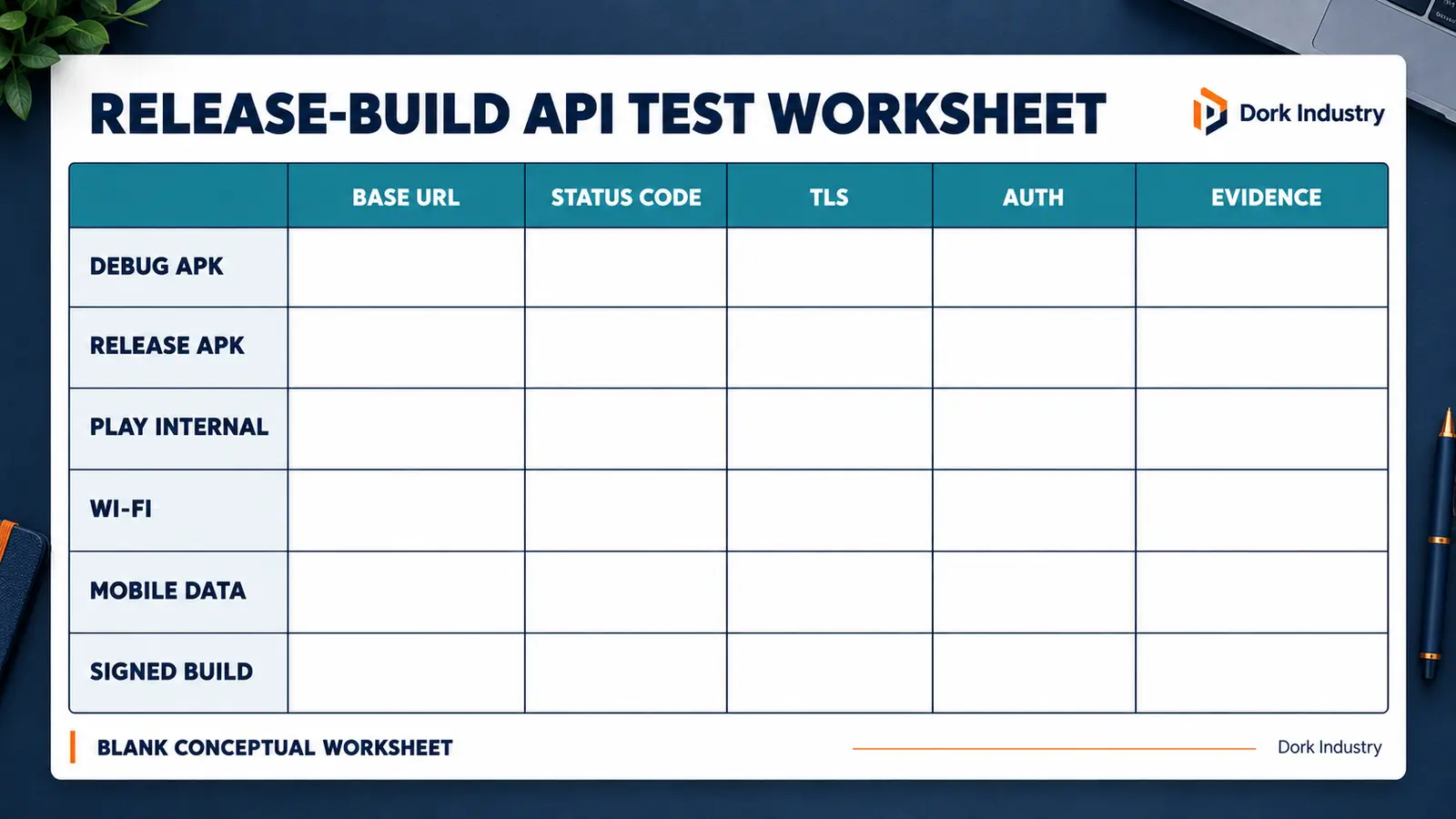
Fill the worksheet with actual evidence. Do not mark “pass” because the debug build works. The acceptance artifact must be the signed release build that users will receive.
| Checkpoint | Pass condition | Evidence |
|---|---|---|
| Configuration | Release resolves the approved HTTPS host | Redacted runtime host and build record |
| Transport | DNS and TLS complete on agreed device/network cases | Safe network error category |
| Authentication | Valid session receives expected authorized response | Status and backend correlation ID |
| Error handling | Timeout, offline and API errors show distinct recoverable states | Screen recording and logs |
| Distribution | Play internal-test artifact matches expected behaviour | Version, package and signing record |
| Regression | Login, refresh, token expiry and reconnect paths remain usable | Scenario results |
When should you hire a Flutter developer?
Professional help is warranted when the failure affects a live business workflow, only the store build fails, signing or OAuth restrictions are involved, the backend team and app team disagree about where the request stops, or the current interface hides actionable errors. Ask for reproduction, evidence mapping, the smallest safe fix and release-build regression tests—not a blind rewrite.
If you need delivery capacity rather than a one-off repair, Dork Industry also provides developer staff augmentation.
What do app teams ask about Flutter release API failures?
Why does flutter run work while the APK fails?
flutter run normally uses debug mode, while a release artifact has different optimization, debugging and assertion behaviour. It may also receive different environment values or signing identity. Compare the effective configuration and actual error from artifacts built from the same commit.
Should we enable cleartext traffic to fix the API?
Not as a blanket production fix. Android blocks cleartext by default for apps targeting Android 9 or higher. Move the API to valid HTTPS whenever possible; if a narrow exception is unavoidable, document and scope it to the required domain.
Can the release signing certificate affect API access?
Yes. Some identity and API providers restrict clients by package name and certificate fingerprint. A Play-distributed build can use a different signing certificate from a locally signed APK, so register and test the actual distribution identity.
Is ProGuard or R8 always the cause?
No. Configuration, TLS and authentication failures are common. Suspect optimization when evidence shows the failure begins only with shrinking or when a native SDK documents required keep rules. Isolate the condition before changing release settings.
What logs are safe to collect?
Record timestamps, build version, endpoint path, redacted hostname, status code, error class and correlation ID. Exclude access tokens, passwords, full personal data, payment details and sensitive response bodies.
How do we know the fix is ready to publish?
The signed distributed artifact must pass the agreed API, authentication, offline, timeout and reconnect scenarios on the target devices and networks. Store the build identity and evidence so a later release can repeat the same regression checks.
Planning an app for this?
Book a free consultation — we scope the requirements, outline the approach, and give you an honest verdict before any development is discussed.