WooCommerce orders not syncing to ERP usually means the order never triggered the expected event, the webhook is inactive, delivery failed, the receiving endpoint rejected the request, field mapping failed, or the integration accepted the event without creating an ERP record. Trace the first failed layer before replaying orders or replacing the connector.
This problem can leave sales, finance, warehouse and customer-service teams working from different order lists. A repair project should determine which orders are missing, why they were missed, whether retries are safe and how both systems will be reconciled without creating duplicates.

Why do missing ERP orders matter?
A WooCommerce order may exist in the store but remain invisible to fulfilment, invoicing or inventory processes that depend on the ERP. The opposite is also dangerous: repeatedly replaying an uncertain event can create two ERP sales orders for one customer purchase.
Define the affected boundary first. Is every order missing, only one payment status, only guest checkouts, only orders containing a particular SKU, or only events created during an outage? That pattern decides whether the likely owner is WooCommerce configuration, transport, receiving API, mapping or retry logic.
What evidence should you collect before replaying an order?
- Record the WooCommerce order ID, status history and creation time.
- Confirm the webhook topic, status and delivery URL.
- Find the matching webhook delivery log and HTTP response.
- Search the integration or middleware log using a shared order identifier.
- Check whether the ERP rejected the payload, queued it or created a record under another key.
- Document recent plugin, endpoint, credential, firewall and ERP mapping changes.
- Identify whether the connector has automatic retries and how it prevents duplicates.
- Preserve a sanitized payload without customer personal data or secrets.
According to WooCommerce’s webhook documentation, webhook logs record triggered deliveries and responses from the receiving server. WooCommerce also automatically disables a webhook after more than five consecutive delivery failures when responses fall outside its accepted success or redirect status range.
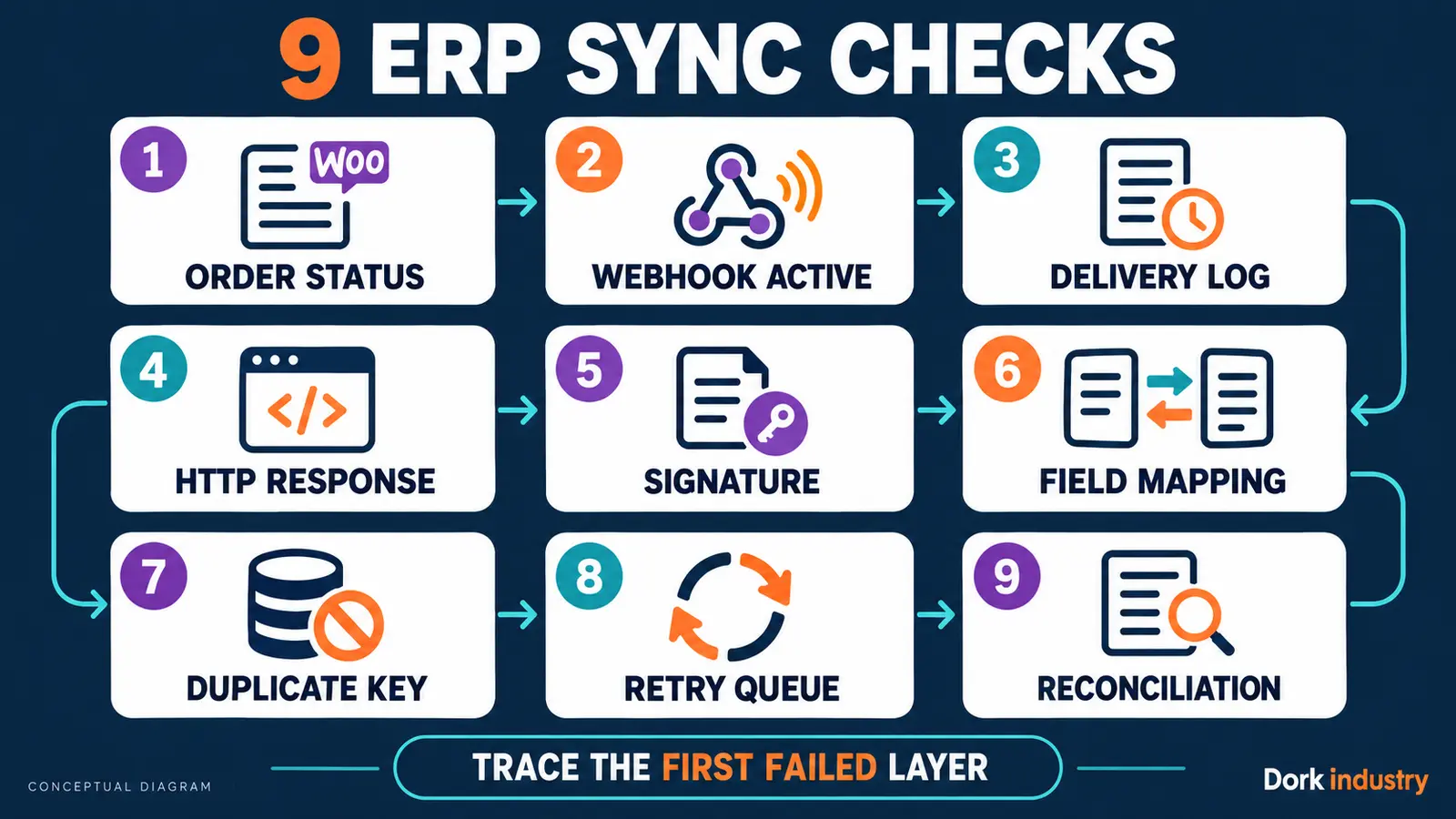
WooCommerce orders not syncing to ERP: which 9 checks isolate the failure?
| Check | Question | Useful evidence |
|---|---|---|
| 1. Order status | Did the order reach the status that triggers the integration? | Status notes and event time |
| 2. Webhook state | Is the correct webhook active rather than paused or disabled? | Webhook settings |
| 3. Delivery log | Did WooCommerce attempt delivery for this order? | Webhook delivery entry |
| 4. HTTP response | Did the endpoint return success, rejection or timeout? | Status and response body |
| 5. Signature | Did the receiver verify the current shared secret correctly? | Redacted verification log |
| 6. Field mapping | Could customer, tax, SKU, warehouse and payment fields be translated? | Mapping exception |
| 7. Duplicate key | Was a legitimate event incorrectly treated as already processed? | Idempotency record |
| 8. Retry queue | Was the failed event queued, exhausted or abandoned? | Attempt history |
| 9. Reconciliation | Can the systems identify every missing or mismatched order? | WooCommerce–ERP comparison |
How should a WooCommerce ERP sync failure be diagnosed?
Begin with one missing order and trace it forward. Confirm the order transition, then locate WooCommerce’s delivery attempt. If no delivery exists, inspect the topic and trigger. If delivery exists, use the HTTP response to decide whether the request failed in transit or reached the receiving system.
A successful HTTP response proves receipt, not successful ERP creation. The receiver should log validation, mapping, deduplication and final ERP record ID as separate stages. Otherwise an integration can return success before later processing fails silently.
If the connector uses background jobs, inspect that queue independently. Action Scheduler describes itself as a traceable WordPress job queue and records when actions are created, started, completed or failed. Its administration logs can therefore provide evidence when order-sync work is processed asynchronously.
Do not manually resend a batch until idempotency is understood. A safe integration uses a stable source order identifier and defines whether retries update, ignore or create records. It should also reconcile periodically so a missed event is detectable even after the original log expires.
If the underlying WooCommerce quantity is wrong before export, first use the WooCommerce stock-reduction guide. If the order itself remains at Pending payment, see the Razorpay pending-order diagnosis.
Should you configure, repair or rebuild the integration?
Configure when the wrong topic, trigger status, endpoint or credential is saved. Repair when delivery, signature validation, mapping, retries or error handling is defective. Rebuild or replace only when the existing connector cannot represent required warehouses, taxes, bundles, custom order fields or recovery rules.
The paid scope should name the source of truth, supported order states, field mapping, idempotency key, retry policy, reconciliation method and rollback. Dork Industry can connect this work to its verified web development service and custom software development service.
How should a WooCommerce ERP sync repair be tested?
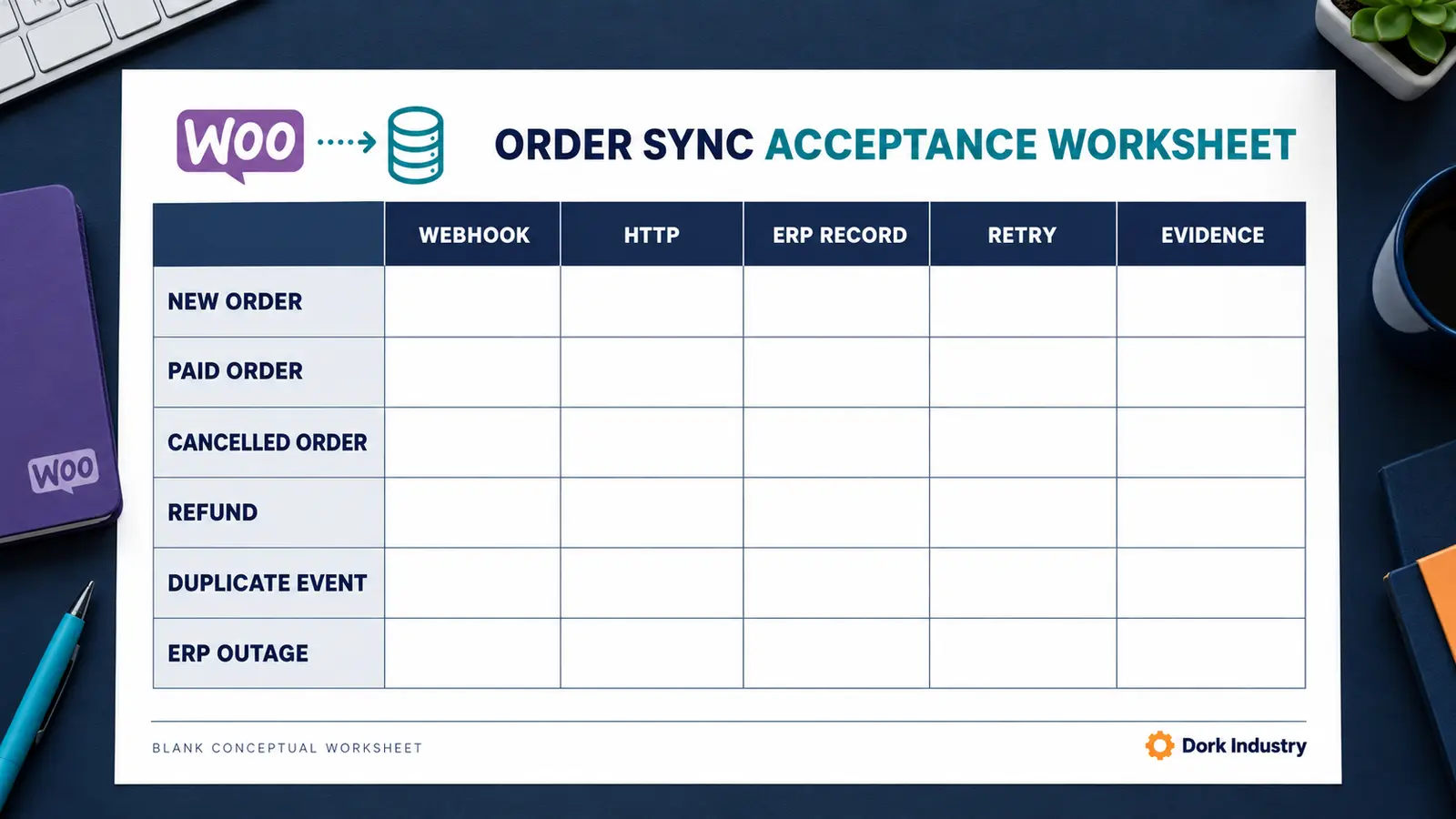
Use the blank worksheet with controlled test orders. Record the webhook attempt, HTTP outcome, ERP record, retry behaviour and evidence for each agreed scenario.
| Scenario | Expected behaviour | Acceptance evidence |
|---|---|---|
| New paid order | One ERP record with correct totals and customer mapping | Source and destination IDs |
| Duplicate delivery | No second ERP order | Idempotency log |
| Temporary ERP outage | Retry without losing or duplicating the order | Attempt history |
| Invalid mapping | Visible exception requiring review | Error queue entry |
| Cancellation or refund | Approved downstream update | Status and audit record |
| Reconciliation | Missing and mismatched orders are reported | Comparison output |
When should you hire a WooCommerce integration developer?
Professional help is warranted when orders disappear intermittently, the webhook returns success but no ERP record exists, replaying creates duplicates, custom fields or warehouse rules are involved, or multiple systems can update the same order. Ask for evidence mapping, a controlled repair, retry safety and reconciliation—not a blind plugin swap.
For additional implementation capacity, use Dork Industry’s verified developer staff-augmentation service.
What do store teams ask about WooCommerce ERP order sync?
Why is the WooCommerce webhook disabled?
WooCommerce can automatically disable a webhook after repeated failed deliveries. Review the webhook log and receiving endpoint response before reactivating it, or the failure sequence may begin again.
Does HTTP 200 prove the ERP order was created?
No. It confirms that the endpoint accepted the request at the HTTP layer. Mapping, deduplication or ERP creation can still fail later, so the receiver must log each processing stage and final record ID.
Can we safely resend every missing order?
Only after confirming the idempotency rule. Replaying without a stable source key can create duplicate ERP orders. Test one known order and verify whether the receiver updates, ignores or creates another record.
Why do only some WooCommerce orders fail?
Look for the shared condition: payment status, guest checkout, tax class, SKU, warehouse, custom field, currency or order size. A mapping exception may affect a subset while the transport remains healthy.
What is reconciliation?
Reconciliation compares WooCommerce and ERP records using stable identifiers and approved status rules. It catches events that were missed, rejected or processed incorrectly instead of relying only on real-time delivery.
What should we send the integration developer?
Provide affected order IDs, status history, sanitized webhook logs, HTTP responses, endpoint type, mapping rules, retry history and expected ERP records. Remove secrets and customer personal data.
Stuck with this issue?
Send us the error and the setup — we diagnose the cause, fix it, and show you how to prevent it from coming back.