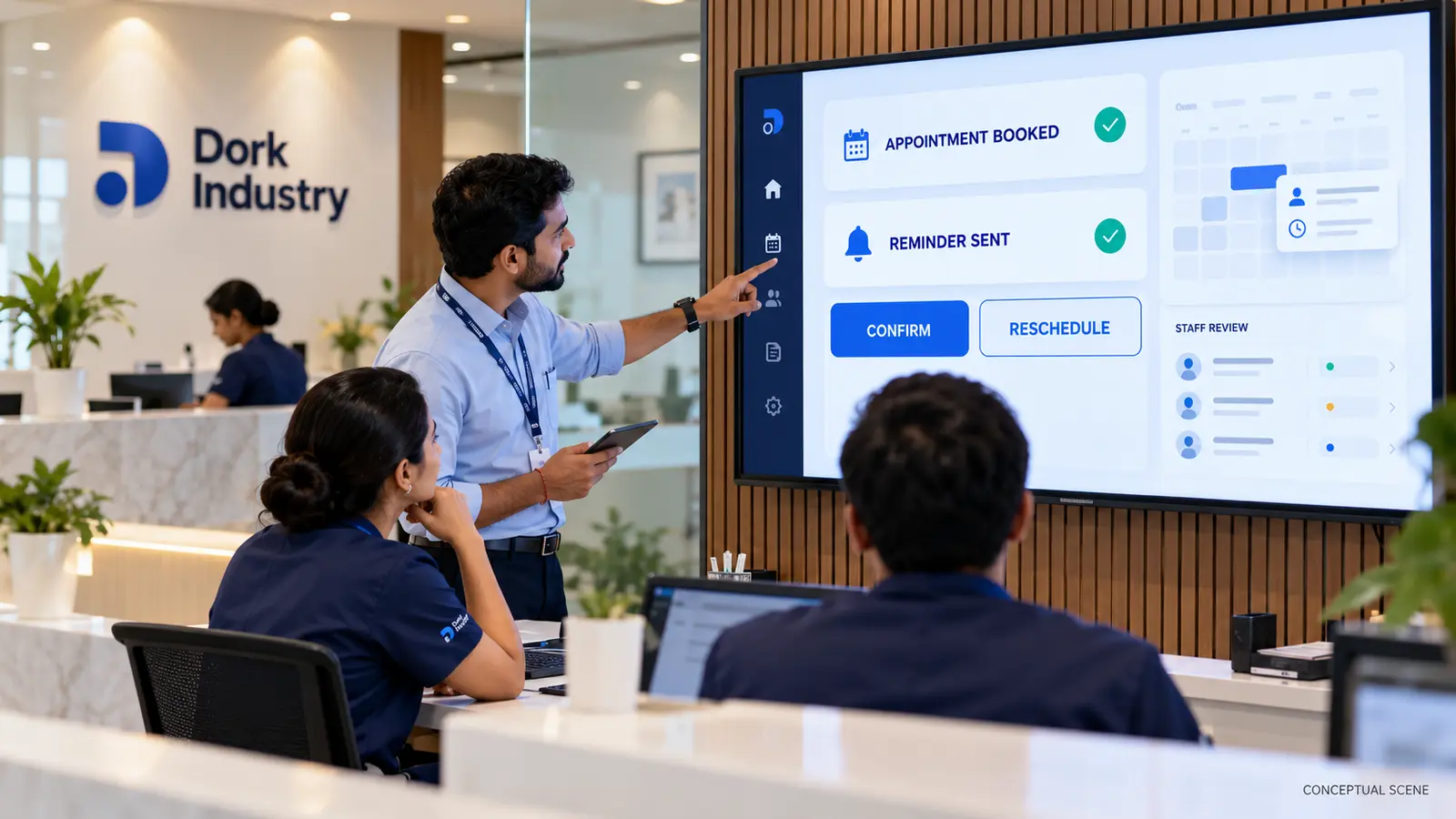
Clinic appointment reminder and rescheduling automation should connect the live appointment calendar, patient consent, approved message channels, confirmation responses, slot availability and a staff exception queue. Sending a reminder alone does not solve the workflow if a patient’s reply never updates the schedule or two people can claim the same slot.
The paid implementation opportunity is a controlled scheduling integration—not a generic chatbot. Dork Industry can map the workflow, build or integrate the required software, connect messaging and provide developers for phased delivery.
What business problem should clinic appointment automation solve?
Reception teams may call patients manually, copy appointment lists into a messaging tool and update cancellations later. That creates stale slots, duplicate conversations and no reliable record of who confirmed. An automated message is useful only when its response changes the operational schedule or creates a clear task for staff.
Define the primary outcome before choosing technology: confirmed attendance, early cancellation, safe rescheduling, waitlist release or staff follow-up. Do not promise a reduction in missed appointments without measured baseline and pilot data. Track operational outcomes after implementation instead.
This micro-niche is distinct from a full clinic-management replacement. Dork Industry’s broader guide to clinic and hospital management software covers the wider system. This article focuses on the reminder-to-calendar workflow that can be integrated into an existing platform.
How should clinic appointment reminder and rescheduling automation operate?
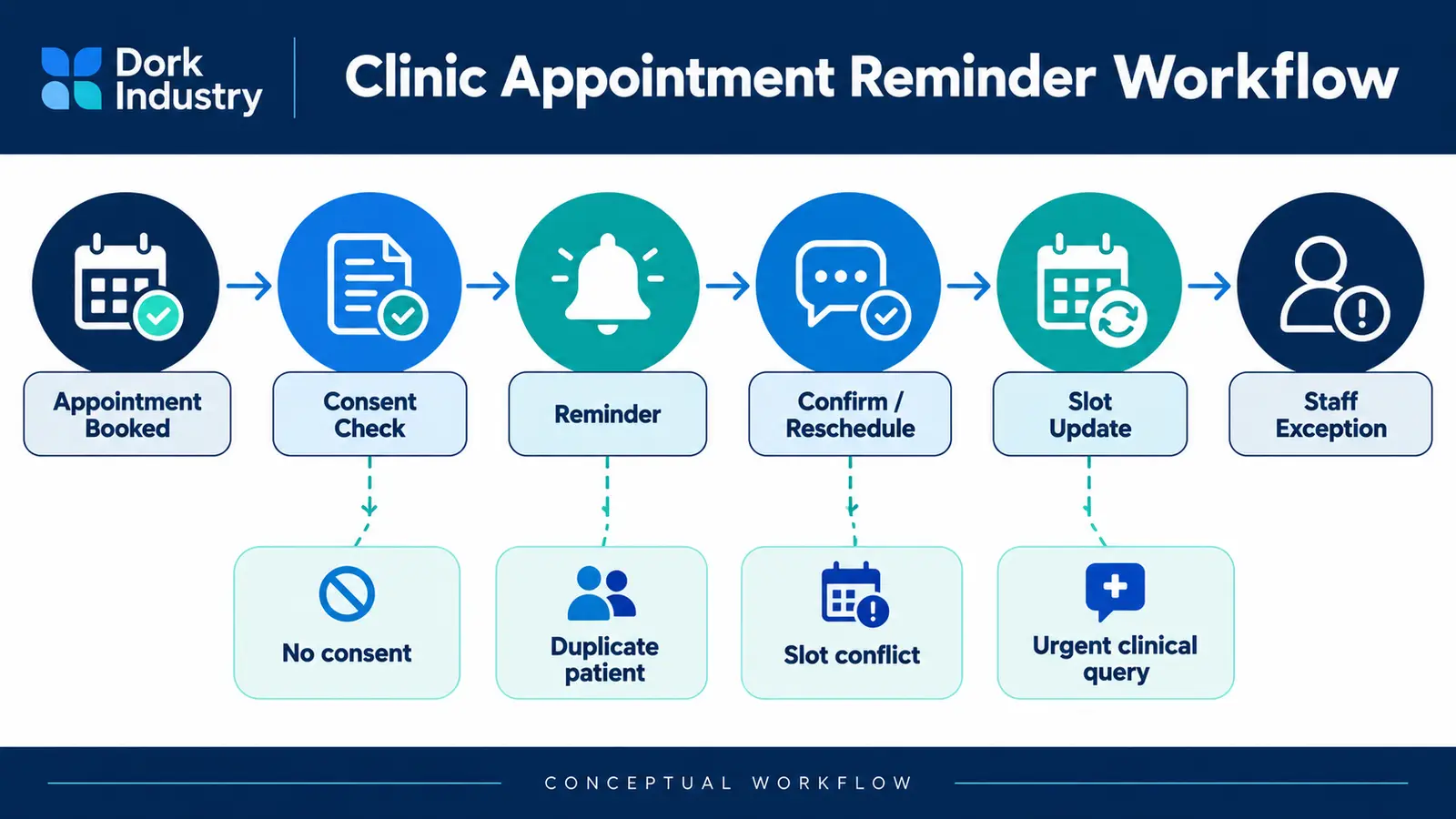
- Read the appointment: retrieve the current slot, clinician, location and permitted contact channel.
- Check consent: confirm that the patient can receive the selected type of message.
- Send the reminder: use an approved template with clear confirm, cancel and reschedule choices.
- Interpret the reply: map explicit responses deterministically; use AI only for free-text classification where appropriate.
- Lock the slot: re-check live availability before changing the booking.
- Write back: update the scheduling system and record message, response and actor.
- Escalate exceptions: route ambiguity, urgent clinical questions and conflicts to authorized staff.
According to Twilio’s official WhatsApp quickstart, its example uses an appointment-reminder template and explains that business-initiated messages rely on approved templates. That supports the messaging layer, but a real clinic deployment still needs consent, scheduling write-back, identity controls and exception ownership. Review the Twilio WhatsApp quickstart.
What should and should not be automated?
| Workflow step | Automation decision | Human control |
|---|---|---|
| Reminder timing | Automate from current appointment data | Staff defines timing and exclusions |
| Confirm or cancel | Automate explicit responses | Audit every schedule change |
| Reschedule request | Offer valid slots from live calendar | Review restricted appointment types |
| Free-text reply | Classify low-risk intent with confidence threshold | Route ambiguity to reception |
| Clinical question | Do not let a generic assistant answer | Send to authorized clinical staff |
| Emergency language | Trigger the clinic’s approved escalation message | Follow documented safety policy |
AI may help classify messages such as “I need another time” or summarize an exception. It should not diagnose symptoms, make clinical priority decisions or invent appointment availability. The calendar and clinic rules remain authoritative.
Which integrations and data are required?
The minimum integration normally includes the appointment system or clinic CRM, messaging provider, patient identity reference, consent record, staff queue and audit log. Multi-location clinics also need location, clinician, appointment type, duration, buffer and booking restrictions.
Use a stable appointment ID and idempotency key so a retried webhook does not cancel or reschedule twice. Lock or revalidate a proposed slot immediately before confirmation. Record the original appointment, proposed slot, final result and reason for any rejection.
Store only the minimum message data required for the workflow. Avoid including sensitive medical detail in notifications. Require authenticated access before displaying protected information, and define retention, staff access and vendor responsibilities with the clinic’s compliance advisers.
Dork Industry’s custom software development service can connect existing scheduling and CRM systems. Where intent classification adds value, the AI and machine-learning service can be scoped with confidence thresholds and human review.
Should a clinic buy a tool, integrate systems or build custom software?
| Option | Best fit | Main risk to assess |
|---|---|---|
| Native scheduling feature | One clinic and standard reminder rules | Limited reply handling or write-back |
| Messaging/scheduling SaaS | Supported connector covers the workflow | Data ownership, template and exception limits |
| Integration layer | Existing systems must remain in place | API reliability and source-of-truth conflicts |
| Custom application | Multi-location rules, waitlists or complex pathways | Governance, testing and ongoing support |
Choose the smallest option that can keep the calendar accurate and exceptions visible. A custom build is justified when the clinic has unsupported scheduling rules, multiple systems, multiple locations or a valuable workflow that an off-the-shelf connector cannot represent safely.
How should a clinic appointment automation pilot be tested?
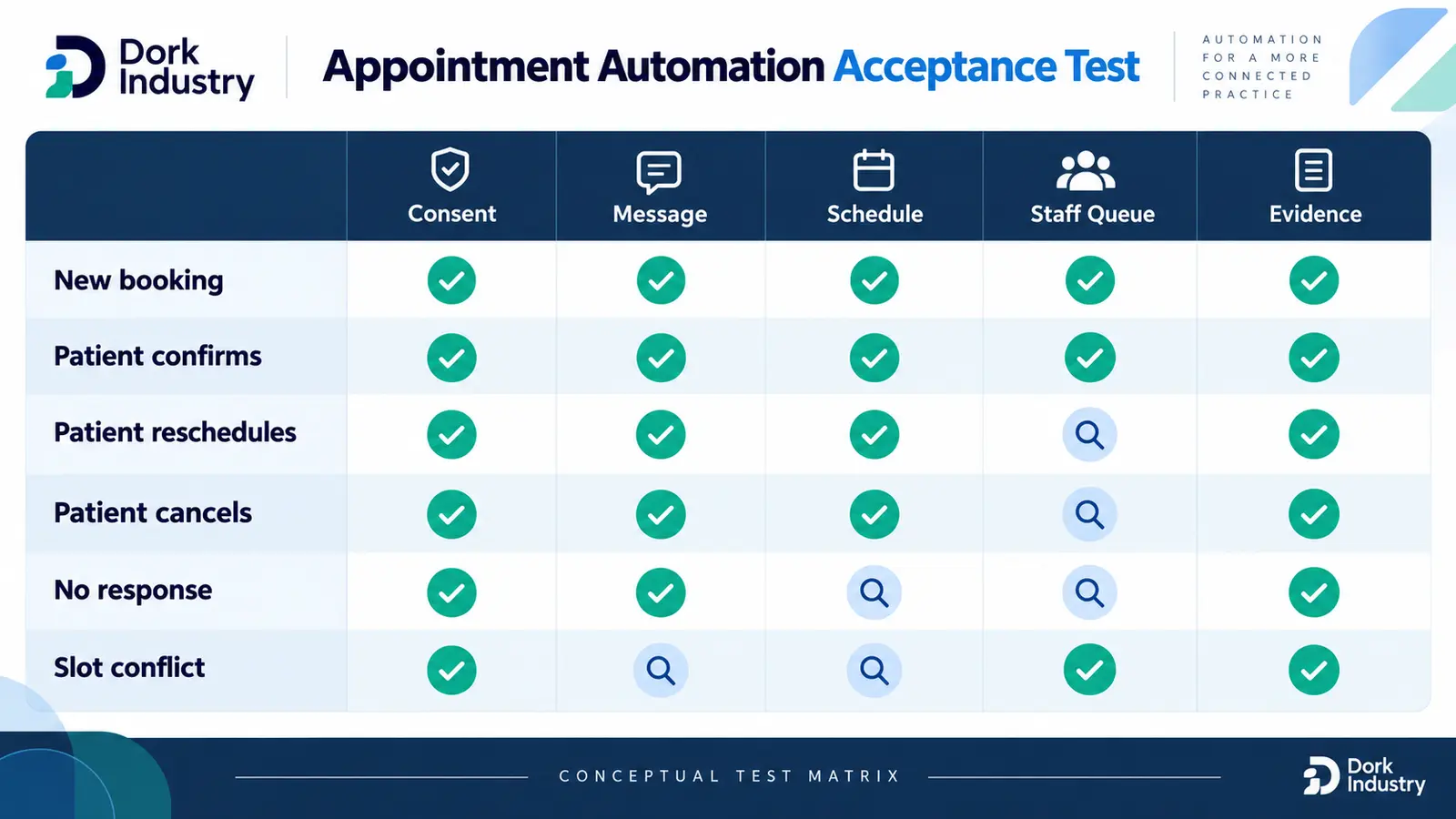
Start with one location, one appointment type, one approved channel and a limited patient cohort. Run the automation in observation mode first if possible: produce the intended action without changing the calendar, then compare it with staff decisions.
| Scenario | Expected outcome | Evidence |
|---|---|---|
| Patient confirms | Appointment remains and confirmation is logged | Message ID, response and calendar state |
| Patient cancels | Slot is released according to policy | Cancellation reason and audit trail |
| Patient requests new time | Only currently valid slots are offered | Availability query and locked result |
| No response | Configured follow-up or staff task is created | Attempt history and queue owner |
| Duplicate reply | No second schedule change occurs | Idempotency key and prior result |
| Clinical question | No automated medical answer is generated | Escalation message and staff assignment |
According to a 2026 scheduling study, real-time availability, conflict-free assignment and interoperability as central requirements for medical appointment scheduling. Its proposed method is not a universal product prescription, but it reinforces the need to treat scheduling as a constrained operational workflow rather than a messaging-only task. Review the scheduling research.
How can Dork Industry implement the workflow?
Dork Industry can run a discovery workshop, map appointment states, audit APIs, prototype the messaging and calendar loop, build the integration, create the staff exception queue and test the workflow. A project should define exclusions, source-of-truth rules, security responsibilities, deployment ownership and support.
If the clinic already has its own technical team, Dork Industry’s staff augmentation service offers a route to hire integration, web, mobile or backend development resources. The related WhatsApp follow-up automation guide explains similar consent and ownership controls in a non-healthcare workflow.
What do clinic teams ask about appointment automation?
Can the system automatically reschedule every appointment?
Read the answer
No. Standard appointment types may allow controlled self-rescheduling, but restricted procedures, clinician rules, dependencies and urgent cases may require staff approval. Define eligible appointment types before enabling automatic calendar changes.
Does clinic appointment automation require AI?
Read the answer
Not necessarily. Confirm, cancel and structured reschedule choices should usually use deterministic rules. AI can help classify free text or summarize exceptions, but it should operate with confidence thresholds and staff review.
How do we prevent two patients booking the same slot?
Read the answer
Query live availability, place a short reservation or lock where supported, and revalidate immediately before confirmation. The scheduling system must remain the source of truth, with idempotent writes and conflict handling.
What happens when a patient asks a medical question?
Read the answer
Route the message to an authorized clinic queue and send only the clinic’s approved acknowledgement or escalation instruction. A reminder assistant should not diagnose symptoms or generate unreviewed clinical advice.
Can this work across multiple clinic locations?
Read the answer
Yes, if location, clinician, appointment type, duration and booking restrictions are modeled explicitly. Start with one location, validate the workflow, then extend it using location-specific rules and staff ownership.
What should we provide for an implementation assessment?
Read the answer
Provide current systems, APIs, appointment states, consent process, message templates, slot rules, exception categories, staff roles and anonymized examples. Do not send patient medical records or messaging credentials in an ordinary enquiry.
Want this automated for your business?
Book a free assessment — we map the workflow, check data readiness, and outline a pilot you can measure.