
IoT controller resets when relay switches: first identify whether the reset came from supply sag, an inductive transient, a disturbed ground reference, contact-generated interference or direct coupling into the reset/watchdog path. Adding a larger capacitor or a flyback device without measuring the event can hide one symptom while leaving the product unreliable under another load.
This fault can make a connected pump, valve, access controller or industrial gateway appear to have a software problem. Logs stop at the switching event, outputs return to defaults and cloud monitoring records a disconnect. The commercial work is a reproducible hardware diagnosis, PCB review and prototype correction—not a generic IoT dashboard change.
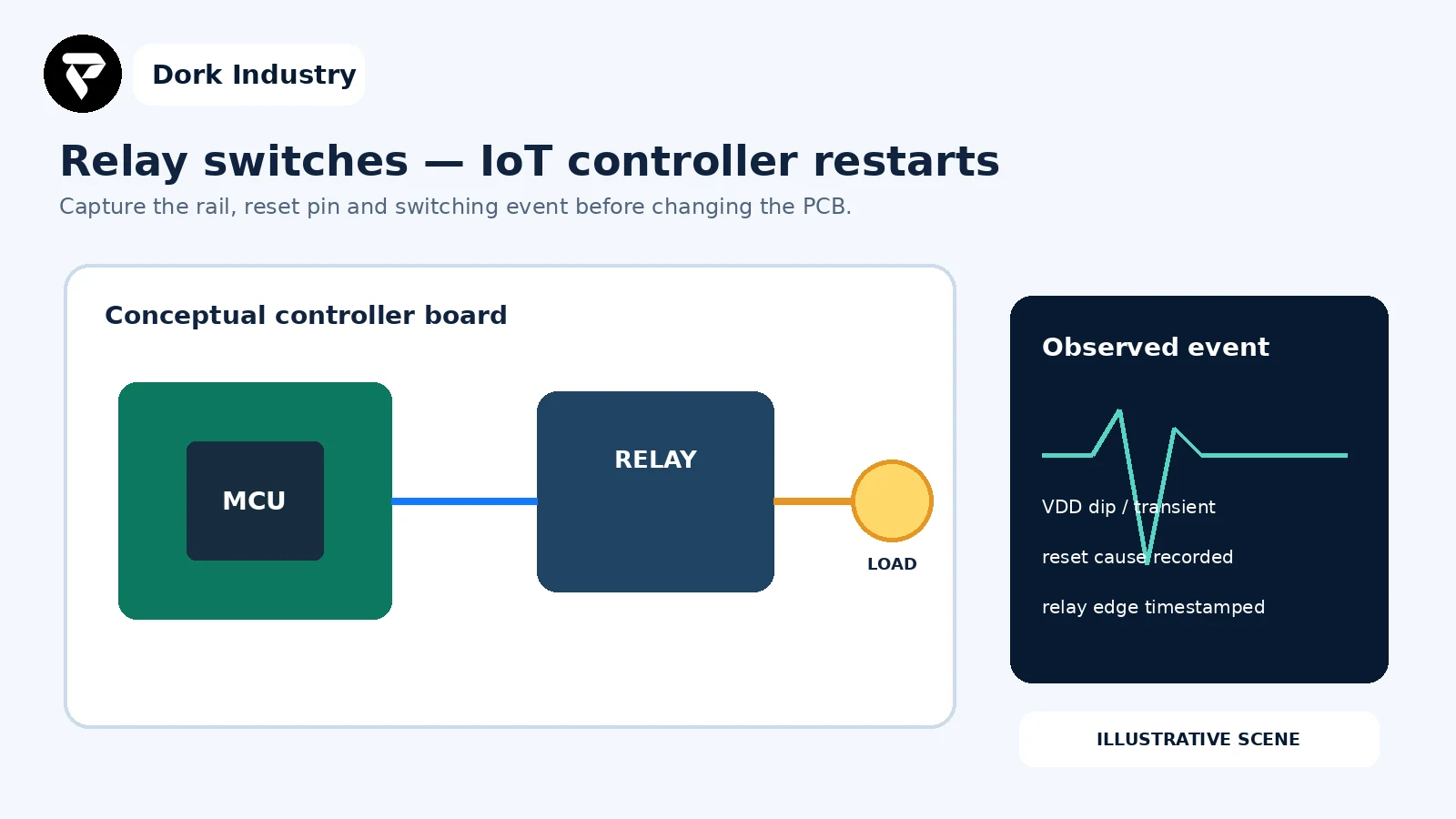
What does a controller reset during relay switching mean?
The microcontroller entered a reset or restart path at the same time as the output changed state. That correlation is useful but does not prove the coil is the only cause. Coil current can disturb the shared supply; coil turn-off can create an inductive transient; the contact/load loop can generate interference; and poor return routing can move the controller’s local ground reference.
Microchip explains that brown-out reset protects a controller when its supply falls below the configured threshold, and that large inductive loads can cause voltage sags. Review Microchip’s reset and brown-out explanation.
What should not be tested without the right equipment?
Do not connect a grounded oscilloscope, laptop or USB programmer to a non-isolated mains-referenced circuit unless the measurement setup and personnel are qualified for it. Relay contacts may switch hazardous voltage even when the controller side is low voltage. Use an isolated, current-limited bench arrangement or engage an electronics engineer. Never defeat protective earth, insulation spacing, fuses or enclosures merely to capture a waveform.
What should you record before modifying the PCB?
- Exact PCB revision, schematic, BOM and firmware build.
- Load type, voltage/current range, cable length and whether reset occurs on turn-on, turn-off or contact operation.
- MCU reset-cause register or retained boot log.
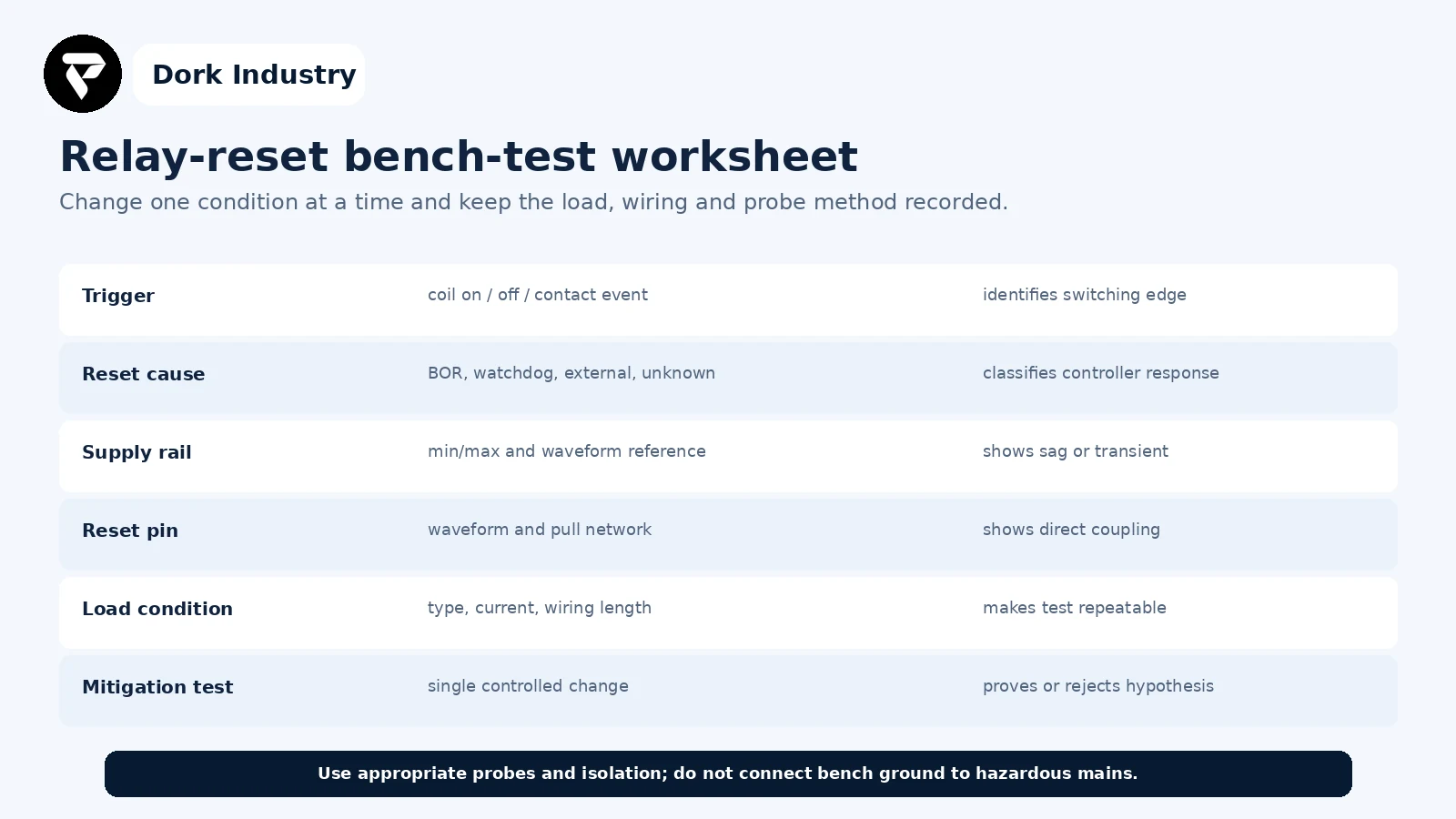
- Controller rail and reset-pin waveforms with probe points and reference documented.
- Relay driver topology and suppression components actually fitted.
- Power source, regulator limits, wiring and shared return path.
- One known-good and one failing load condition.
Need a PCB-level reset diagnosis?
Share the redacted schematic, PCB revision, relay/load details, reset cause and safe bench evidence. Dork Industry can scope a PCB review, prototype modification, firmware instrumentation or redesigned controller board.
IoT controller resets when relay switches: which nine PCB checks matter?
| Check | Evidence | Decision |
|---|---|---|
| 1. Reset cause | BOR/watchdog/external flag | power, firmware or reset network |
| 2. Switching edge | coil/contact on or off | repeatable trigger |
| 3. Supply rail | transient waveform | sag/spike or stable rail |
| 4. Coil path | driver and suppression | energy path controlled |
| 5. Contact/load path | arc and cable/load test | load-side interference |
| 6. Ground return | current-loop inspection | shared impedance or clean return |
| 7. Decoupling | placement and loop area | effective or layout-limited |
| 8. Reset/I/O pins | waveform and routing | direct coupling or stable logic |
| 9. Controlled validation | test matrix and duration | repair proven or redesign needed |
1. What reset cause does the controller report?
Read and retain the reset-cause register as early as possible during boot. Brown-out, watchdog and external reset point to different branches. If the firmware clears the cause before logging it, add a small diagnostic change before altering hardware.
2. Which electrical event triggers the reset?
Separate relay energisation, coil turn-off, contact closing and contact opening. Test with the load disconnected only when safe and meaningful. A reset with the coil alone suggests a control-side path; a reset only with the external load points toward the contact/load loop or shared supply.
3. Does the controller rail cross its valid operating boundary?
Capture the rail at the MCU power pins with an appropriate probe technique, not only at the bench supply. Compare the observed waveform with the MCU and regulator requirements. A multimeter average can miss the brief event that triggers brown-out.
4. Where does the relay-coil energy go at turn-off?
Review the driver, coil polarity, suppression component, placement and current loop. The correct suppression choice depends on DC versus AC coil, required release time, driver rating and safety requirements. Do not assume that any diode in the schematic is physically close enough or correctly oriented on the assembled board.
5. Is the switched load generating a separate transient?
Motors, solenoids, contactors and long cables can create load-side interference at the contacts. Determine whether an application-appropriate snubber, clamp, filter or different switching device is needed. Component selection must consider load voltage, energy, regulatory category and failure mode.
6. Do coil/load currents share the controller return path?
Trace current from source to driver, coil and back to the source. A narrow shared ground segment, connector pin or cable can shift the controller reference. According to Analog Devices, reducing high-current loop area and understanding the actual return path are central layout decisions; a generic ground rule is not enough. See Analog Devices’ layout and grounding discussion.
7. Are the regulator and local decoupling effective at the MCU pins?
Check regulator transient capability, input/output capacitors, bulk energy near the load and low-inductance local decoupling. Placement and return-loop length matter. Analog Devices’ mixed-signal layout guidance recommends short direct power routing, low-impedance ground and decoupling close to device pins. Review the PCB layout guidance.
8. Can interference reach reset, enable or communication pins?
Inspect reset pull networks, regulator-enable routing, exposed high-impedance inputs, connector traces and cable entry. Record reset-pin and enable-pin waveforms. A firmware watchdog event may still begin with corrupted communication or an interrupt storm caused by interference.
9. Does one controlled change fix every required load condition?
Change one variable at a time: supply separation, temporary suppression, routing patch or load-side mitigation. Repeat energise/de-energise cycles across minimum and maximum supply and required loads. A bench patch is evidence for a redesign, not automatically a production-ready modification.
Which coupling path should be investigated first?

Worked example: the reset occurs only when the contactor releases
This is an illustrative diagnostic example, not a client result. A controller operates normally when its relay energises, but restarts when a connected DC contactor releases. The reset flag indicates brown-out. The MCU rail shows a brief dip at the same timestamp; coil-only testing does not reproduce it, while the installed contactor and long cable do.
- The team records load, wiring and probe references.
- It separates the relay-coil event from the external contactor event.
- A qualified engineer tests an application-rated transient-control change at the load and a controlled power-return modification.
- The revised prototype repeats the full load matrix while logging rail minimum and reset cause.
- The PCB revision incorporates the proven return-path and protection changes, followed by safety and EMC-oriented validation appropriate to the product.
The paid scope may include schematic/layout review, component selection, PCB revision, prototype build, firmware diagnostics and validation planning.
What belongs in the relay-reset bench worksheet?
How can Dork Industry help?
Dork Industry can review the schematic, PCB layout, BOM and firmware reset path; plan safe bench measurements; identify power, grounding, transient or I/O coupling mechanisms; implement prototype modifications; and prepare a revised IoT controller PCB. Compliance and production qualification require the relevant accredited testing and product-specific safety process.
Review Dork Industry’s IT services and custom development scope, industry solutions, cold-storage IoT monitoring guide and machine-downtime tracking guide. Those articles address monitoring and operational visibility; this article addresses an embedded controller/PCB failure at the switching edge.
Turn an intermittent reset into a testable PCB repair
Send the PCB revision, redacted schematic, relay/load details, reset cause and safe waveform evidence. Dork Industry can propose a focused board review, prototype correction or PCB redesign scope.
Frequently asked questions
Will a flyback diode always stop the controller reset?
No. It may help a suitable DC relay-coil transient, but it does not correct supply capacity, shared return impedance, contact/load interference, AC-coil behavior or reset-pin coupling. Diagnose the path first.
Why does the relay work on the bench but fail in the machine?
The installed load, cable length, power source, grounding, enclosure and nearby switching equipment can differ from the bench. Record those conditions and reproduce them safely.
Can firmware debounce fix this problem?
Debounce may address repeated input transitions, but it cannot correct an invalid supply rail or damaging transient. Firmware diagnostics can reveal the reset cause and improve recovery while hardware is repaired.
What should I send for a PCB review?
Send the schematic, PCB files or plots, BOM, board revision, firmware version, relay and load data, wiring diagram, reset-cause log and safe measurements. Remove credentials and proprietary customer data not needed for diagnosis.
Stuck with this issue?
Send us the error and the setup — we diagnose the cause, fix it, and show you how to prevent it from coming back.



[…] Theme code rarely controls the core hosted payment-method list, but custom carts, checkout extensions, payment customizations and apps can influence the journey or eligibility. If the cart itself is broken, use the Shopify Add to Cart repair guide. If a promotion changes the outcome, compare the Shopify discount diagnosis. […]