AI development can turn a factory’s inspection photos into structured defect records — not by replacing the inspector, but by classifying each defect photo the moment it is taken, linking it to the batch, station and timestamp automatically, and assembling the quality record the inspector used to write by hand. That is the direct answer: yes, the photo-to-record loop can be automated; no, the system should never decide what passes or fails — that decision stays with the inspector who signs the report.
This article examines what late or missing defect records really cost, why quality reports stay manual even with cameras on every station, what inspection data you already own, what an AI-assisted capture system looks like in practice, what it must never do alone, when you should not build a custom vision model at all, and how to test the idea on a 30-day pilot.
What does a late or missing defect record actually cost?
The failure is not that defects happen. Every factory has them. The failure is that the record of the defect arrives hours or days after the defect itself — a handwritten note at the end of the shift, a photo sitting in someone’s phone gallery, a checkbox form that says “scratch” without saying which part, which batch, or how severe.
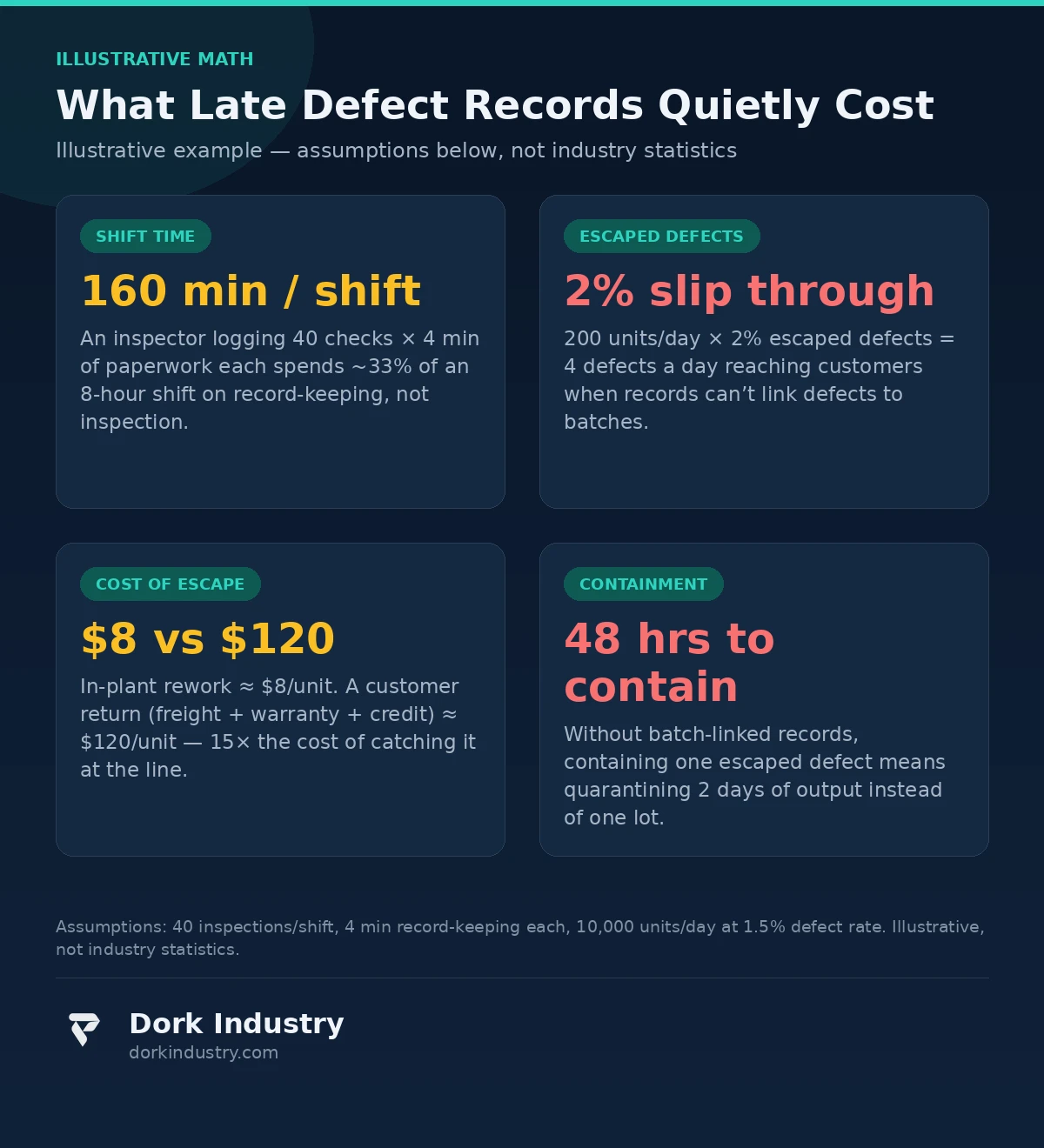
Consider the math — stated as an illustrative example with explicit assumptions, not industry statistics:
- 160 minutes per shift on paperwork. An inspector logging 40 checks per shift, at 4 minutes of handwriting and end-of-shift data entry each, spends roughly one-third of an 8-hour shift on record-keeping, not inspection.
- 4 defects a day reach the customer. Assume a line producing 10,000 units a day at a 1.5% defect rate — 150 defective units. If records cannot tie defects to specific batches, containment of one escaped defect means quarantining two days of output instead of one lot. And when detection relies on paper, roughly 2% of defects slip through unrecorded: about 4 a day, every day.
- $8 versus $120. Catching a defect at the line costs roughly $8 in rework. The same defect found by the customer costs freight, warranty handling and credit — conservatively $120. That is a 15× multiplier on every escaped unit.
- 48 hours to contain. With batch-linked records, one escaped defect triggers a lot-level hold in minutes. Without them, the team quarantines 48 hours of output and sorts it by hand — because nobody can say exactly which pallets carry the defect.
According to ASQ, the cost of poor quality can consume 15–20% of sales revenue in manufacturing operations — and a large share of it is appraisal and failure cost, exactly the categories that manual reporting inflates (ASQ: Cost of Quality). The most expensive part of a defect is rarely the rework. It is the defect you cannot trace.
Why do quality reports stay manual even with cameras everywhere?
Walk any shop floor and you will find cameras: phones in every inspector’s pocket, fixed cameras over key stations, sometimes a full vision rig that nobody looks at. Yet the quality report is still filled by hand. There are four reasons this persists:
First, photos and records live in different worlds. The photo is in a phone gallery; the report is on a clipboard or a spreadsheet. Nothing connects the two, so the photo is evidence without context and the report is context without evidence.
Second, there is no shared defect language. One inspector writes “scratch,” another writes “abrasion,” a third writes “mark.” All three describe the same surface defect. Without a controlled defect taxonomy, every downstream analysis — Pareto charts, supplier scorecards, corrective-action tracking — is built on inconsistent data and silently wrong.
Third, the data reaches the system a day late. Paper reports get keyed into the ERP at end of shift, if at all. By the time the quality manager sees a spike in “scratches,” the shift that produced it has gone home and the root cause has been running for 16 hours.
Fourth, inspectors were never asked to be data entry clerks. Asking a skilled inspector to spend a third of their shift writing is a misuse of the person and an invitation to thin, late, incomplete records. Manual reporting fails because it fights human nature; the fix is to make recording automatic at the moment of inspection.
What inspection data do you already have?
More than you think — and AI development works best when it starts from your existing material rather than demanding a new data program:
- Defect photos. Thousands of them, sitting in phones, shared drives and camera folders. Unlabeled, but real — they show your actual defects on your actual products, which no public dataset can replace.
- Rework and scrap logs. Who fixed what, how often, at what cost — the economic backbone of the business case.
- Customer complaints and returns. The escaped-defect record; each one is a labeled example of what your current process missed.
- Batch and lot records. The traceability spine — every defect photo must eventually attach to one of these.
- Audit non-conformances. Proof of where the current manual system already fails under scrutiny.
The foundation of the whole system is one rule: every photo gets a batch, a timestamp and a defect class, automatically. Everything else — dashboards, alerts, Pareto analysis — is downstream of that single linkage.
What does AI development add at the inspection station?
Here is what the system looks like in practice, concretely — no buzzwords:
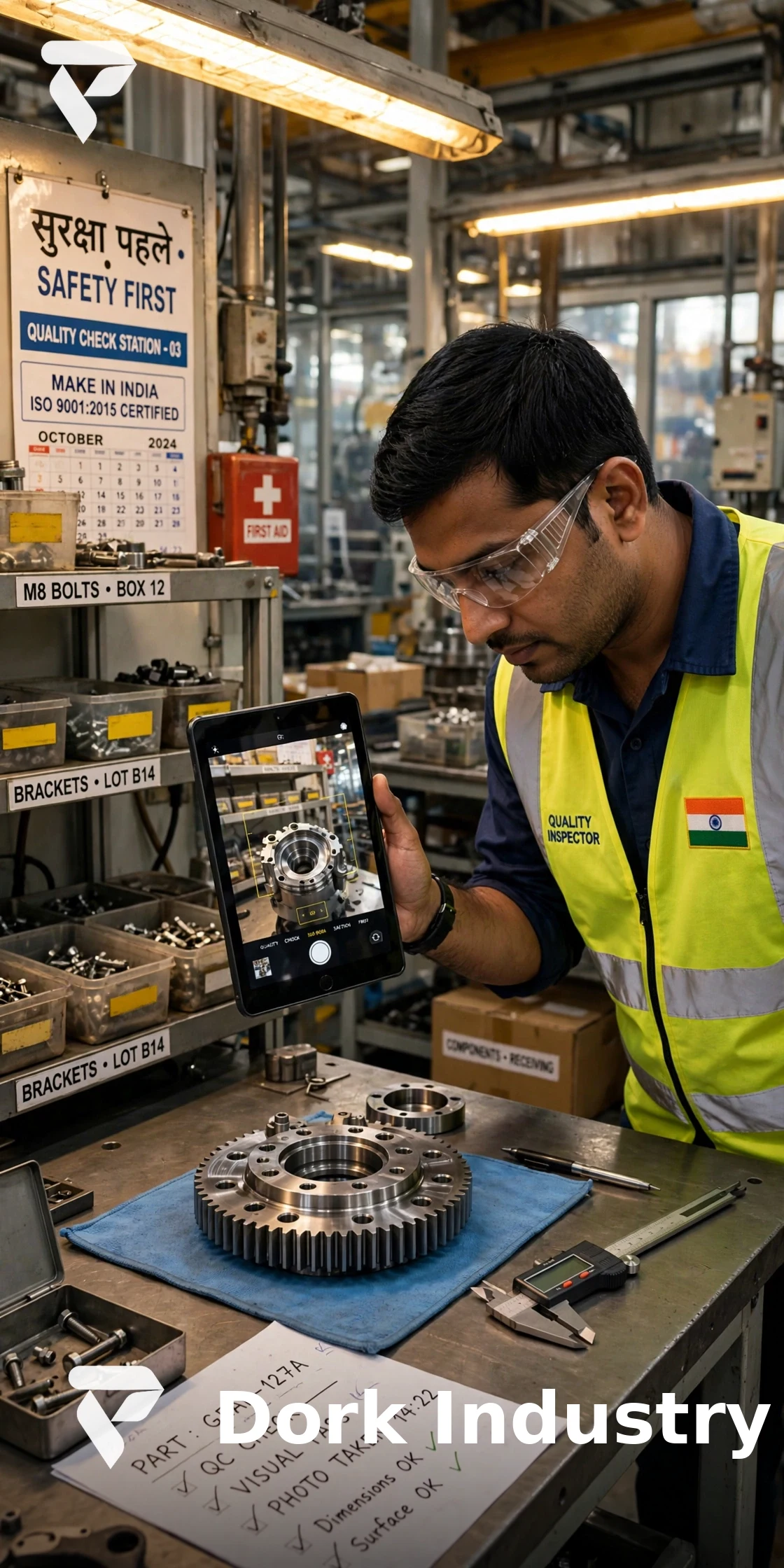
A capture app on a phone or tablet. The inspector photographs the defect at the station, exactly as they do today. The app proposes a defect class and severity from your taxonomy — “surface scratch, minor,” say — with a confidence score. The inspector confirms with one tap or corrects it with two. That confirmation is the training loop: every correction makes the next proposal better.
Automatic record assembly. The photo, the confirmed defect class, the batch and lot number (scanned from a barcode or pulled from the station’s current work order), the station ID, the inspector ID and the timestamp are assembled into a structured defect record in seconds — the report the inspector used to write by hand.
Confidence routing. High-confidence classifications flow straight to the record. Anything below the confidence threshold — a new defect type, an ambiguous photo, poor lighting — is routed to a senior inspector for review. The model never guesses on the hard cases; it flags them.
Live Pareto and alert rules. Defect records stream into a dashboard showing the Pareto of defect classes by station, shift and batch. Simple rules do the heavy lifting: three instances of the same defect class in an hour triggers a supervisor notification; a new defect class appearing for the first time escalates immediately. Corrective action starts while the cause is still running, not after the shift.
ERP and QMS export. Records export in the format your ERP or quality management system already accepts — defect codes, quantities, dispositions. Nobody re-keys anything.
According to ISO 9001, quality management systems must maintain documented information as evidence of conformity — and control it so it stays available and traceable (ISO 9001:2015, documented information requirements). An AI-assisted capture system is, at its core, a way to finally meet that requirement at the inspection station instead of fighting it with clipboards.
What must the vision system never do alone?
This is the boundary that keeps the system trustworthy — and keeps your inspectors on your side:
- Never accept or reject a lot. Disposition decisions belong to the quality authority, always. The system proposes classifications; people decide.
- Never stop the line. Alerts go to a supervisor. The model has no line-stop authority and should never be given any.
- Never overrule an inspector’s correction. When the inspector corrects the model, the correction stands and becomes training data. A model that argues with the inspector gets unplugged.
- Never auto-classify safety-critical defects. Defects with safety implications always require human sign-off, regardless of confidence score.
- Never retrain on unverified labels. Only inspector-confirmed records enter the training set. Training on the model’s own unreviewed guesses is how systems quietly drift into fantasy.
- Never delete the raw photo. The original image is the audit evidence; it is retained even when the classification is corrected.
When should you NOT build a custom vision model?
Honesty first: most factories do not need a custom model on day one.
Buy when your defects are generic. Scratches, dents, missing fasteners, misaligned labels — off-the-shelf vision APIs and pre-trained detectors handle these well, and a structured photo-checklist app with no AI at all is a legitimate first step. It fixes the photo-to-record linkage, which is half the value.
Build custom only when one of three things is true: your defect taxonomy is proprietary (defect classes no public model has seen), your materials or finishes defeat generic detectors (reflective surfaces, transparent films, textured composites), or the cost of a false negative is high enough to justify labeling thousands of images — think safety-critical components, export shipments with penalty clauses, or high-value assemblies.
The pilot described below works either way. If the off-the-shelf model clears your acceptance bar, you have saved yourself a custom build. If it does not, you have produced the labeled dataset and the measured baseline that a custom build needs. Either outcome is a win.
What does a 30-day pilot look like?
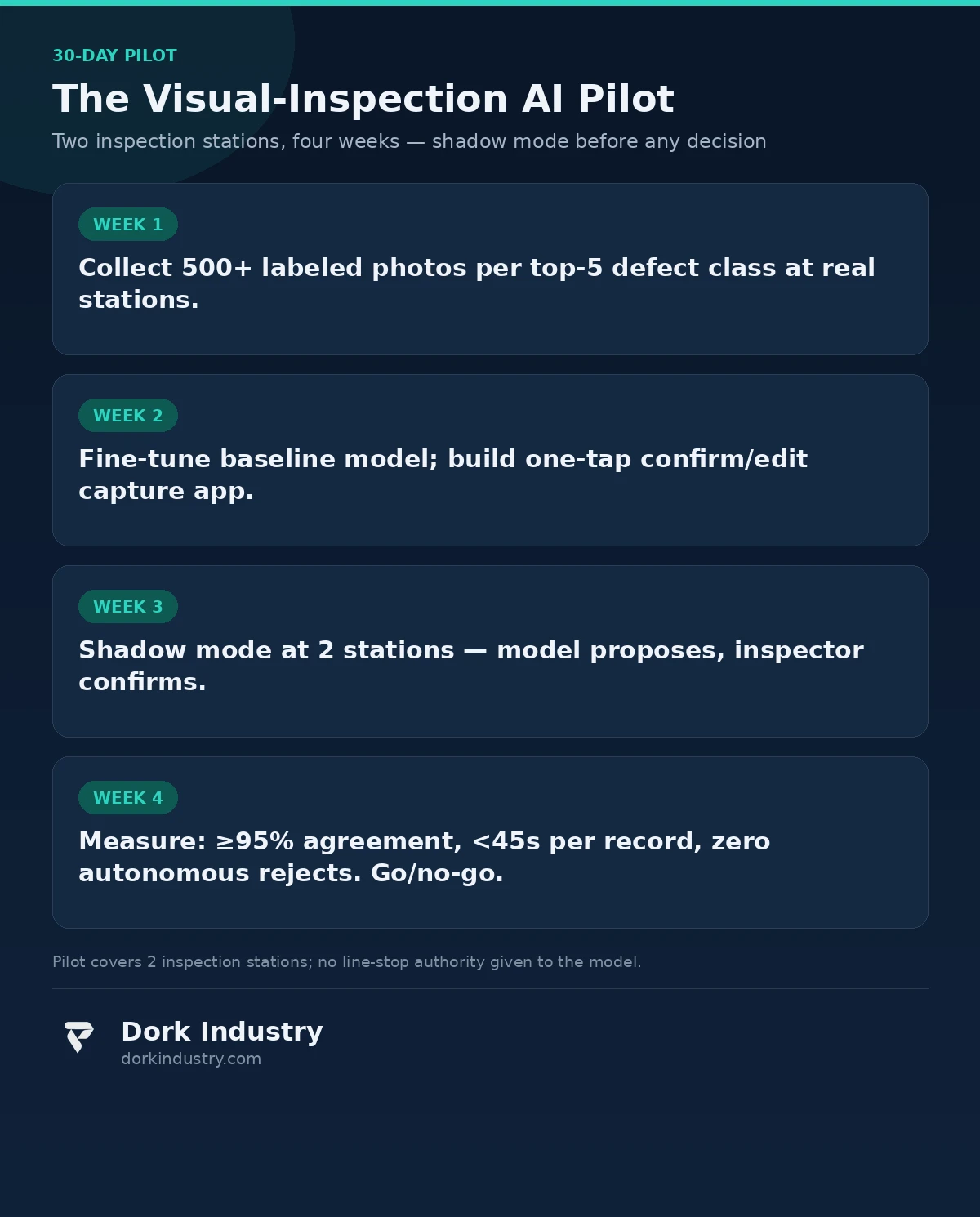
Week 1 — collect and label. Inspectors photograph defects during normal work at two stations, labeling each with your defect taxonomy. Target: 500+ labeled photos per top-5 defect class. This is the only week that asks anything of your team beyond normal inspection.
Week 2 — baseline and app. Fine-tune a baseline vision model on your labeled set; build the one-tap confirm-or-correct capture app; set confidence thresholds and the routing rules for low-confidence cases.
Week 3 — shadow mode. The model runs alongside inspectors at the two pilot stations: it proposes, the inspector confirms or corrects, and every correction is logged. No workflow changes, no authority changes.
Week 4 — measure and decide. Three acceptance gates: ≥95% agreement between model and inspector on the top defect class, record-creation time under 45 seconds per defect, and zero autonomous rejections (the model attempted none). Pass all three and you scale to the next stations. Fail the agreement gate and you know exactly which defect classes need more labels — which is itself valuable information.
What drives the cost of a visual-inspection build?
Five cost drivers, in rough order of size:
- Labeled data volume. Labeling 2,500+ photos is labor, and it is the single biggest variable. Using inspectors’ normal work (as in the pilot) keeps it near zero marginal cost.
- Model hosting. Cloud inference per image versus an edge device at the station. Cloud is cheaper to start; edge wins when stations are many or connectivity is poor.
- ERP/QMS integration. Exporting records into your existing system — the complexity lives here, not in the model.
- Hardware. Phones or tablets you likely already own, plus lighting fixes at stations where photos are unusable.
- Taxonomy and retraining. Designing the defect taxonomy properly once, then a light retraining cadence as new defect classes appear.
A pilot covering two stations typically runs on a fraction of a full build’s budget — which is the point of piloting: you buy the measurement before you buy the system.
How do manual, paperless-checklist and AI-assisted inspection compare?
| Capability | Manual (paper) | Paperless checklist app | AI-assisted capture |
|---|---|---|---|
| Time per defect record | ~4 minutes | ~2 minutes | Under 45 seconds |
| Defect photo linked to record | No (gallery) | Manual attach | Automatic |
| Batch traceability | End-of-shift lookup | Manual entry | Automatic from work order |
| Defect taxonomy consistency | Free text — inconsistent | Dropdown — consistent | Dropdown + model proposal |
| Pareto analysis | Weekly spreadsheet | End-of-day export | Live dashboard |
| Corrective-action latency | Days | Hours | Minutes (alert rules) |
| Inspector’s role | Data entry clerk | Form filler | Judge — confirms and corrects |
The bottom line
Your factory already photographs its defects — the evidence is in a thousand phone galleries. AI development turns those photos into structured, batch-linked defect records at the moment of inspection, cuts record-keeping from minutes to seconds, and gives the quality manager a live Pareto instead of a Friday spreadsheet. The inspector keeps every decision that matters: the model proposes, the human disposes. Start with a 30-day pilot at two stations, measure agreement and record time, and let the numbers decide whether to scale.
Still photographing defects into a phone gallery nobody reviews?
Send Dork Industry 50 of your most common defect photos. We will map your defect taxonomy, show you how a capture-to-record pipeline would classify them, and design the 30-day pilot for your two busiest inspection stations.
Request a free visual-inspection AI assessment WhatsApp +91 8210792477
About Dork Industry
Dork Industry (dorkindustry.com) is a custom software development company building mobile apps, AI automation, and IoT systems for businesses across India. Our team designs visual-inspection pipelines, defect-record systems and quality dashboards — from 30-day inspection pilots to full plant-wide quality platforms, with the same automation discipline we apply to back-office operations like AI automation for business processes and custom software development for manufacturing.
Frequently asked questions
Can AI development replace quality inspectors?
No — and any vendor promising that is selling you risk. The system classifies defect photos and assembles records; the inspector confirms, corrects and signs. What changes is the ratio: inspectors spend their hours judging defects instead of writing about them, and every judgment is captured instead of lost at shift end.
How many defect photos does the pilot need?
Plan on 500+ labeled photos per top-5 defect class, collected during normal inspection work over the pilot’s first week. Rare defect classes need fewer examples to start — the system flags them for human review below the confidence threshold until the dataset grows.
Will it work with our existing ERP or quality system?
Yes, through record export rather than replacement. The capture system assembles structured defect records and exports them in the format your ERP or QMS already accepts — defect codes, quantities, dispositions — so nobody re-keys data and your existing compliance trail stays intact.
What happens when the model misclassifies a defect?
The inspector corrects it in two taps, and the correction becomes training data. Below-confidence cases are routed to a senior inspector automatically. The pilot’s 95% agreement gate exists precisely to measure this — if the model cannot agree with your inspectors, it does not scale.
How long before we see results?
The 30-day pilot delivers the three numbers that matter: model-inspector agreement rate, record-creation time, and zero autonomous rejections. Most factories see the record-time drop in week three of shadow mode; the ROI case is built from the pilot’s measured data, not projections.