
Omnichannel CRM Source Code | AI Automation & Chatbot SaaS
49.00$
Self-hosted Omnichannel CRM source code for unified messaging, campaigns, social publishing and AI-assisted workflow automation.
Price: $49. Client and super-admin live previews are available. Optional installation plus three months of basic support is $120.
LIVE DEMO ACCESS
Explore both Omnichannel CRM workspaces
1. Super Admin Portal
Platform management
URL: Open super-admin portal ↗
Email: admin@example.com
Password: 12345678
Status: ACTIVE · SUPER_ADMIN
2. Client / User Dashboard
Omnichannel CRM & inbox
Email: client@spagreen.net
Password: 12345678
Status: active
Demo environment only. Do not enter production customer data.
Dork Industry · Source Code
Every conversation, campaign and lead in one operating workspace.
Omnichannel CRM source code for teams that want to manage customer conversations, social publishing, campaigns and AI-assisted automation from a self-hosted platform.
WhatsApp + social + SMS + email · Visual automation · Multi-tenant SaaS
See how the omnichannel workflow fits together
Move from scattered channel activity to a measurable sales and support workflow without switching between disconnected dashboards.
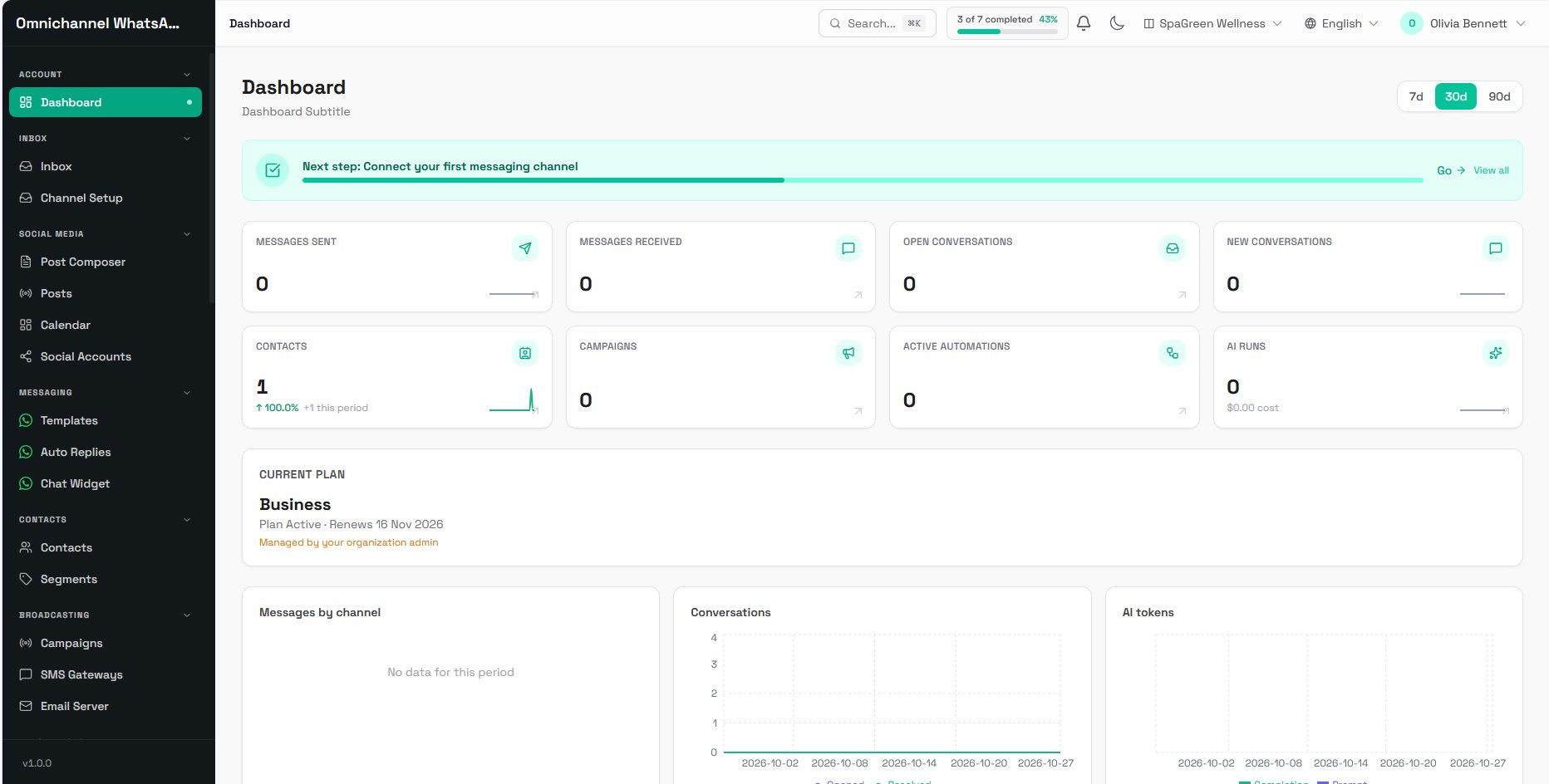
One operational workspace
Review messages, conversations, contacts, campaigns and automation activity from one dashboard.
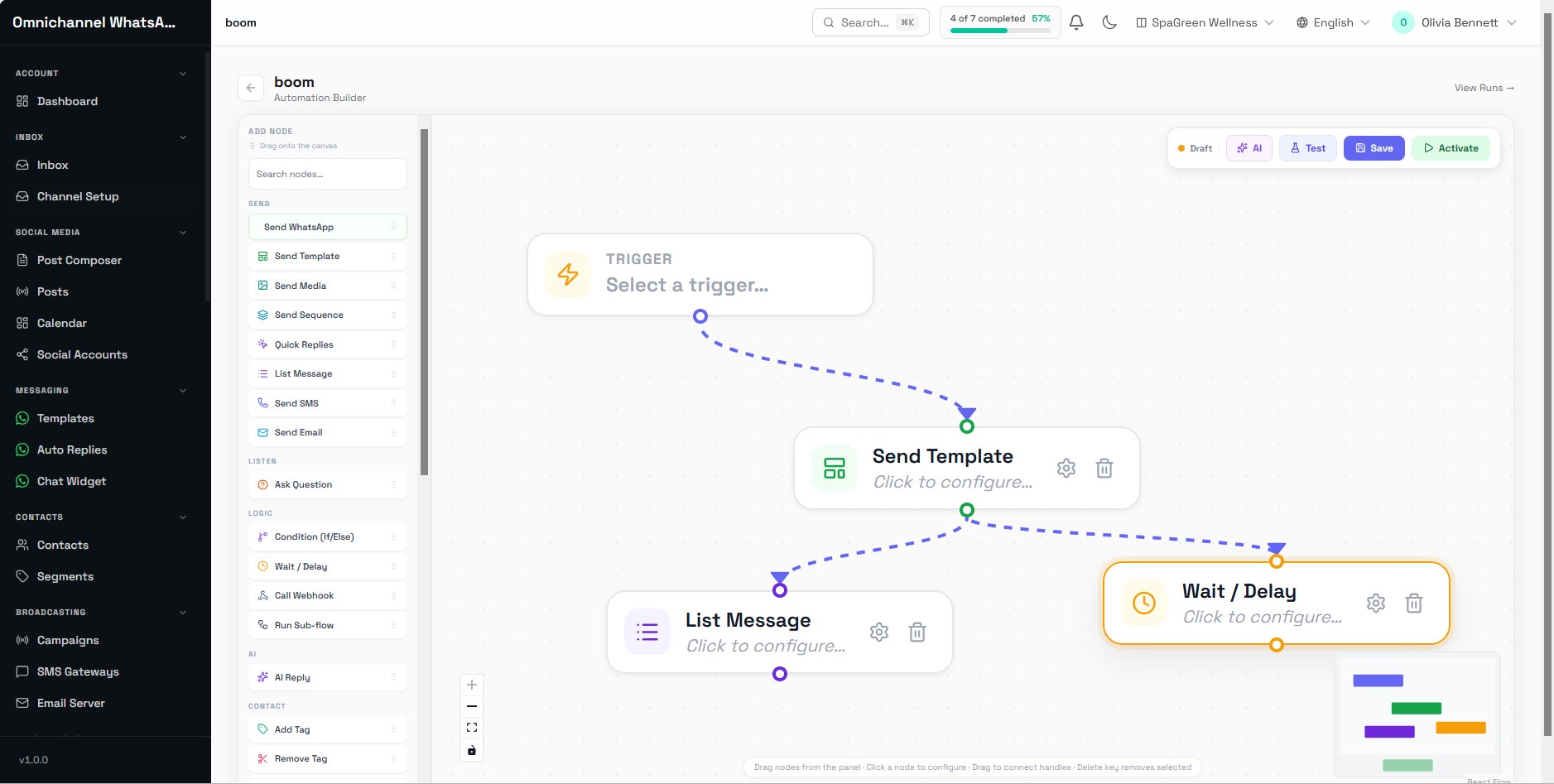
Build follow-up visually
Combine triggers, templates, delays, conditions, AI replies, tags, webhooks and sub-flows.
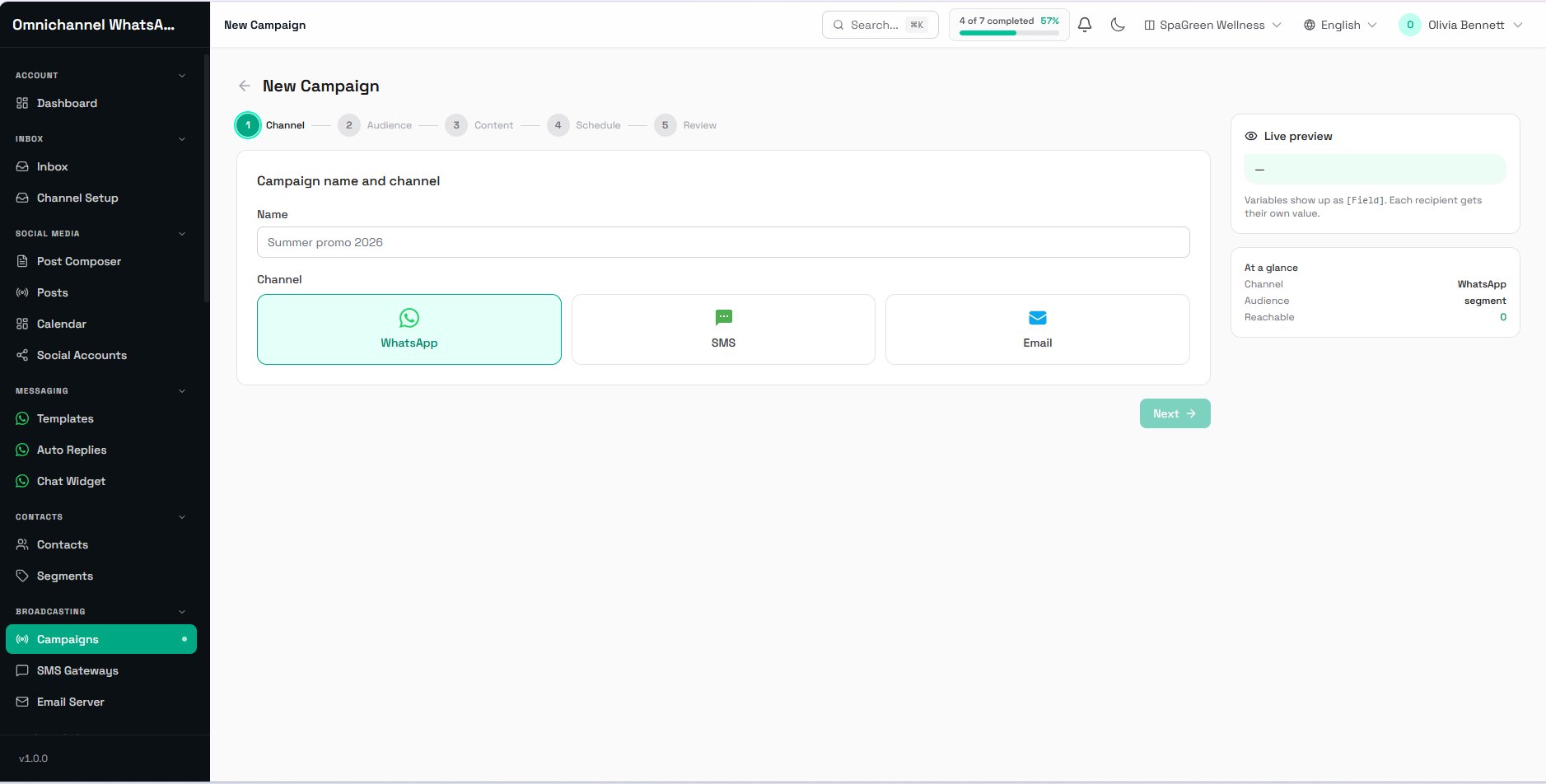
Reach the right segment
Create WhatsApp, SMS and email campaigns with guided audience, content, schedule and review steps.
Preview screens contain demonstration data. Live delivery requires the relevant provider accounts, API credentials and platform approvals.
What the Omnichannel CRM includes
- Unified inbox: centralise customer conversations and route work across connected channels.
- Channel setup: configure supported messaging providers and monitor connection status.
- WhatsApp tools: templates, auto-replies, website chat widgets, quick replies, list messages and media messages.
- Visual automation builder: combine triggers, conditions, waits, tags, webhooks, sub-flows and AI-assisted replies.
- Contact management: maintain customer records, tags and reusable audience segments.
- Campaign management: build, schedule and review WhatsApp, SMS and email campaigns.
- Social publishing: compose posts, manage calendars and connect supported social accounts.
- AI-assisted messaging: prepare contextual replies and track AI usage within configured limits.
- Analytics dashboard: review message, conversation, contact, campaign and automation activity.
- Team workspace: organise operators, permissions and shared customer workflows.
- Multi-tenant administration: manage client accounts, plans and platform access from a super-admin portal.
- Internationalisation: language controls for a broader customer and operator experience.
- Dark mode: user-selectable display preference.
- Self-hosted source code: deploy within your own supported infrastructure and extend business logic as required.
Platform and requirements
- Laravel 13 application layer
- PHP 8.3 compatible hosting environment
- React 19 interface with Inertia, Tailwind CSS and Vite
- MySQL database
- HTTPS domain, cron/queue capability and outbound email configuration
- Separate provider credentials, approvals and charges for WhatsApp, SMS, email, social platforms and AI services
Confirm your hosting stack and required channel integrations before purchase. Provider access, business verification and message approval remain subject to each third-party platform.
How installation works
- Prepare a compatible server, domain, SSL certificate, database and mail settings.
- Deploy the application package and configure environment variables.
- Run the documented database and build steps.
- Create the super-admin account and define client access.
- Connect channel credentials, test webhooks and verify message delivery.
- Configure automations, templates, segments and operator permissions before production use.
Read the installation and setup guide.
Optional setup service
Dork Industry can install the application on a compatible server, configure the supplied package and provide three months of basic support for $120. Third-party platform charges, custom feature development, data migration and unsupported hosting work are quoted separately.
Live demo
Open client dashboard preview Open super-admin preview
Demo credentials are shared separately where appropriate. Do not enter production customer data in the preview environment.
Pricing, delivery and help
The Omnichannel CRM source-code licence is priced at $49. Confirm the included delivery package, supported integrations and licence scope with Dork Industry before purchase.
For compatibility, installation or customisation questions, contact support@dorkindustry.com or WhatsApp +91 8210792477.
Questions before buying
Does this include WhatsApp, SMS, email and social-provider accounts?
No. The application provides connection and workflow capabilities. You supply approved accounts, API credentials and any provider fees.
Can Dork Industry customise the workflow?
Yes. Custom channel integrations, automation logic, reports, migrations and branded deployments can be scoped separately.
Is the platform suitable for production immediately after installation?
Production readiness depends on infrastructure, provider approval, security configuration, testing, backup policy and your operating process. Complete staging tests before handling live customer data.
Is installation included with the product?
Installation is optional. The $120 setup package covers deployment on a compatible environment plus three months of basic support within the agreed scope.
Reviews
There are no reviews yet.