
A WordPress website broken after PHP update is usually caused by an incompatible plugin, theme, custom-code component or server extension—not proof that WordPress itself must be rebuilt. Protect revenue first: preserve evidence, restore a stable customer path if necessary, reproduce the failure on staging and repair the component named in the error log. Dork Industry can diagnose the incident, repair compatibility issues or provide a developer for a controlled upgrade.
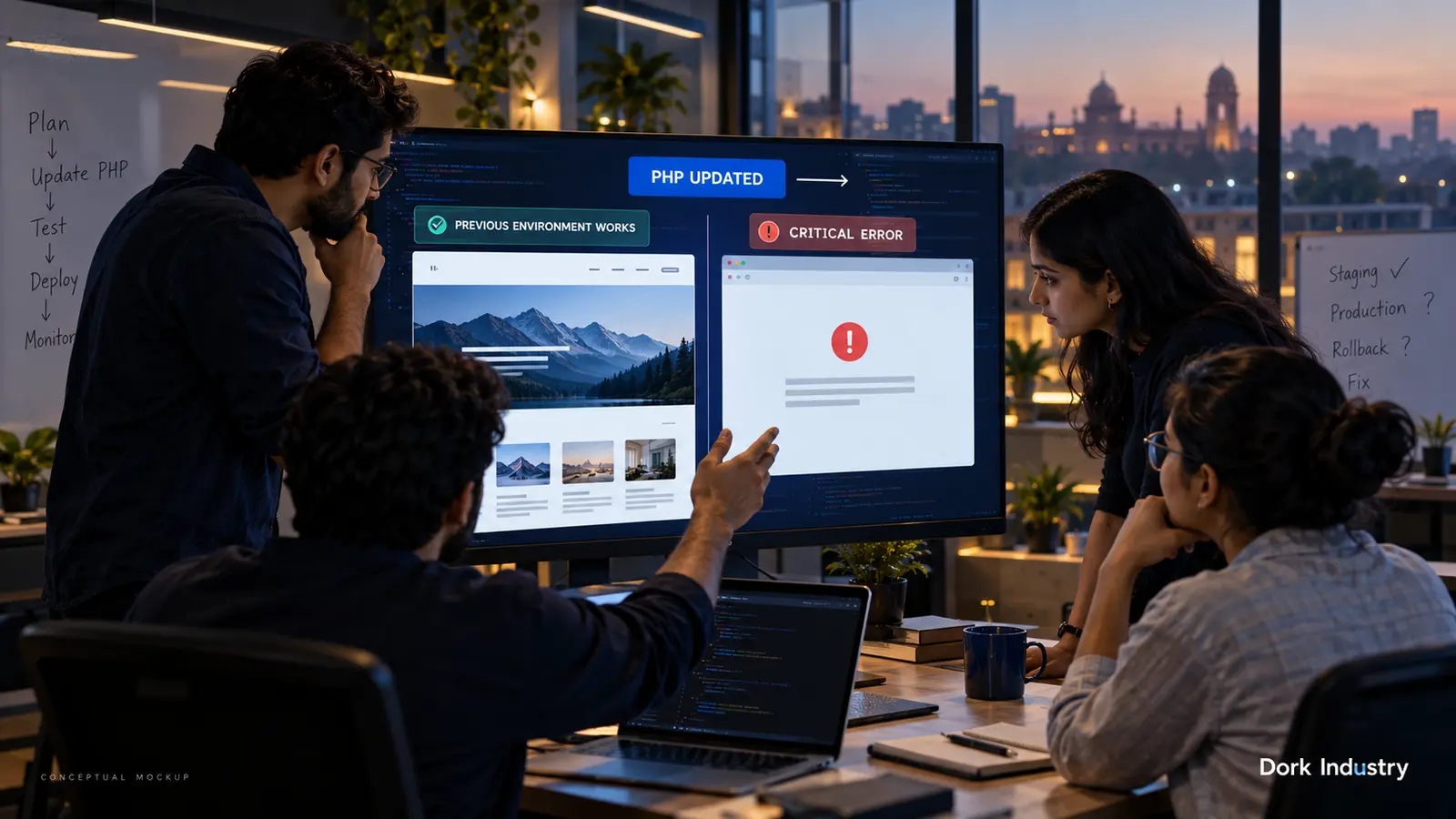
When does a PHP update become a business interruption?
A white screen is obvious, but partial failures can be more expensive: checkout stops after payment, enquiry forms fail silently, editors cannot enter wp-admin, scheduled imports stop, or API integrations return errors. Treat the affected journey—not only the homepage—as the incident boundary. Record the time of the PHP change, the old and new versions, the pages affected and the latest successful transaction or enquiry.
WordPress documents that Recovery Mode can activate when a regular page load triggers a fatal PHP error, often from a plugin, theme or custom code. It does not cover every background task, so a working homepage does not prove cron jobs, feeds or order processing are healthy. See the official WordPress Recovery Mode guidance.
What should you check before editing production?
- Confirm the change: note the PHP version, hosting pool and exact time it changed.
- Preserve a recoverable copy: capture both files and database before further changes.
- Check Recovery Mode and server logs: identify the file, function and request that fails.
- Test the customer journey: homepage, login, forms, checkout, webhooks and scheduled work.
- Create a staging clone: reproduce the issue with the same PHP version and extensions.
Do not paste raw PHP errors into a public page: paths, configuration details and personal data may be exposed. WordPress also advises using debug tools on local or staging environments rather than live sites. Its debugging handbook explains the available logging controls.
Why is a WordPress website broken after PHP update?
| Evidence | Likely cause | Professional fix |
|---|---|---|
| Fatal error names a plugin file | Unsupported syntax, removed function or stricter type handling | Patch or replace the plugin; retest its data and hooks |
| Error names the active theme or child theme | Deprecated custom template or function | Repair the child theme without overwriting update-safe customisations |
| Only image, PDF or API features fail | Missing PHP extension or changed server configuration | Align staging and production modules/configuration |
| Frontend works but jobs stop | CLI/cron uses a different PHP binary or fatal occurs outside Recovery Mode | Test background execution and correct the runtime path |
| Old output persists after repair | Page, object or opcode cache is serving stale code | Purge the right cache after validating the code change |
WordPress currently recommends a modern hosting baseline including PHP 8.3 or greater, but the site’s full plugin, theme and custom-code stack still needs compatibility testing before a production switch. Review the official WordPress requirements with your host and developer.
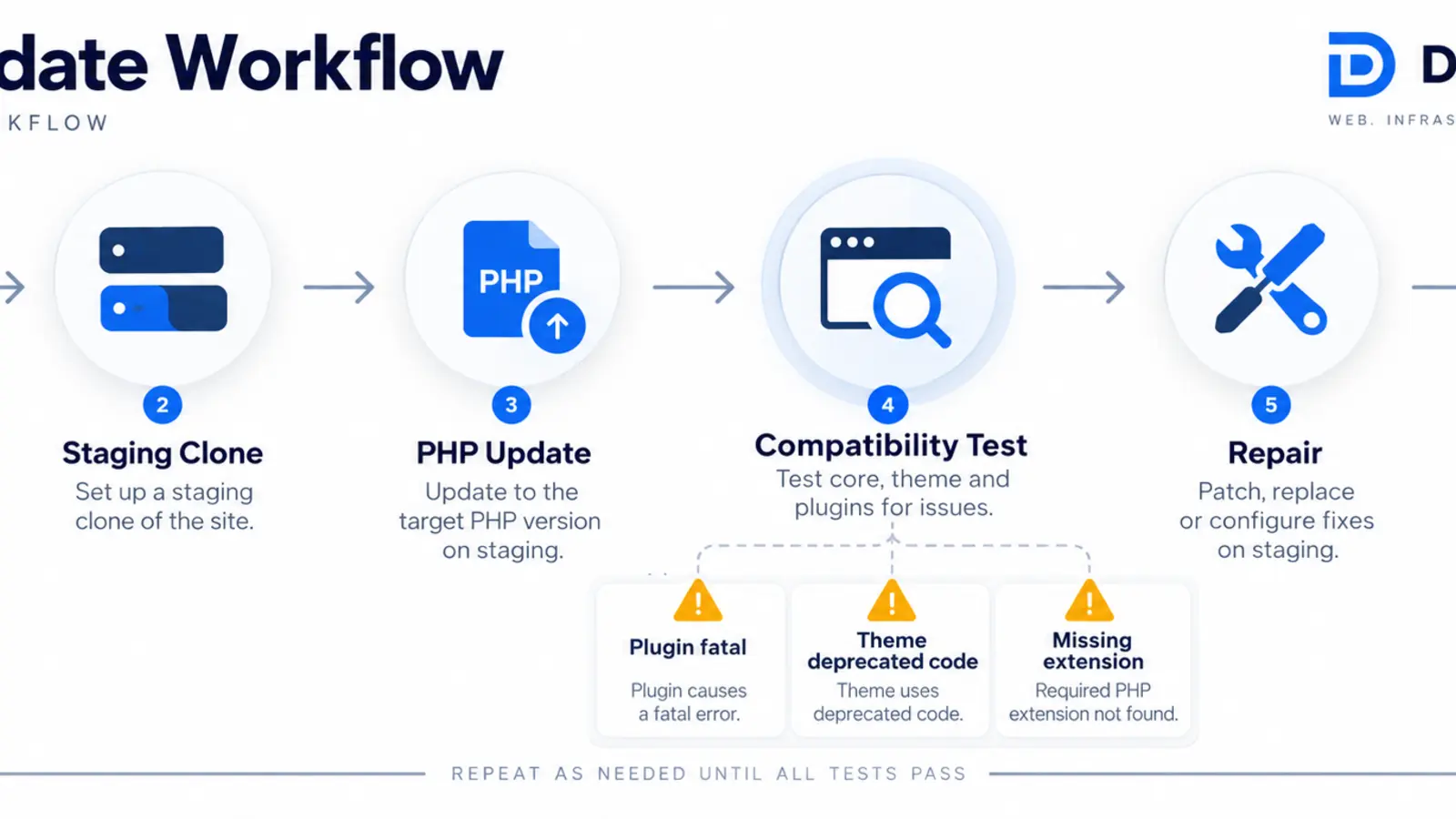
How should a staging-first compatibility repair work?
The fastest reliable path is evidence-led. Clone the site, match the failed PHP environment, reproduce one failure, read the fatal trace, isolate the responsible component and apply the smallest maintainable fix. Then test adjacent workflows before release. A blind rollback may restore the page temporarily but leave the next mandatory hosting upgrade unresolved; blindly disabling plugins can break payments, forms or integrations.
Backups, smoke tests, uptime checks and log alerts can be automated. Approval of code changes, payment testing, data migration and production release should retain human review. For a broader rebuild or recurring integration problem, Dork Industry’s web development service and custom software development service can connect the repair to a maintainable application roadmap.
How should you test a WordPress PHP update?
Copy this worksheet into the incident ticket. Record one expected result, the actual result and the relevant log entry for each row. Add business-specific flows such as membership renewal, quotation requests, ERP sync or multilingual checkout.
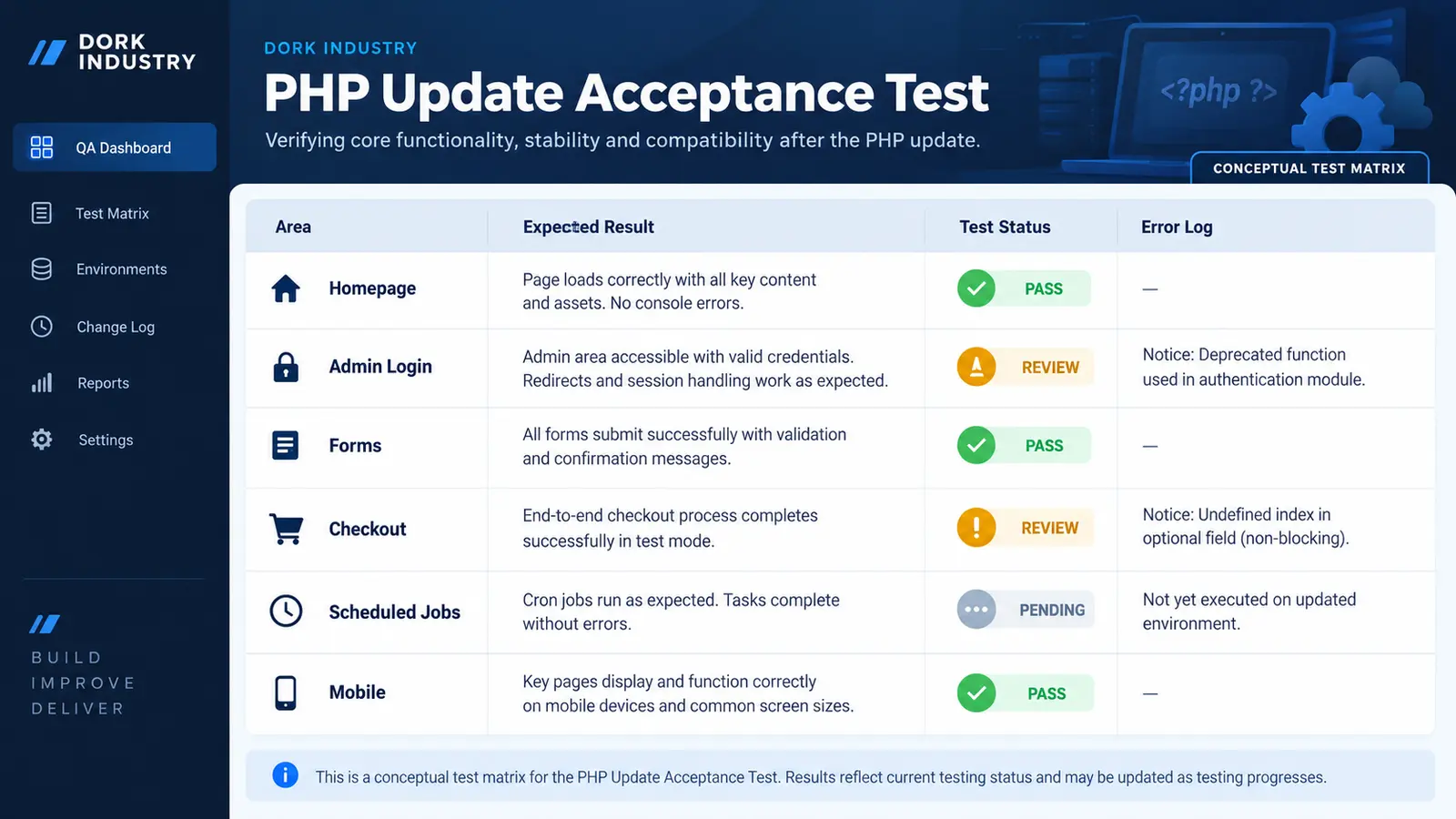
| Test | Expected result | Evidence to save |
|---|---|---|
| Public pages | Key templates render without warnings | URLs and screenshots |
| Admin login/editing | Authorised users can edit and save | Role tested and timestamp |
| Forms | Validation, delivery and CRM hand-off work | Submission ID and mail/log event |
| Checkout | Test payment creates one correct order | Gateway and order references |
| Scheduled jobs | Queues and imports complete once | Cron/queue log |
| Mobile | Critical journeys work at common widths | Device/browser notes |
If checkout is the failing path, also use our related guide on a WooCommerce checkout that keeps loading after Place Order to separate gateway, AJAX and order-creation evidence.
Should you repair, replace or hire a developer?
| Option | Best when | Project output |
|---|---|---|
| Compatibility repair | One maintained plugin, theme or custom module is failing | Root-cause fix, regression test and controlled deployment |
| Component replacement | The dependency is abandoned or blocks future upgrades | Replacement, migration and workflow validation |
| Platform refactor | Repeated incidents reveal fragile custom architecture | Prioritised remediation and phased rebuild |
| Hire a developer | Your team needs temporary WordPress/PHP capacity | Scoped resource with defined deliverables and ownership |
For a repair estimate, send Dork Industry the affected URL, old/new PHP versions, error-log excerpt with sensitive data removed, hosting stack, last known working time and whether a staging site exists. If you need delivery capacity rather than a fixed repair, review staff augmentation.
How can Dork Industry restore the complete workflow?
Dork Industry can inspect the failure, prepare a staging repair plan, validate business-critical journeys and deploy under change control. Request a focused WordPress/PHP compatibility assessment.
What do buyers ask about PHP compatibility repair?
Should I downgrade PHP immediately?
Read the answer
A temporary rollback may restore service when the host supports it and the previous environment is known-good. Preserve logs first and plan a tested compatibility fix. Do not treat an unsupported runtime as the permanent solution, because the next hosting change can recreate the incident.
Why does wp-admin work while the website fails?
Read the answer
The public request may load a different theme template, plugin hook, cache path or integration. Test the exact failing URL and read the trace generated by that request. Admin access proves only that its code path loaded; it does not validate forms, checkout or background jobs.
Can Recovery Mode identify every failure?
Read the answer
No. WordPress states that Recovery Mode detects fatal errors during regular page loads, not every cron or background task. Test queues, imports, webhooks and scheduled actions separately. A homepage that loads normally cannot confirm that these operational workflows completed.
Will disabling every plugin fix the site?
Read the answer
It can help isolate a conflict on staging, but doing it blindly on production may disable checkout, forms or data sync. Start with the fatal trace, test one controlled component change and document its result before changing another dependency.
What should I send a WordPress developer?
Read the answer
Send the old and new PHP versions, a sanitized fatal trace, affected URLs, hosting details, recent code changes, backup status and access to a staging clone. Include the exact business journey that failed and the last time it completed successfully.
How do I prevent the next PHP upgrade incident?
Read the answer
Maintain a dependency inventory, remove abandoned components and clone production to staging before changing PHP. Run the same business-journey tests on the target environment. Release under change control with a verified backup, acceptance evidence and a defined rollback decision.
Stuck with this issue?
Send us the error and the setup — we diagnose the cause, fix it, and show you how to prevent it from coming back.

[…] Theme code rarely controls the core hosted payment-method list, but custom carts, checkout extensions, payment customizations and apps can influence the journey or eligibility. If the cart itself is broken, use the Shopify Add to Cart repair guide. If a promotion changes the outcome, compare the Shopify discount diagnosis. […]