Machine downtime tracking helps a factory record when a machine stops, how long it stays stopped and why production was interrupted. For a Delhi manufacturer considering monitoring software, the first useful output is a dependable stop log linked to a responsible person—not just a red light on a dashboard.
If your supervisor reports “the machine was down again” but nobody can explain the missing production time, start with one important machine. Record each interruption, separate breakdowns from waiting and setup, and review the biggest repeat loss. Add automated signals when they solve a demonstrated recording problem.
This guide is for owners and production teams evaluating machine downtime tracking in Delhi. It gives you a practical log, a worked example and a software acceptance checklist. Examples are illustrative, not Dork Industry customer results.
What should machine downtime tracking actually tell you?
It should show the start and end of each stop, the affected machine and order, a reason, and the next action. A run signal can establish timing, but a person or another system may still need to explain the cause. “Stopped” is an observation; “waiting for a tool” is useful operating context.
Choose a machine that regularly holds up an order or feeds a constrained process. Tracking every asset immediately can create a large reporting burden without making the first decision clearer. A packing line may be waiting because the upstream machine stopped; counting both as separate lost customer output would exaggerate the impact.
Keep three questions separate:
- Was the machine intended to produce? Use an agreed production calendar.
- Was it running? Use a trustworthy operator record or machine signal.
- Was it producing acceptable output at the expected rate? This needs count, quality and product-specific cycle information.
An electrically powered machine is not necessarily making parts. A spindle turning without cutting is not proof of good output. A large “online” percentage can therefore hide the very delays you are trying to investigate.
Use Delhi location context only when it changes the workflow
A unit in Bawana or Narela that changes moulds between short orders may need separate setup and first-piece approval records. A machining workshop in Naraina or Wazirpur handling varied jobs may need a job-specific expected cycle rather than one rate for every product. These are conditional examples: location alone does not establish a factory’s industry, process or bottleneck.
For an Okhla or Patparganj unit whose next operation is handled by an outside job worker, distinguish a machine breakdown from an order waiting for that external operation. Record both if useful, but assign the second to the order workflow. A machine sensor cannot explain an external delivery delay by itself.
How do you create a usable machine downtime log?
Start with one shared form that records machine, order, stop start, restart time, reason and owner. Allow “unknown—review required” instead of forcing an operator to guess. At the end of the shift, a supervisor checks incomplete events and overlapping intervals before the figures are used for decisions.
| Field | What to record | Why it matters |
|---|---|---|
| Machine and shift | A stable machine ID and shift date | Prevents similar machine names being mixed up |
| Order and operation | Job reference, product and current process | Connects the stop to the delivery workflow |
| Start and restart | Actual timestamps and capture source | Separates duration from a later recollection |
| Reason and certainty | Initial reason; confirmed cause when available | Preserves the difference between observation and diagnosis |
| Owner and action | Person responsible, next action and due time | Turns a report into a response |
| Correction history | Who changed the record, when and why | Makes late edits visible |
For an ongoing stop, leave the end time blank and display the duration as provisional. Do not treat the present time as a permanent restart timestamp. When a stop crosses a shift boundary, keep one event and allocate its minutes to each shift without duplicating them.
Keep reason codes short enough to use during a shift
Begin with a small, agreed list. Expand it only after repeated events justify a new category.
- Breakdown: a fault prevents intended operation.
- Setup or changeover: tooling, mould, product or parameter change.
- Material wait: the required input is unavailable at the machine.
- Quality hold: production waits for inspection or a release decision.
- Operator or support wait: the required person is unavailable.
- Utility interruption: an observed interruption to power, air or another required utility.
- Unknown: timing is captured but the cause needs review.
A utility interruption is a possible event category, not a claim about the reliability of Delhi’s infrastructure. Use your own verified incident record. If several events occur together, choose one primary cause for the interval and retain contributing factors as notes; adding simultaneous reasons as separate durations inflates the total.

How do you calculate downtime without confusing it with OEE?
Stop minutes measure interruptions. Availability compares running time with planned production time. Overall Equipment Effectiveness, or OEE, also considers speed and acceptable output. You cannot calculate a meaningful OEE score from downtime alone. Keep the calendar and counting rules consistent before comparing shifts.
The following is an invented teaching example, not a benchmark or a customer outcome. Suppose an eight-hour shift contains 30 minutes during which production is not scheduled. The remaining 450 minutes are planned production time. Within that window, a machine has 45 minutes of fault stops and 30 minutes of changeover stops.
| Measure | Calculation | Result |
|---|---|---|
| Planned production time | 480 − 30 minutes | 450 minutes |
| Stop time | 45 + 30 minutes | 75 minutes |
| Run time | 450 − 75 minutes | 375 minutes |
| Availability | 375 ÷ 450 | 83.33% |
| Performance | 1 minute ideal cycle × 300 total parts ÷ 375 minutes | 80% |
| Quality | 285 first-pass good parts ÷ 300 total parts | 95% |
| OEE | 0.833333 × 0.80 × 0.95 | 63.33% |
The hypothetical machine has 15 parts that are not first-pass good. An approved, technically achievable ideal cycle is required for the performance calculation; a convenient sales target is not a substitute. Keep units consistent: a cycle measured in seconds must be converted before using a denominator in minutes.
Vorne’s OEE calculation guide explains these three factors and includes planned changeover stops inside intended production time. A planned stop and time when no production was intended are different concepts. Define that distinction explicitly rather than improving the reported result by excluding inconvenient losses.
In this example, availability alone would miss speed and quality loss. Conversely, buying a sophisticated OEE dashboard is premature if the team cannot yet confirm when stops occurred. First establish reliable events; then add the measurements needed for the next decision.
Which technology fits your downtime problem?
A simple digital form fits a small pilot when people can capture events consistently. Sensors or controller signals help when short stops or late entries make timing unreliable. ERP integration connects downtime to jobs and maintenance. Each layer has a purpose; installing all of them at once is not automatically the best starting point.
| Method | Useful when | Limitation to test |
|---|---|---|
| Operator form or shared log | Few machines; reasons are easy to record promptly | Missed events, estimated timings and shift-end batch entry |
| PLC or controller integration | A reliable, accessible state or cycle signal exists | What the signal actually means and whether access is authorised |
| Additional sensor and gateway | A legacy machine lacks a suitable interface | False state detection, installation feasibility and offline buffering |
| ERP or production workflow connection | Stops must be linked to work orders and maintenance actions | Whether event IDs, machine IDs and job references match |
| Predictive analysis | Validated history and relevant condition data support a specific fault use case | False alerts, changing operating conditions and evidence of useful predictions |
ERPNext’s official Downtime Entry documentation describes manually recording a machine’s downtime in minutes. That is evidence of a recording function, not evidence that every ERP installation captures stops automatically. Ask your vendor to demonstrate the exact configuration being proposed.
Can old machines be monitored without replacing them?
Some legacy machines can provide a usable status through an existing control interface or an assessed sensor installation. Feasibility depends on the controls, available signals and operating environment. Have a qualified integrator assess the machine; do not assume that a universal sensor identifies every stop correctly.
Define the states before selecting hardware: running, setup, stopped, unavailable and unknown may need different rules. Test whether the signal behaves differently during warm-up, dry runs or tool changes. A disconnected gateway should be reported as missing data, not silently classified as machine downtime.
Keep monitoring changes subject to the factory’s electrical and machine safety procedures. Do not bypass guards, interlocks or maintenance isolation to capture data. Read-only monitoring is a useful starting design requirement; any control changes need their own authorised engineering assessment.
How should a Delhi factory run the first pilot?
- Choose one constraint. Select a machine or operation that regularly affects delivery. Write down the decision you want to improve.
- Agree the time rules. Document the shift calendar, production window, stop threshold and treatment of changeovers and very short interruptions.
- Record events across representative work. Include different products and normal shift handovers. A quiet demonstration period is not enough.
- Check the records against observation. Sample actual starts and restarts. Investigate missing, overlapping or wrongly classified events.
- Review losses with the people involved. Rank confirmed causes by minutes and recurrence. Assign one corrective action and owner.
- Repeat the comparison on comparable work. Check the same machine, product mix and calendar rules. Record what changed.
- Expand only after the workflow holds up. Add machines or integrations when records, responsibilities and exception handling are dependable.
This is a suggested pilot sequence, not a promised implementation timeline. The duration depends on how often representative jobs and faults occur. A rare breakdown may require a longer observation period than a daily setup delay.
Review the biggest actionable loss, not the loudest complaint
Suppose a frequent setup wait accounts for more confirmed minutes than an occasional fault. The first action may be tooling preparation or approval scheduling, rather than a predictive maintenance model. A maintenance team should not be assigned every red event when purchasing, quality or scheduling owns the next step.
Review unknown minutes as well as confirmed causes. A decreasing “unknown” category can show better recording, but it does not prove that production improved. Record availability and output separately so better classification is not mistaken for reduced downtime.
What should you ask a downtime software vendor to demonstrate?
Use your own event examples during the demonstration. A polished sample dashboard proves little about your machines, unstable connectivity or shift rules. Ask the vendor to replay a stop, show how it becomes a record and demonstrate how the responsible team closes the action.
| Test | Evidence to request |
|---|---|
| Actual stop and restart | Compare detected timestamps with observed events; agree acceptable timing tolerance |
| Connection loss | Show missing-data status, local buffering if offered, and recovery without duplicate events |
| Shift-crossing stop | Show one event allocated correctly across reporting periods |
| Reason correction | Show the original value, editor, timestamp and explanation |
| Simultaneous causes | Demonstrate that overlapping reasons do not add duplicate stop minutes |
| Order association | Show how a job change updates the event context and handles an unmatched job |
| Export and ownership | Provide a usable event export and document access, retention and support responsibilities |
| Action closure | Trace a confirmed stop to its owner, maintenance or process action and review status |
Set acceptance tolerances with the vendor before installation. Do not invent a universal accuracy promise. Separate software configuration, hardware, electrical installation, connectivity, licensing, training and ongoing support in the quotation. Ask what happens if a machine changes, a gateway fails or the factory later changes ERP.
What should the owner see each morning?
- Confirmed stop minutes by reason for the selected machine or line.
- Repeat events and the oldest unresolved action.
- Unknown causes and missing-data periods.
- Output and first-pass quality alongside availability, when measured reliably.
- Orders affected and the person updating the delivery plan.
Resist converting every idle minute into “lost revenue.” Some work can be recovered later, some machines are not constraints, and contribution differs by product. For a financial review, use finance-approved assumptions about unrecovered output, contribution, repair expense and incremental overtime. Keep those components separate to avoid double counting.
How can Dork Industry help connect stops to action?
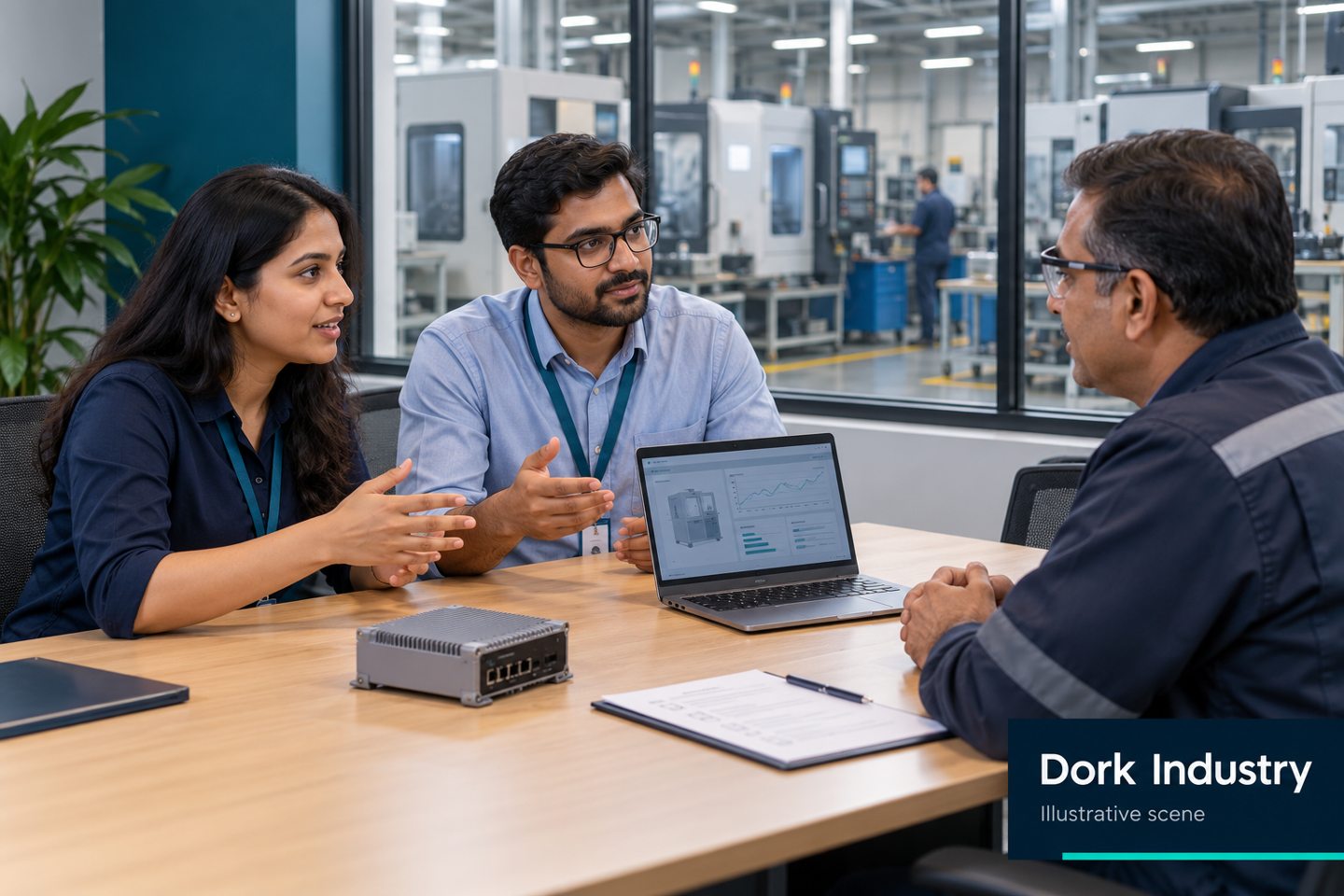
Dork Industry’s manufacturing services include machine monitoring, industrial gateways, PLC/SCADA integration and ERP integration. These are relevant when a stop log needs dependable machine signals or a connection to production and maintenance workflows. The right scope starts with the machine, the process and the decision you need to make.
Use our factory visibility guide for the wider departmental picture. If material availability is causing stops, the stock mismatch and reconciliation guide addresses that separate problem. This article focuses on stop events rather than replacing either guide.
Bring one machine list, a recent shift record and your biggest unresolved stop to a consultation. Tell us your industrial area, process, available controller information and current ERP or logbook. That helps establish whether a manual workflow, machine connection or integration pilot is the appropriate next step.
Request a machine downtime tracking consultation or email the team with reference DORK-DT-DELHI. You can also call +91 82107 92477. Please mention that reference so your enquiry can be connected to this guide.
Machine downtime tracking: frequently asked questions
What is the difference between downtime tracking and predictive maintenance?
Downtime tracking records interruptions that happen. Predictive maintenance uses relevant condition data and validated analysis to anticipate a specific failure or maintenance need. A trustworthy event history is useful groundwork, but recording stops does not by itself predict failures.
Do I need sensors on every machine?
No. Start with the machine or operation that constrains delivery. Manual entry may be adequate when events are captured promptly. Assess controller signals or sensors when missed events, short stops or unreliable timestamps create a specific gap.
Can a sensor tell me why the machine stopped?
A sensor may identify a state change. The reason may still require an operator selection, a controller fault code or information from another workflow. Validate the distinction between detected timing and confirmed cause before relying on the report.
Should a planned changeover count as downtime?
If it occurs within time when production was intended, include it as a stop in the agreed availability calculation and identify it as changeover. Keep that separate from time when no production was scheduled. Apply the same documented rule across comparisons.
Will ERP software automatically collect machine downtime?
Not necessarily. Some systems provide manual downtime records; automatic capture requires a supported machine connection and configuration. Ask for a demonstration using your machine’s signals, shift rules and job references.
How much does machine downtime tracking cost in Delhi?
The price depends on machine interfaces, hardware, installation, event rules, integrations, user workflows and support. Obtain an itemised scope after assessment. A generic price without those details is not a reliable comparison.
What should I send before contacting Dork Industry?
Send your locality, machine list, process, current reporting method, available ERP or controller details, and one recent stop example. Use enquiry reference DORK-DT-DELHI. Avoid sending passwords or sensitive production records in an initial enquiry.
Sources and editorial notes
Prepared for Dork Industry, 30 September 2026. This is a general planning guide; it does not claim a customer implementation, measured savings or independent engineering validation. The stop-log fields, pilot sequence and acceptance checklist are editorial recommendations. All generated images are labelled illustrative.
- Vorne: OEE formulas and factor definitions—basis for the calculation method, not the invented example values.
- ERPNext: Downtime Entry—a documented example of manual machine downtime recording.
- Dork Industry: manufacturing services—service scope checked for relevance.