Direct answer: Offline mobile app development lets a field team keep viewing assigned work and recording deliveries, inspections or service updates when the internet is weak or unavailable. The app saves each action on the device, shows its sync state, retries safely after reconnection and confirms only when the server has accepted the record.
That sounds simple, but the risky part is not the offline screen. It is what happens when several workers reconnect, the same job has changed elsewhere, a photo upload stops halfway, or a user taps “submit” more than once. A reliable field app must preserve intent without creating duplicate jobs, missing proof, stale inventory or false completion messages.
What does offline-first mobile app development mean?
Offline-first means the app treats a local data store as an active part of the product, not as an emergency cache. A worker can open relevant assignments, create allowed records and see what is pending even before a network request succeeds. The server remains authoritative for shared business data, but temporary disconnection does not erase the worker’s progress.
Google’s Android architecture guidance defines an offline-first app as one that can perform all, or a critical subset, of its core functions without internet access. It recommends a local data source for critical reads and describes queues, retry policies and conflict resolution for writes. That is the engineering baseline behind the tests below, not a promise that every transaction should work offline. Review the Android offline-first guidance.
Some actions should remain online-only. A payment capture, final inventory reservation or identity check may require a live server decision. A good product specification separates three modes:
- Offline-safe: record a visit note, scan a parcel, capture a draft inspection or save a signature.
- Queued with conditions: upload proof, change a job state or submit a stock movement after validation.
- Online-only: complete an irreversible transaction that depends on current shared data.
Why sync reliability is a business requirement
A screen that says “done” while the server received nothing creates operational debt. Supervisors make decisions from incomplete data, customers receive conflicting updates and staff repeat work. The correct requirement is therefore not merely “the app works offline.” It is: every accepted action has a traceable state from local save to server confirmation.
| Failure | Operational consequence | Required control |
|---|---|---|
| Action disappears after restart | Lost proof or repeated visit | Persistent local queue |
| Retry creates a second record | Duplicate order, ticket or stock movement | Idempotency key |
| Two users edit the same job | Silent overwrite | Version check and conflict rule |
| Photo stops midway | Job marked complete without evidence | Resumable upload and attachment state |
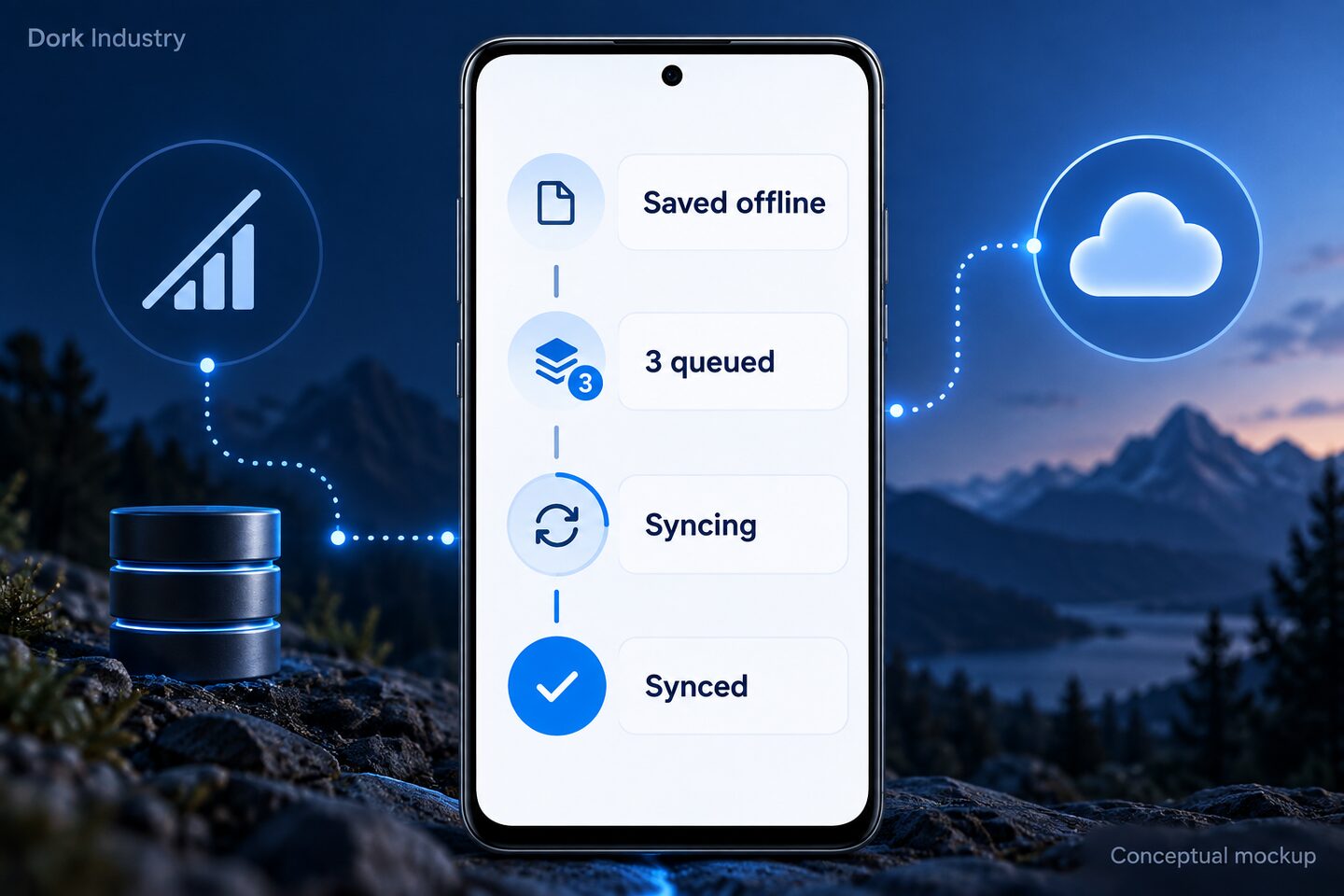
| User cannot see queue state | Repeated taps and support calls | Visible saved, queued, failed and synced states |
Nine tests before an offline field app goes live
1. Cold-start without a network
Load the user’s permitted work while connected, close the app completely, enable airplane mode and reopen it. Critical assignments and reference data should appear without an endless spinner. The app should explain when the cached data was last updated and which actions are unavailable.
2. Save, force-close and reopen
Create a permitted record offline, then terminate the app before reconnecting. Reopen it and confirm the record remains in a visible queue. This catches implementations that keep pending work only in memory. Repeat after a device restart because operating-system process cleanup can expose a different failure.
3. Reconnect and retry safely
Reconnect on an unstable connection and interrupt it twice while the same record is uploading. The server should receive one business action, not one record per retry. Give each write a unique idempotency key and retain the server acknowledgement against the local item.
4. Duplicate-tap test
Tap the submit control repeatedly on a slow connection. The interface should disable or debounce the action, while the backend still prevents duplicates. UI protection improves the experience; server-side idempotency protects the business when the UI control is bypassed.
5. Two-device conflict test
Let device A edit a job offline while device B changes the same job online. Reconnect A. The expected result must be defined per field: reject, merge, ask a supervisor or accept the newer version. “Last write wins” is simple but may be unsafe for quantities, payments or compliance fields.
6. Large photo and attachment test
Capture several photos on a mid-range Android phone, then alternate between Wi-Fi, mobile data and no network. Confirm compression, resumable upload, battery use and local storage limits. Do not mark the parent task fully synced until every required attachment has a server reference.
7. Expired-session test
Keep the device offline until the access token expires, then reconnect. Pending data should remain protected while the app requests re-authentication. After successful login, the queue should resume under the correct account. A logout or account switch must never expose another user’s cached assignments.
8. Low-storage and permission test
Test with little device storage and with camera, location or file permissions denied. The app must fail before promising that a record was saved. It should explain what is missing, preserve the form where possible and never place sensitive files in an unprotected public folder.
9. Server reconciliation test
After the device says “synced,” verify the job in the supervisor dashboard, API and downstream system. Compare record IDs, timestamps, attachments and audit events. Device success is only one checkpoint; end-to-end acceptance proves the business workflow completed.
Use this offline-sync test matrix
Run the matrix with real roles and representative devices. Record evidence rather than relying on “worked for me.” The following is an original starter worksheet; extend it for your workflow.
| Test ID | Starting state | User action | Expected device state | Expected server state | Evidence |
|---|---|---|---|---|---|
| OFF-01 | Airplane mode | Save delivery note | Queued; local ID visible | No record yet | Screen recording + queue ID |
| OFF-02 | Queued item | Force-close app | Item survives restart | No duplicate | Before/after screenshots |
| OFF-03 | Weak connection | Reconnect twice | One confirmed item | One accepted write | API log + record ID |
| OFF-04 | Two device versions | Sync older edit | Conflict shown or resolved | Defined version retained | Version and audit log |
| OFF-05 | Photo partly uploaded | Drop and restore network | Upload resumes | One valid attachment | File checksum/reference |
Hypothetical worked example: A driver records proof of delivery while offline. The app creates local action DEL-2026-091, shows “1 queued,” and keeps the signature after a restart. When connectivity returns, the API accepts the idempotency key once, returns server record POD-8841, and the device changes the state to “synced.” A second retry receives the same acknowledgement rather than creating another proof record. These identifiers are examples, not a customer result.
A safe offline-to-server flow
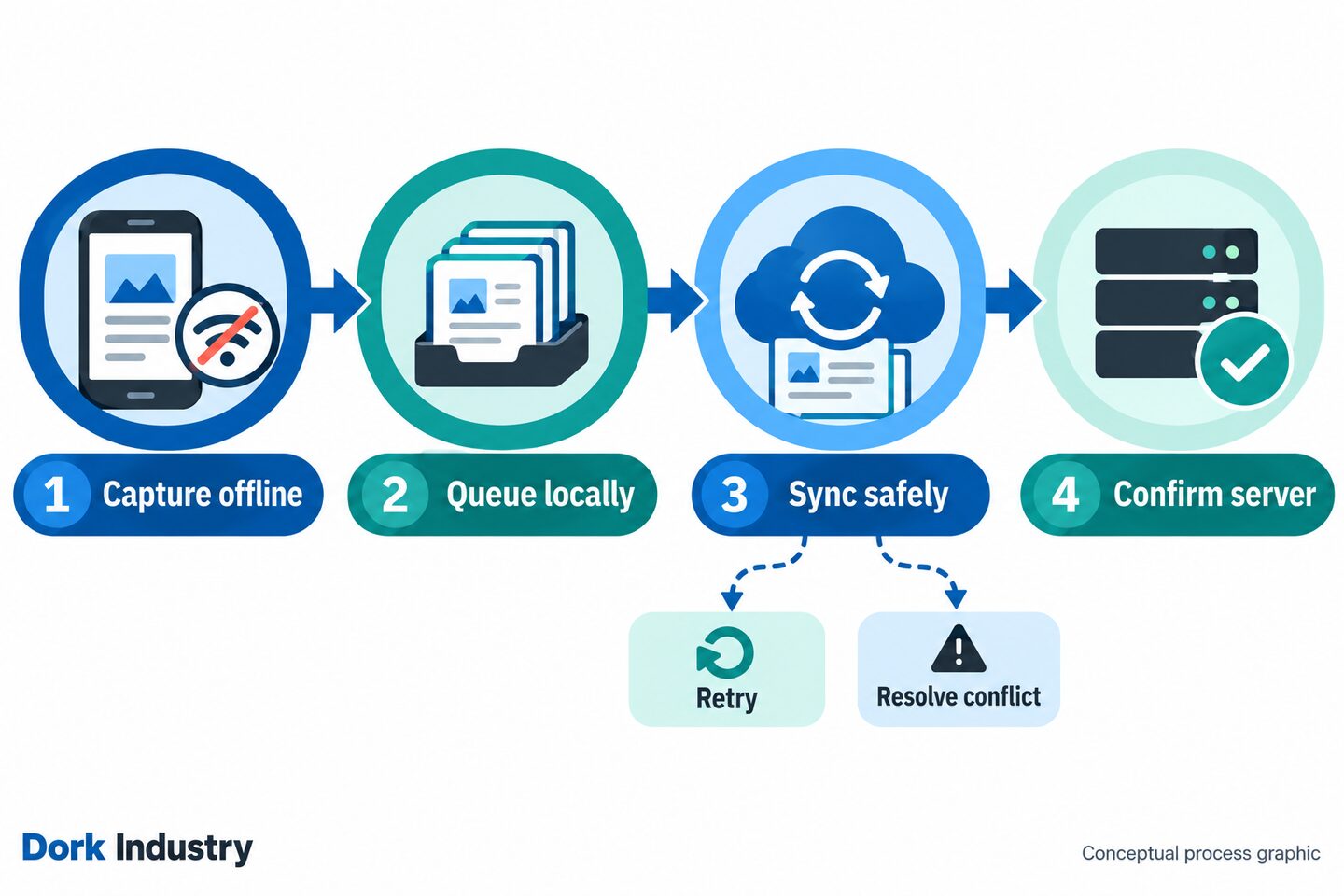
- Validate locally: check required fields and basic business rules before accepting the action.
- Persist first: save the action, attachments and a unique key in encrypted or otherwise appropriate local storage.
- Expose state: show saved offline, queued, failed, needs review or synced.
- Drain deliberately: send queued work when policy permits, using backoff instead of constant retries.
- Resolve conflicts: compare versions and apply a rule suited to the data, not a blanket overwrite.
- Confirm end to end: keep the local acknowledgement and expose failures to operations.
Dork Industry’s mobile development service describes local storage, secure cloud sync and automated mobile testing as parts of enterprise app architecture. For a wider workflow involving dispatch, dashboards, APIs or ERP integration, connect the app to the appropriate capabilities across Dork’s industry solutions.
What should Delhi field teams test differently?
Delhi operations often move between warehouses, basements, loading areas, lifts, roadside stops and customer premises. A route can include long periods of usable connectivity followed by short dead zones. That makes transitions more important than a simple “offline for one hour” test.
Use journeys that match the real operation. A distribution team working between Patparganj, Okhla and Naraina may need job details, barcode scans and proof photos to survive repeated network changes. Teams serving Narela or Bawana industrial areas may carry larger queues between stops. Those localities are examples of relevant operating contexts—not interchangeable keywords. Test only the routes, roles and data volumes the business actually uses.
- Include the lowest-spec supported phones, not only the development team’s devices.
- Test Hindi and English input, long addresses and photos captured in low light.
- Define what a supervisor sees while a worker’s queue is pending.
- Test clock drift and incorrect device time; do not trust client timestamps alone.
- Measure queue age and failed syncs by app version, device model and workflow.
Checklist for choosing an offline mobile app development partner
Ask for observable behaviour and test evidence, not a checkbox that says “offline mode.” A useful discovery session should answer these questions:
- Which exact tasks work offline, and which remain online-only?
- What is the source of truth for each data type?
- How are idempotency, retries and server acknowledgements implemented?
- What happens when two people change the same job?
- How long can the device retain work, and how is sensitive data protected?
- Can supervisors see queue health without accessing the worker’s phone?
- Which real devices, network transitions and failure cases are included in acceptance testing?
- How are API, app and database changes versioned during rollout?
Measure reliability and commercial outcomes separately
No article or app launch can guarantee rankings or leads. Track visibility, product reliability and commercial outcomes as different layers so the team can see where the funnel is improving.
| Layer | Useful measures | Decision it supports |
|---|---|---|
| Search/AEO | Impressions, relevant query coverage, clicks, answer visibility | Does the guide reach the right problem? |
| Observed AI visibility | Brand mentions, cited URLs, referral sessions | Is Dork being surfaced for the topic? |
| App reliability | Queue age, retry count, conflict rate, unresolved items | Where does sync need improvement? |
| Commercial | CTA clicks, consultations, qualified leads, projects | Does useful content create business? |
Frequently asked questions
Can a mobile app work completely without the internet?
Some workflows can, but not every feature should. Reading assigned work and saving drafts may be safe offline, while payments, live inventory reservations or identity checks may require a server. Define the critical offline subset during product discovery.
What data should an offline app store locally?
Store only the reference data, assignments, queued actions and attachments required for the approved offline workflow. Apply access controls, encryption where appropriate, retention limits and secure deletion based on the sensitivity of the data.
How do offline mobile apps sync data?
They persist local changes, place eligible actions in a queue, send them after connectivity returns, resolve version conflicts and record the server acknowledgement. The interface should show whether each item is saved, queued, failed, needs review or is fully synced.
How do you stop duplicate submissions after reconnection?
Use a unique idempotency key for each business action and enforce it on the server. UI debouncing helps, but only the backend can safely ensure that retries do not create extra orders, tickets or stock movements.
What is a sync conflict?
A conflict occurs when the local and server versions changed independently. The correct response may be to merge fields, choose an authoritative version, reject the older change or send it for review. The rule should depend on the business meaning of the data.
Should photos upload while the app is offline?
The app can capture and protect photos offline, then upload them later. It should show attachment status, resume interrupted uploads and avoid marking the job complete until every required file has a valid server reference.
How long does offline mobile app development take?
It depends on roles, workflows, integrations, security needs, platforms and conflict rules. A focused pilot around one field workflow is easier to estimate than a broad app. Discovery should produce acceptance tests before a delivery estimate is treated as reliable.
Can Dork Industry build an offline field app for a Delhi business?
Dork Industry provides mobile development and related backend, cloud and enterprise integration capabilities. A consultation can establish whether an offline app is appropriate, which actions should be supported and what a small pilot should prove.
Next step: Choose one failure-prone field workflow and run the nine tests against the current app or proposed prototype. The result will reveal whether the real requirement is local storage, safer sync, clearer user states, better backend controls—or all four.