Direct answer: School fee reconciliation software is a control system that matches every verified payment to the correct student, fee demand, bank settlement and receipt—while separating pending, failed, duplicate, refunded and unmatched transactions for review. Before selecting a system, test it with your real fee structures, concessions, payment channels and exception cases instead of judging only the parent checkout screen.

A successful payment message does not finish the accounting work. The school still needs to know which student paid, which instalment or fee head the money belongs to, whether the gateway actually captured it, whether the bank settlement contains it, and whether a receipt was issued only once. A reliable process links these records without forcing staff to reconcile screenshots, spreadsheets and bank statements manually.
What is school fee reconciliation?
School fee reconciliation is the process of proving that the student fee demand, payment-gateway transaction, school ledger, bank settlement and receipt all agree. The process should also identify legitimate differences such as concessions, partial payments, late fees, refunds, chargebacks and bank delays.
There are usually four records to compare:
- Fee demand: what the student account was expected to pay for the selected term and fee heads.
- Payment record: what the gateway, counter, bank transfer or other approved channel reports.
- Student ledger and receipt: what the school ERP credited to the student and documented.
- Bank settlement: what the school’s bank account actually received after the provider’s settlement process.
Why does this control matter now? According to the Reserve Bank of India’s February 12, 2026 release, the RBI Digital Payments Index rose from 493.22 in March 2025 to 516.76 in September 2025. That is a 4.77% increase calculated from the published index values. RBI data shows broader payment digitisation; it does not measure school-fee errors. For a school, the practical lesson is to preserve a verifiable chain from payment attempt to ledger, settlement and receipt.
Dork Industry’s ERP solutions can connect finance workflows with student and operational records, while its custom web-development service can support parent portals, staff dashboards and controlled integrations. Dork has also published a multi-campus school-management case study; this guide focuses narrowly on testing fee reconciliation rather than repeating the broader school ERP story.
Ten tests before choosing school fee reconciliation software
1. How does the software handle every fee structure?
Build realistic student accounts covering tuition, transport, activity, examination and other fee heads actually used by the school. Include annual, monthly and term-wise structures, part-year admissions and students who join or leave a service mid-term. The software should calculate the demand according to approved school rules and keep each adjustment traceable.
2. How are concessions and exceptional arrangements controlled?
Include sibling concessions, scholarships, staff-ward arrangements, authorised waivers, due-date extensions and one-off adjustments where applicable. Every concession needs an owner, reason, effective period and approval history. A discount typed directly into a receipt without an audit record creates a reconciliation problem later.
3. How are partial and combined payments allocated?
A parent may pay part of a term, combine several fee heads or clear more than one child’s dues. Confirm how the system allocates the amount, whether staff can see the remaining balance, and how an overpayment is handled. The parent-facing summary and the accounts ledger should tell the same story.
4. How is payment status verified on the server?
Do not mark a student as paid only because the browser returned to a success page. The backend should verify the gateway status and relevant identifiers. Razorpay’s official dashboard guidance, for example, distinguishes payment authorisation from capture and documents payment, settlement and webhook records. Review Razorpay’s payment-status and settlement guidance.
5. How are delayed and repeated webhooks handled?
Payment notifications can arrive after the parent closes the browser, and the same event may be delivered more than once. The integration must safely process repeat notifications without producing duplicate receipts or ledger entries. Verify webhook signatures and keep an event history that accounts staff can inspect without seeing technical code.
6. How are duplicate and ambiguous transactions separated?
Submit the same payment reference twice, reuse a parent phone number for siblings, omit the admission number and send a bank transfer with an unclear narration. The system should not guess silently. It should block confirmed duplicates and send ambiguous payments to an unmatched queue with enough evidence for staff to resolve them.
7. How are refunds, reversals and chargebacks recorded?
Issue a full refund, partial refund and corrected receipt in the test environment. Confirm that the original payment remains visible, the student ledger reflects the approved change, and the bank-side movement can be reconciled later. A refund should not be implemented by deleting the original receipt.
8. How is each gateway payment matched to a bank settlement?
The fee ledger can show a payment before the provider settles funds to the school’s bank account. Test how the system groups transactions into settlements, records provider references and identifies differences. Staff should be able to move from a bank settlement to its underlying student transactions and back again. Cashfree’s settlement and reconciliation guide documents transaction references, dates, net amounts, charges, refunds and adjustments that may appear in provider reports; confirm the actual fields and cycle for the school’s chosen provider.
9. How are receipt numbers and corrections protected?
Define when a receipt is created, whether a provisional acknowledgement is different from a final receipt, and how cancelled or corrected receipts are recorded. Receipt numbers should not be silently reused. The system should show who made a correction, when it happened, and which approved reason was selected.
10. How do permissions, privacy and exports work?
Accounts staff, administrators, class staff and parents do not need the same access. Test role permissions, export limits, masked payment data and the audit trail. Confirm that the school can export fee demands, transactions, receipts, adjustments, refunds and settlement records in a usable format without losing identifiers.
What does a reliable school fee payment workflow look like?
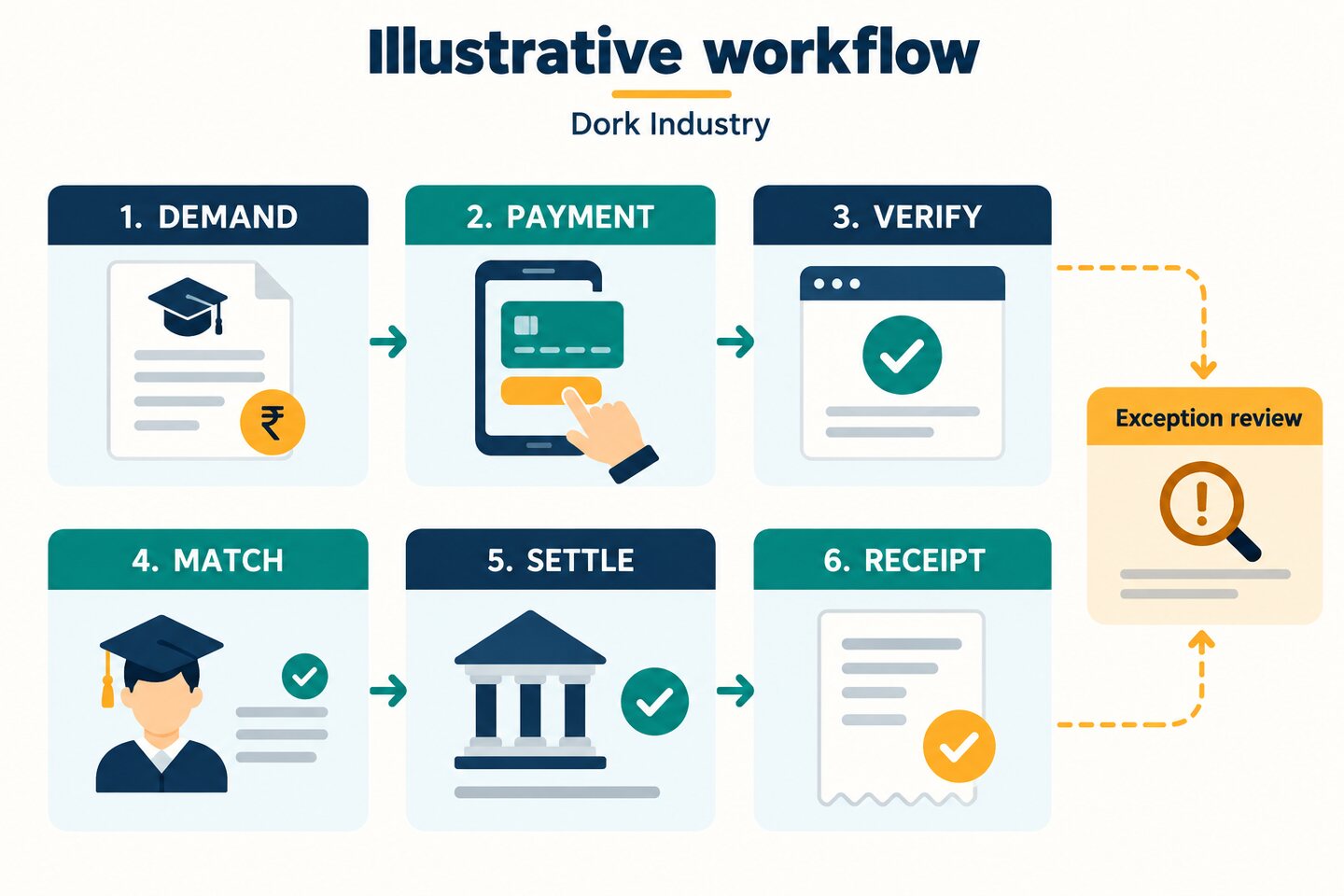
A safe workflow issues the final receipt only after the payment is verified and matched to the intended student demand. Transactions that fail any check go to an exception queue; they are not treated as paid or lost. Each resolution leaves an audit record.
| Stage | System check | Exception example | Evidence retained |
|---|---|---|---|
| Demand | Student, term, fee heads and approved adjustments | Concession missing approval | Demand version and approval |
| Payment | Unique order and server-defined amount | Amount changed or reference missing | Order and attempt IDs |
| Verify | Gateway status and signature | Browser says success but status remains pending | Verified status and timestamp |
| Match | Student demand and ledger allocation | Sibling or admission number ambiguous | Matching rule and reviewer |
| Settle | Gateway batch versus bank credit | Payment captured but not yet settled | Settlement and bank references |
| Receipt | One approved receipt for the matched value | Duplicate event or corrected allocation | Receipt, cancellation and correction trail |
Use this daily fee reconciliation worksheet
This original worksheet helps an accounts team close the day without confusing payment attempts with settled money. Adapt the owners and cut-off times to the school’s actual process.
| Control total | Source | Expected comparison | Owner |
|---|---|---|---|
| Fee demands created or changed | School ERP | Approved demand and adjustment log | Fee administrator |
| Captured digital payments | Gateway/API | Verified student-ledger entries | Accounts operator |
| Cash or cheque receipts | Counter register | Ledger and deposit records | Counter plus accounts |
| Unmatched payments | Exception queue | Every item assigned a reason and owner | Accounts reviewer |
| Refunds and reversals | Gateway and approval log | Student ledger and bank movement | Authorised approver |
| Settlement batches | Provider settlement report | Bank credits and underlying transactions | Accounts reviewer |
| Receipts issued or cancelled | Receipt register | Matched payments and correction history | Fee administrator |
For each mismatch, record the payment or order identifier, student or payer reference, amount, current status, reason code, owner and next action. Keep “pending gateway confirmation,” “unmatched student,” “settlement pending,” “refund pending” and “manual review” as separate states; combining them into one miscellaneous bucket hides the operational cause.
Worked example: when “paid” is not yet reconciled
Hypothetical example: A parent pays a term fee for one of two siblings through the school portal. The gateway captures the transaction, but the browser closes before the success page loads. A verified webhook later arrives twice. The payment carries the family phone number but not the intended student reference.
A safe system records one captured payment, ignores the duplicate event, and places the transaction in the unmatched queue instead of crediting both children or issuing a final receipt. An accounts reviewer selects the correct student demand, after which the ledger and receipt are created. When the provider’s settlement reaches the bank, the batch is matched to the same payment ID. This is an illustrative test scenario, not a customer result.
What should Delhi schools include in the test sample?
Delhi’s education market includes single-campus schools, multi-campus groups, coaching centres and activity programmes with different collection patterns. A school serving Rohini, Dwarka or South Delhi may collect tuition and transport fees through a parent portal while still accepting approved counter payments. An institution drawing families from industrial and residential areas may need clear sibling, transport-route or instalment handling—but those rules must come from the school’s real policy, not from locality assumptions.
Test the channels parents actually use, the language and device conditions of the parent portal, the school’s academic calendar, its approved concession process and its bank-settlement workflow. If Bawana, Narela, Okhla, Naraina, Wazirpur or Patparganj creates no genuine operational difference for the school, it should not be inserted merely as a keyword.
What should a school ask software providers?
- Can the fee structure represent our real terms, fee heads, instalments and approved concessions?
- How is payment status verified on the server before a receipt is issued?
- How does the system handle delayed and duplicate webhooks?
- Can staff separate pending, failed, captured, refunded, settled and unmatched transactions?
- Can one parent account safely handle siblings without ambiguous allocation?
- How are cash, cheque, bank transfer and approved digital channels reconciled?
- Can every settlement be traced to its student transactions and bank credit?
- How are receipt cancellations, corrections, refunds and audit logs handled?
- What access controls protect student and payment information?
- Can the school export complete records and change providers without losing identifiers?
What should the school measure after launch?
| Layer | Useful measures | Question answered |
|---|---|---|
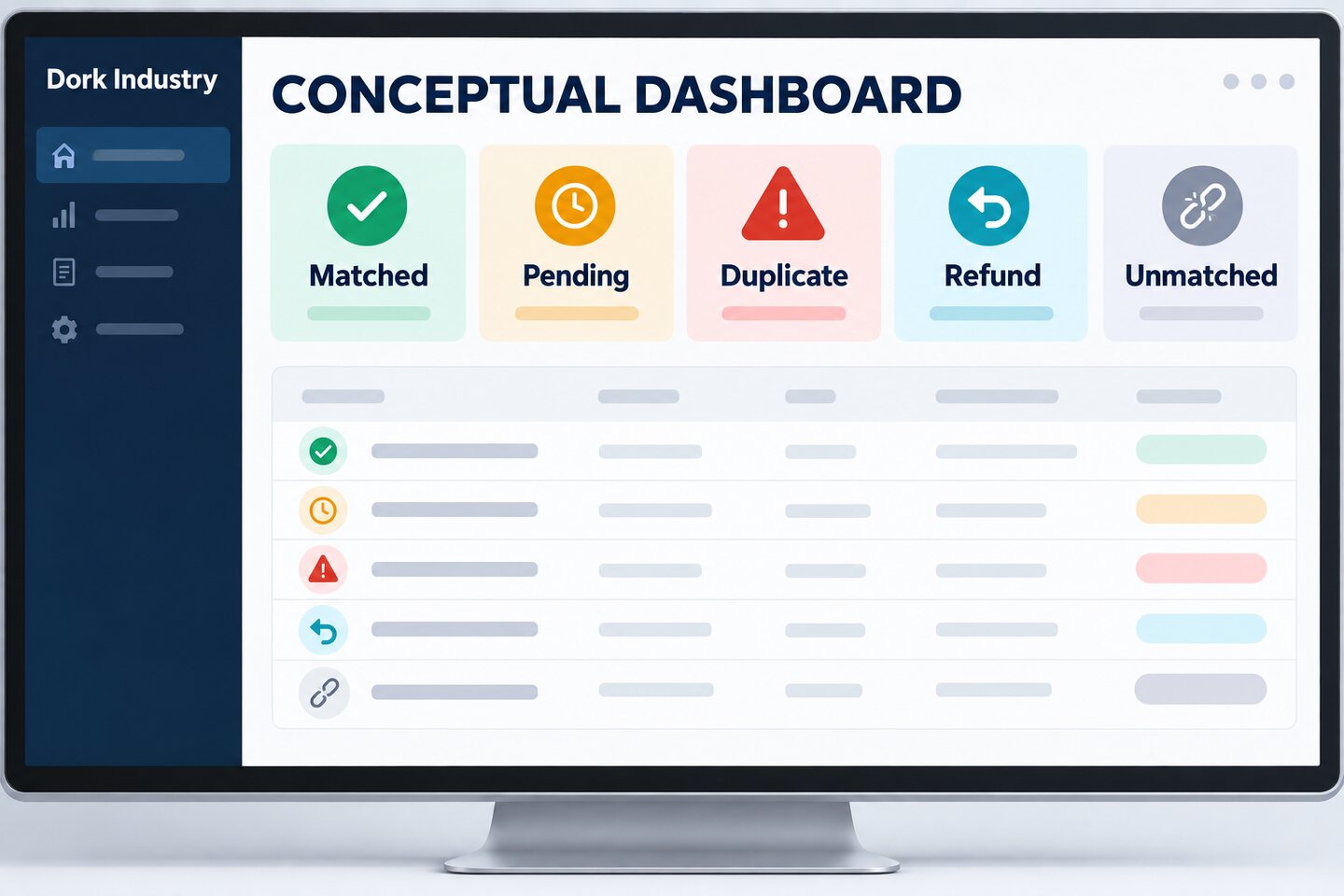
| Reconciliation quality | Matched, pending, duplicate, refunded and unmatched counts | Where do records stop agreeing? |
| Operations | Exception age, correction reasons and resolution ownership | Is automation removing or relocating manual work? |
| Finance control | Ledger-to-settlement differences and unresolved bank items | Can every recorded payment be proved? |
| Search/AEO | Relevant queries, impressions, clicks and extracted answers | Does the guide reach the problem? |
| Observed AI visibility | Brand mentions, cited URLs and referral sessions | Is Dork surfaced for the topic? |
| Commercial | CTA clicks, consultations, qualified leads and projects | Does helpful content create qualified demand? |
Frequently asked questions
What does school fee reconciliation software do?
It compares fee demands, verified payments, student ledger entries, receipts and bank settlements. Transactions that do not agree are separated into clear exception states for staff review rather than being silently marked paid.
Is a successful payment message enough to issue a receipt?
No. The backend should verify the payment status and identifiers with the payment provider. A browser redirect or screenshot alone does not prove that the payment was captured, matched to the correct student or settled to the school.
How should the system handle duplicate payment notifications?
The handler should be idempotent: processing the same valid event more than once must produce the same final result without creating duplicate ledger entries or receipts. Keep the event identifiers and processing history for investigation.
Can one parent pay fees for two children?
Yes, but each amount must be allocated to a specific student demand. The portal should make the selection clear, and ambiguous transactions should move to review rather than being guessed from a shared phone number.
How are partial payments and concessions reconciled?
The approved demand must show the concession or instalment arrangement before payment allocation. The ledger should retain the original demand, approved adjustment, amount paid and remaining balance with a complete audit trail.
What is the difference between a captured payment and a settlement?
A captured payment is confirmed by the payment provider. Settlement is the later transfer or accounting batch through which funds reach the school’s bank account. The system should link each captured payment to its eventual settlement record.
Should the school store card or UPI credentials?
The school application should avoid storing sensitive payment credentials and use approved provider flows. Confirm the provider’s current integration, security, retention and contractual requirements with the school’s payment, security and legal owners.
Can Dork Industry build school fee reconciliation software in Delhi?
Dork Industry offers ERP solutions, custom software and web development. A consultation can scope fee structures, payment verification, reconciliation rules, staff dashboards, parent experience, security and integration requirements for a measured pilot.
Next step: Prepare ten difficult payment scenarios before requesting a demo. If a provider cannot explain exactly what happens to each failed, duplicate, refunded or unmatched transaction, the reconciliation design is not ready.