
WooCommerce checkout keeps loading when the browser is waiting for a checkout response that is delayed, blocked or invalid. Common causes include JavaScript conflicts, failed AJAX requests, mismatched site URLs, payment-gateway conflicts, transactional-email delays and exhausted server resources. The right repair depends on the failed request—not on randomly disabling production plugins.
If customers can enter their details but cannot reach the payment confirmation or thank-you page, the store has a business-critical fault. Dork Industry can scope this as a focused checkout repair, a gateway-integration issue or a broader WooCommerce custom-development project.
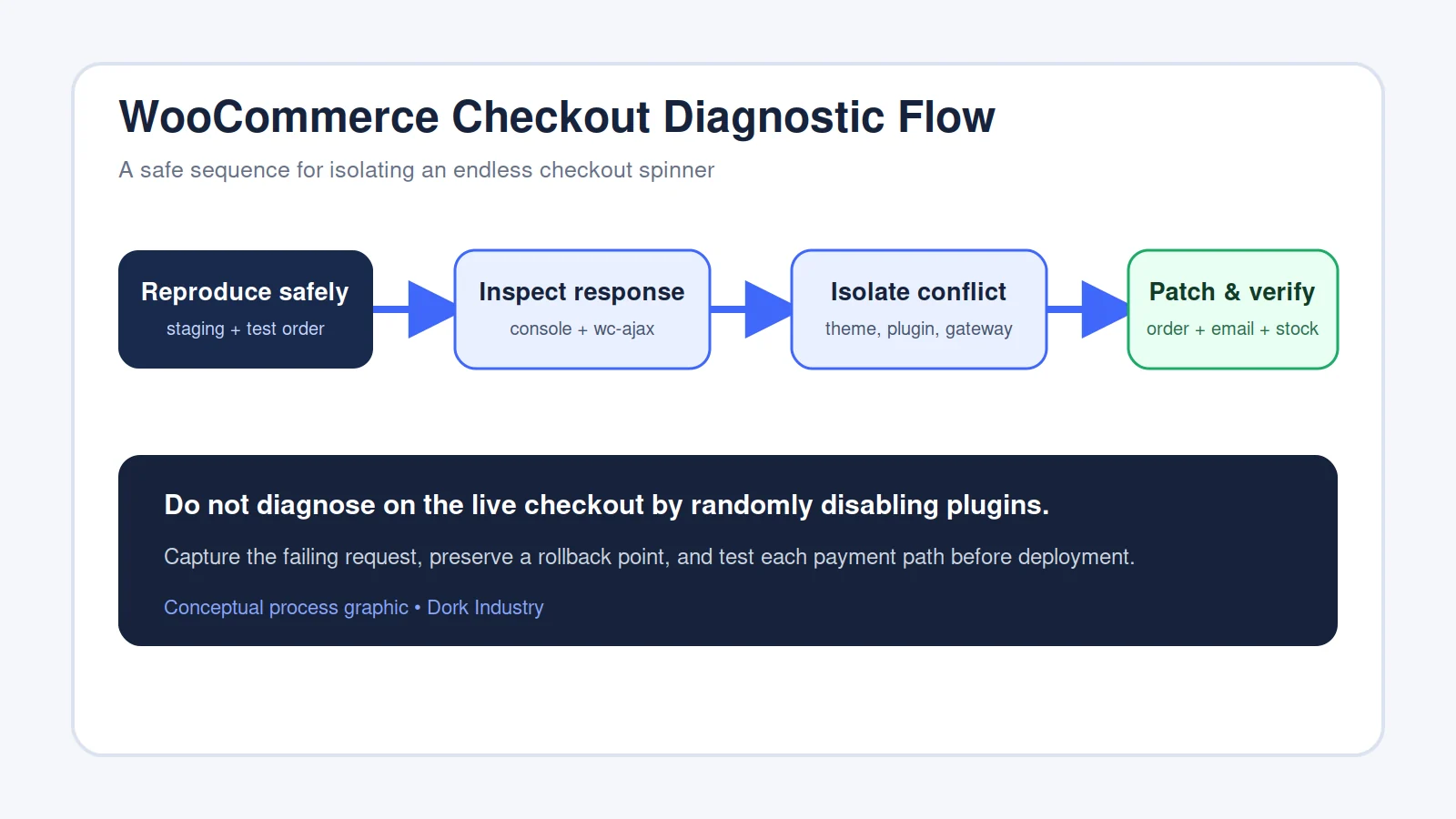
What does a WooCommerce checkout spinner mean for a live store?
An endless spinner means the checkout interface has not received a usable result. The customer may not know whether the order was submitted, whether payment was attempted or whether it is safe to click again. That uncertainty can interrupt completed orders and may also create support work if customers retry.
WooCommerce’s own documentation identifies several possible causes, including mismatched WordPress and Site URL settings, JavaScript errors, invalid AJAX responses, slow transactional email, and memory limits. It also recommends conflict testing for Stripe checkout-loading problems. These are diagnostic categories, not proof that any one plugin is responsible for your store. See WooCommerce’s endless checkout spinner guidance and Stripe checkout conflict guidance.
What can a store owner check without risking the live checkout?
Start by collecting evidence rather than changing production code. These checks help define the affected path and make a repair enquiry more useful:
- Repeat once in a private browser window. Record the exact message and time.
- Test whether every payment method fails. Do not place repeated chargeable orders.
- Note recent changes. Include plugin, theme, gateway, checkout-field, cache and hosting changes.
- Check WooCommerce system status. Capture fatal errors and template overrides without publishing them publicly.
- Confirm the order record. Determine whether WooCommerce created a failed, pending or duplicate order.
Avoid deactivating payment, checkout or security plugins on a busy live store. Conflict tests belong on a current staging copy with a rollback point and safe payment credentials.
How should a developer diagnose why WooCommerce checkout keeps loading?
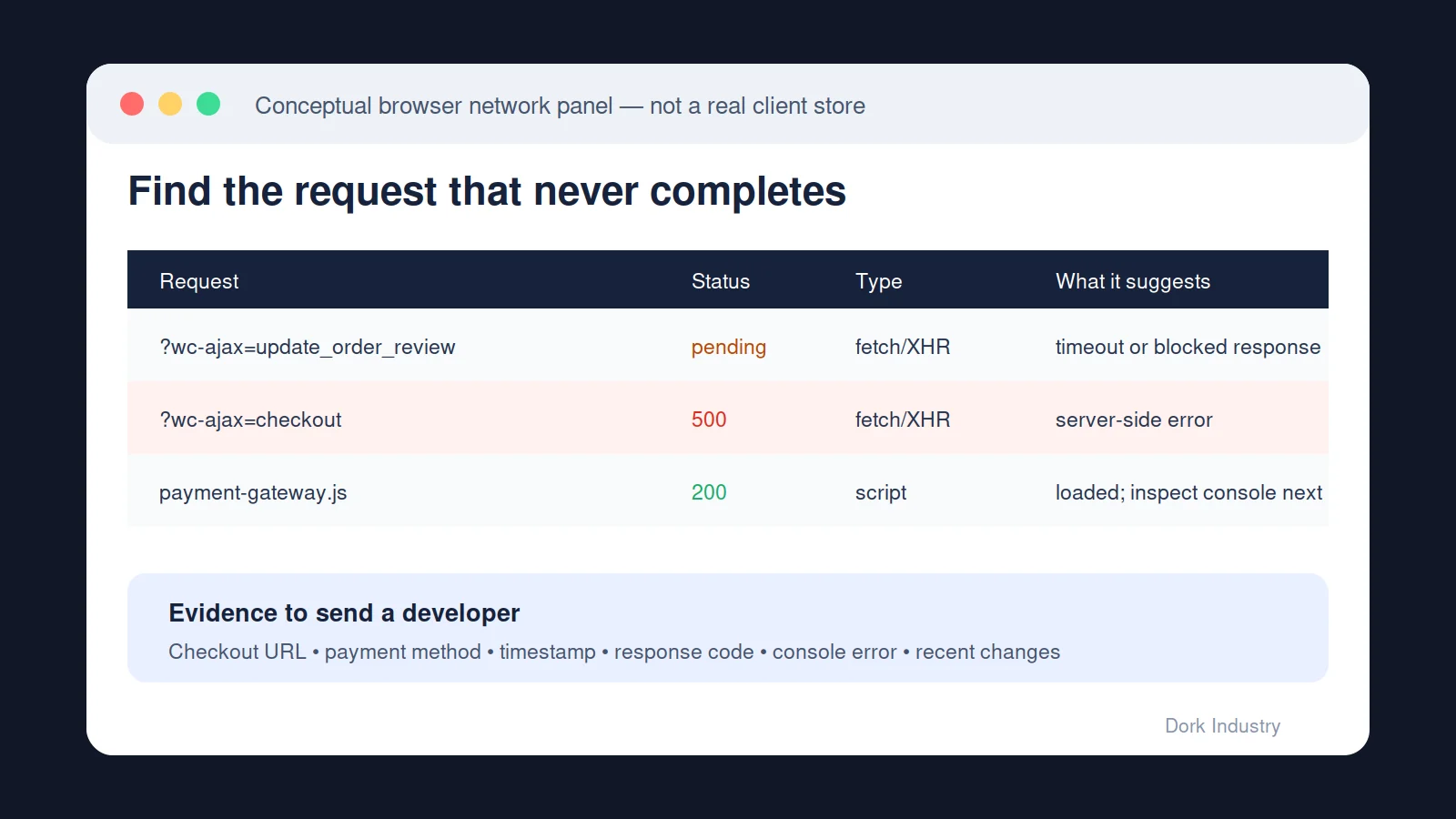
A developer should reproduce the exact failing route, inspect the browser console and network response, then correlate it with WooCommerce logs and the server error log. The response status narrows the investigation: a 403 suggests rejection or permissions, a 404 suggests a missing endpoint, a 500 indicates a server-side failure, and a timeout suggests the request did not finish promptly. WooCommerce explains these response classes in its AJAX troubleshooting documentation.
What should be tested after the cause is isolated?
A repair is incomplete if the spinner disappears but downstream order behaviour is not verified. The test should cover successful and failed payments, order status, stock reduction, coupon and shipping calculations, customer and admin emails, redirects, analytics events and mobile checkout. If a gateway provides sandbox credentials, use those rather than a live card.
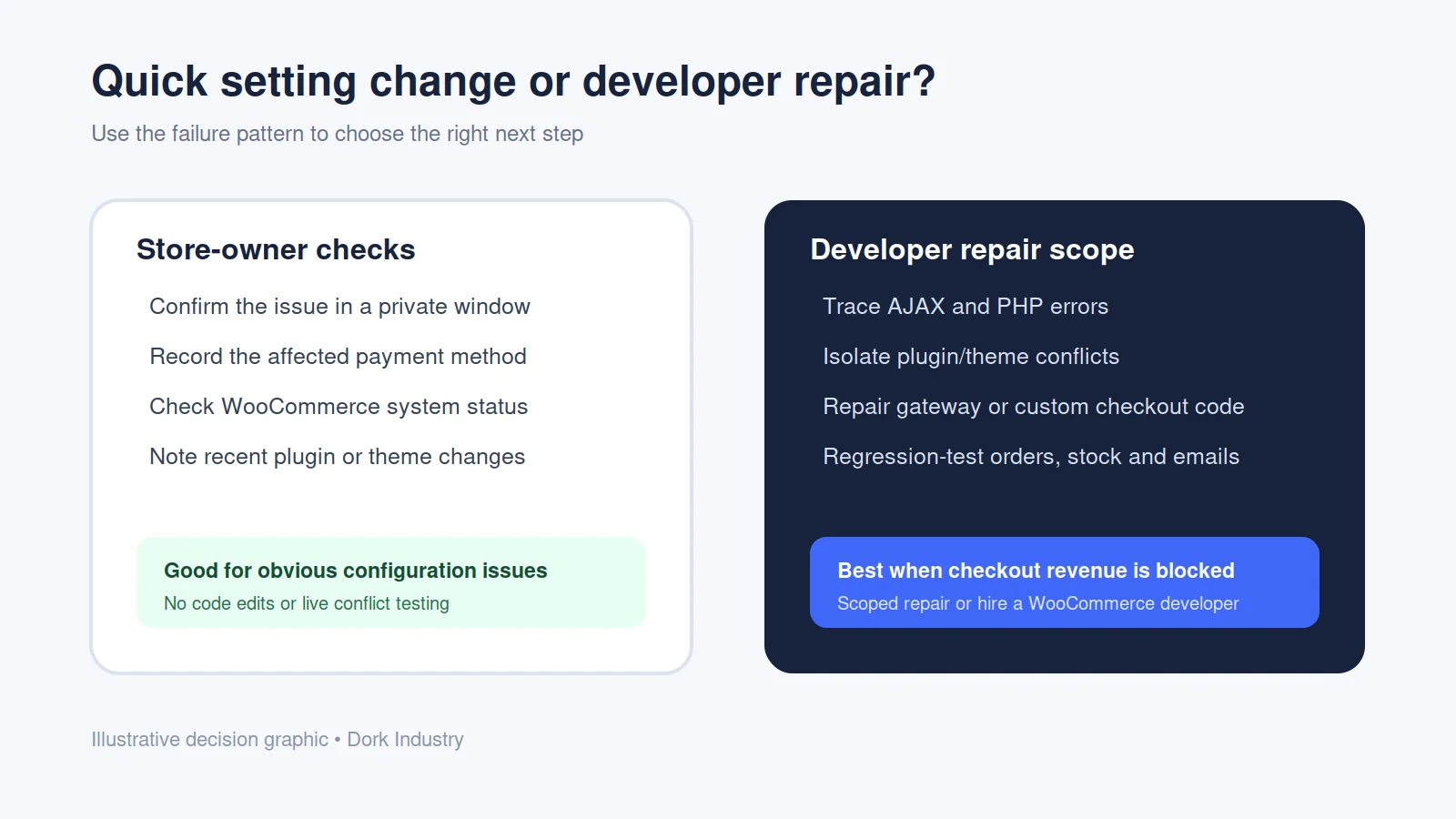
Which WooCommerce repair scope fits the failure?
| Observed pattern | Likely investigation | Possible paid scope |
|---|---|---|
| Only one gateway fails | Gateway logs, credentials, webhooks, JavaScript | Gateway integration repair |
| Failure began after an update | Version diff, overrides, hooks, conflicts | Compatibility patch |
| Custom fields or pricing fail | Validation, sessions, totals recalculation | Custom checkout development |
| All methods time out | Server logs, email, API calls, resource limits | Performance and backend repair |
This table helps define a starting scope; it is not a remote diagnosis. Dork Industry’s web development service can cover WooCommerce theme, plugin and checkout customisation where the relevant capability and access are confirmed.
What information should you send with a WooCommerce checkout repair enquiry?
Use this worksheet to reduce discovery time. Do not send passwords, API secrets or card data in the first message.
| Field | What to provide |
|---|---|
| Failure point | Before Place Order, after click, during gateway redirect, or after payment |
| Affected methods | All methods or the exact gateway name |
| Order result | No order, pending order, failed order or possible duplicate |
| Evidence | Timestamp, console error, request status and relevant log excerpt |
| Recent change | Updates, custom code, checkout fields, cache, CDN or hosting changes |
| Safe access | Whether a current staging site and rollback are available |
If another website form is also failing, compare the symptoms with Dork Industry’s guide to a WordPress contact form not receiving emails. Checkout failures require extra care because payment, order and stock state must remain consistent.
When should you hire a WooCommerce developer?
Hire a developer when the problem is reproducible, affects real checkout paths, returns code or server errors, appeared after a version change, involves custom pricing or fields, or cannot be tested safely on production. You can request a defined repair outcome or use Dork Industry’s staff augmentation service when you need a developer to work with an internal team.
Need the checkout diagnosed rather than guessed?
Send Dork Industry the store URL, affected gateway, exact failure point, recent changes and whether staging is available. We can review the evidence and define whether the work is a focused repair, compatibility patch or custom WooCommerce development task.
Frequently asked questions
Why does WooCommerce keep spinning after I click Place Order?
The page is usually waiting for a checkout request to finish or return valid data. The cause may be JavaScript, an AJAX response, a payment plugin, custom checkout validation, email processing or server resources. The failed browser request and WooCommerce logs are needed to identify the actual cause.
Can a cache cause an endless WooCommerce checkout spinner?
Incorrect caching can interfere with dynamic cart and checkout behaviour, but the spinner alone does not prove caching is responsible. Verify the cache rules and inspect the failing request before changing production settings. Checkout, cart and account routes require careful treatment because their content varies by customer session.
Should I disable every plugin to test checkout?
Do not randomly disable plugins on a live revenue path. Create or refresh a staging copy, preserve a rollback point and reproduce the issue with safe payment credentials. A controlled conflict test can then isolate a plugin or theme without interrupting customer orders.
What if only one payment method keeps loading?
That pattern narrows the scope to the gateway configuration, scripts, credentials, webhooks or compatibility with the current checkout. Review the gateway and WooCommerce logs, then compare a safe test using another method. Do not expose secret keys or payment data when requesting support.
Can Dork Industry repair a custom WooCommerce checkout?
Dork Industry can first review the store’s failure evidence and confirm the required capability. A project may involve custom fields, validation, price calculation, theme integration, gateway behaviour or plugin compatibility. The repair scope should include staging, rollback and regression tests for payment, order, stock and email behaviour.
What should I provide before hiring a WooCommerce developer?
Provide the store URL, failure point, affected payment method, order result, timestamps, recent changes, relevant error excerpts and staging availability. Keep passwords, API secrets and card data out of the initial enquiry. A concise evidence pack helps a developer estimate the investigation rather than guessing from the spinner.
Stuck with this issue?
Send us the error and the setup — we diagnose the cause, fix it, and show you how to prevent it from coming back.

[…] Theme code rarely controls the core hosted payment-method list, but custom carts, checkout extensions, payment customizations and apps can influence the journey or eligibility. If the cart itself is broken, use the Shopify Add to Cart repair guide. If a promotion changes the outcome, compare the Shopify discount diagnosis. […]