
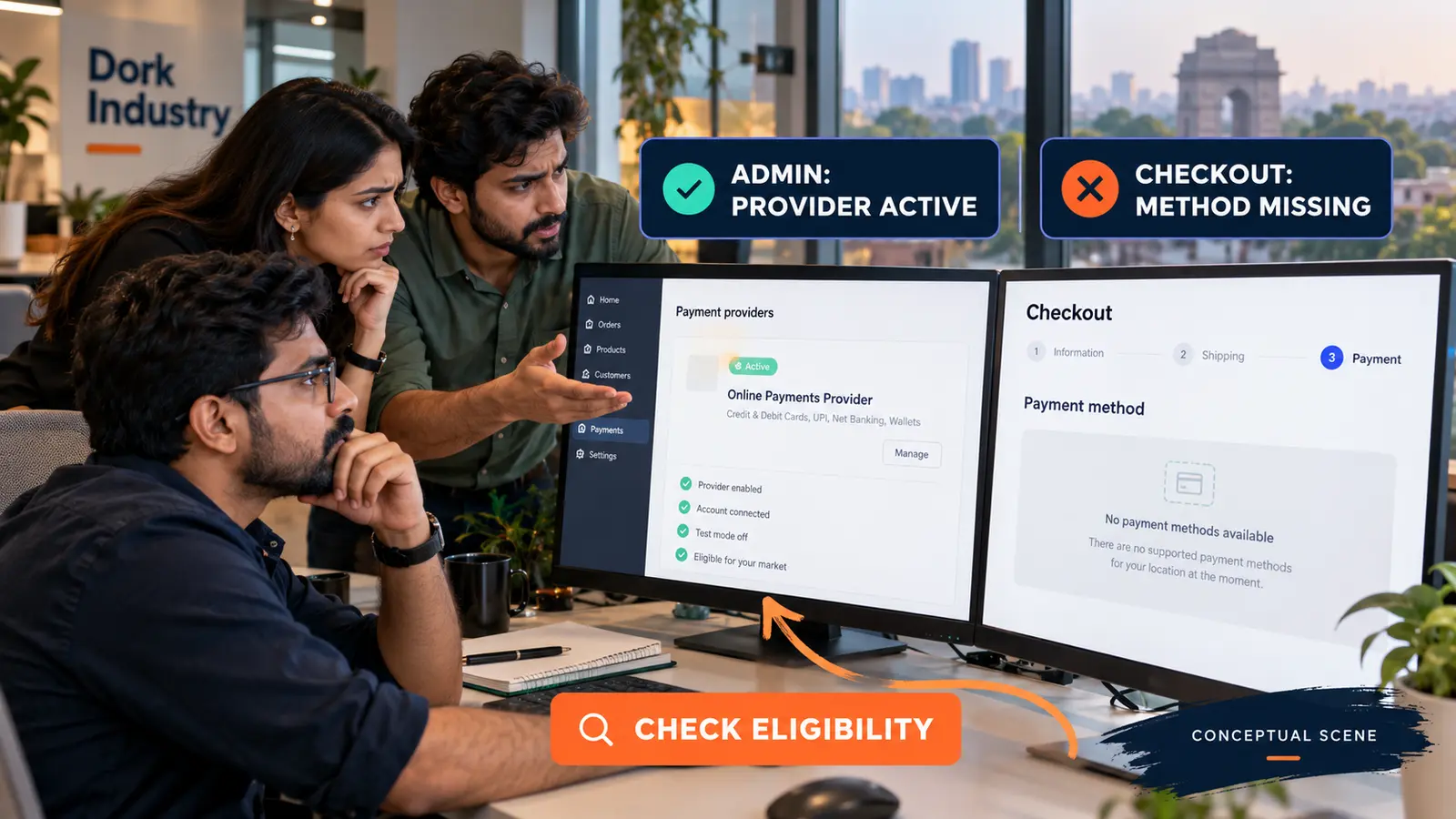
A Shopify payment method not showing at checkout usually means the provider is inactive for that store, unavailable for the business or customer location, incompatible with the checkout currency or cart, or filtered by provider and app rules. Reproduce the exact checkout context before changing providers or editing theme code.
The method list is calculated from eligibility, not simply copied from the Payments screen. A provider can appear configured in Admin while one buyer, market, currency, product type or device receives a different checkout result.
Why does a missing Shopify payment method matter?
A buyer who reaches payment and cannot use the expected method may abandon the checkout or contact support. The defect can affect only a segment—such as one country, currency, subscription cart or accelerated checkout—so a domestic desktop test can falsely suggest that everything works.
Do not promise a method in campaign copy until its eligibility is verified for the intended checkout. Also distinguish a missing method from a visible method that later fails authorization; those require different evidence and repair paths.
What evidence should you capture before changing the provider?
- Record the store business location and active payment providers.
- Capture the customer country, market and presentment currency.
- List cart products, subscriptions, discounts and total.
- Note device, browser and whether an accelerated button was used.
- Test the normal checkout URL and record the visible methods.
- Capture provider status, verification warnings and test/live mode.
- List recent payment-app, market and checkout changes.
- Use a test order without sharing payment credentials or customer data.
Shopify’s payments documentation states that customers can choose from methods activated in the Payment providers area. It also advises considering where the business and customers are located and which currencies a gateway supports.
Why is a Shopify payment method not showing at checkout?
| Observed pattern | Likely layer | Useful test |
|---|---|---|
| Missing for every buyer | Provider activation, verification or live mode | Check Payments settings and provider account |
| Missing in one country | Provider or local-method availability | Compare eligible customer locations |
| Missing in one currency | Presentment or settlement support | Repeat with supported currency |
| Missing for subscriptions | Product/payment compatibility | Compare standard and subscription carts |
| Missing only on accelerated checkout | Wallet/device/browser eligibility | Use standard checkout as control |
| Disappeared after app update | Payment customization or app rule | Review app configuration and change history |
According to Shopify’s Shopify Payments country guidance, business location, business category and verification documentation affect eligibility. A business outside the supported list needs an appropriate third-party provider rather than a theme workaround.
How should a developer diagnose the payment eligibility path?
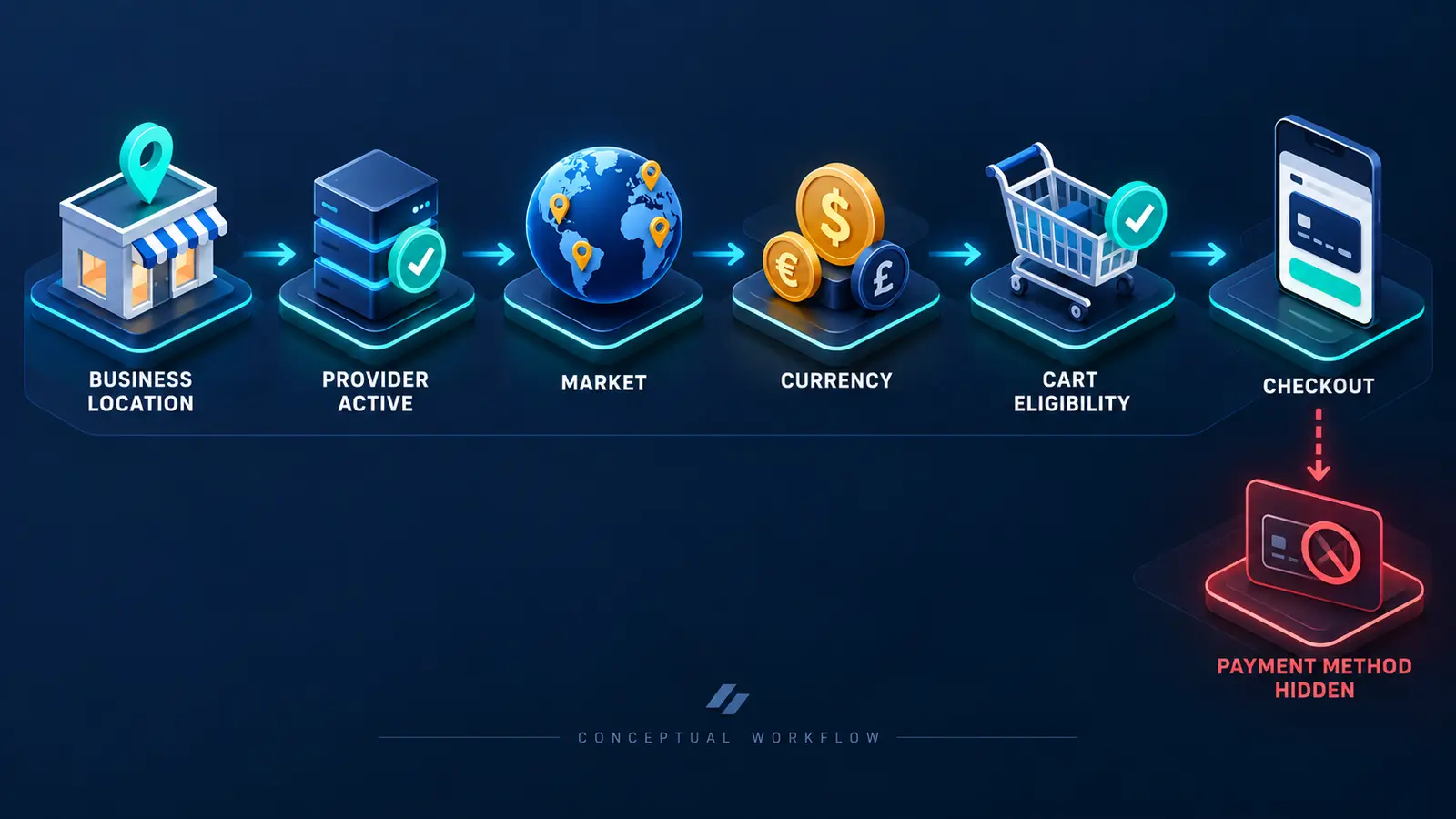
Start with one reproducible cart and move from store configuration to checkout. Confirm provider activation, account verification and live mode. Then test business location, customer market, currency and product constraints. Record which single change makes the method appear or disappear.
Shopify distinguishes direct providers, where payment completes on the store, from external providers that redirect to a hosted checkout. According to Shopify’s third-party provider documentation, a missing provider should be checked against gateway availability and configuration.
Theme code rarely controls the core hosted payment-method list, but custom carts, checkout extensions, payment customizations and apps can influence the journey or eligibility. If the cart itself is broken, use the Shopify Add to Cart repair guide. If a promotion changes the outcome, compare the Shopify discount diagnosis.
Should you configure, integrate or rebuild the payment flow?
Configure when the correct supported provider is available but inactive, unverified or assigned incorrectly. Integrate when an approved third-party provider or payment app is required for the business location and customer market. Build custom supporting software only when business workflows around orders, reconciliation or fulfilment require it; custom code cannot manufacture gateway eligibility.
Dork Industry’s web development service can diagnose Shopify storefront and checkout integrations. Its custom software development service can connect orders, reconciliation and operational systems where supported APIs permit.
How should a Shopify payment-method repair be tested?
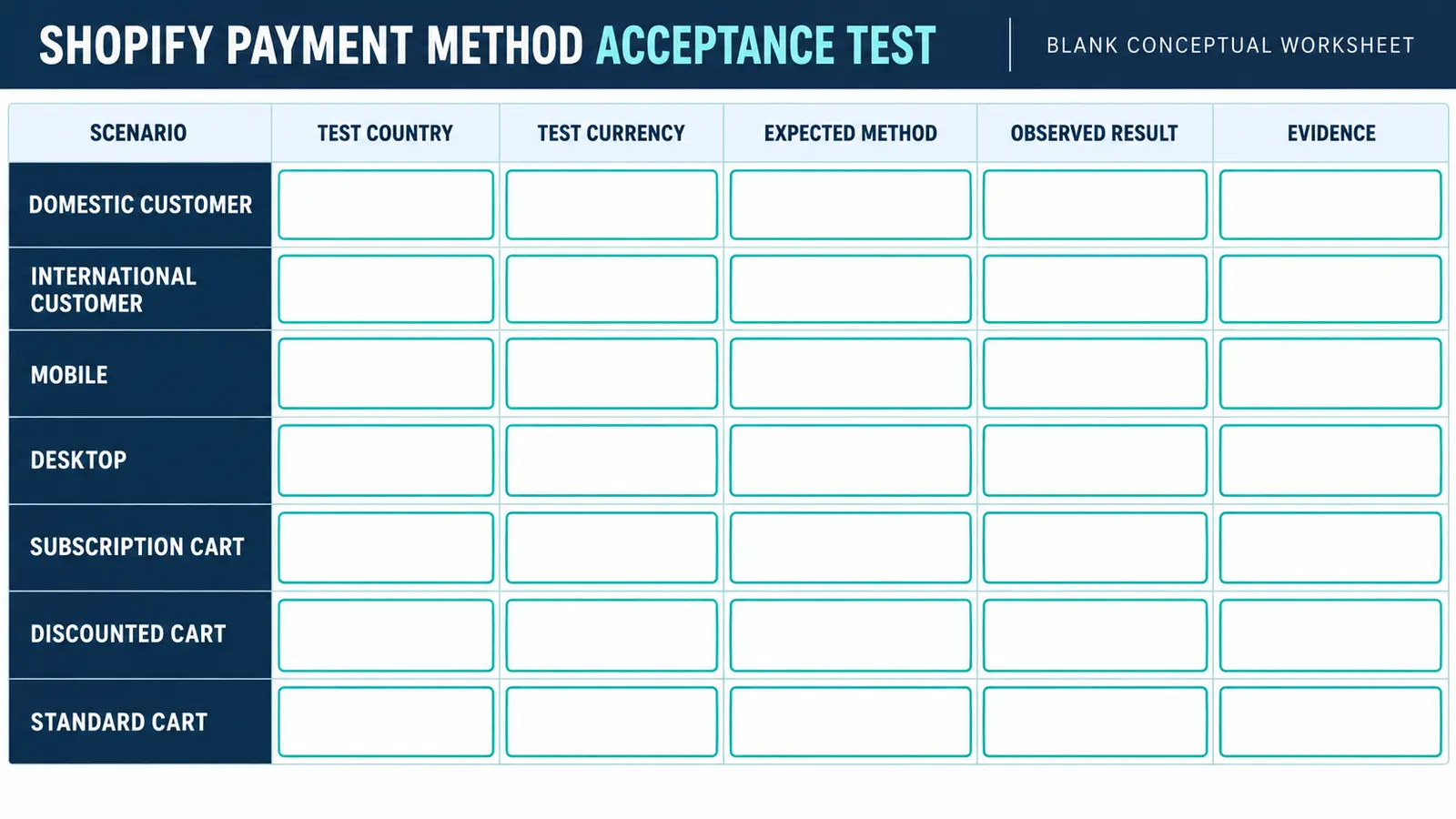
Fill the blank worksheet with the actual country, currency, expected method, observed result and evidence. Test domestic and international customers, mobile and desktop, standard and subscription carts, discounts, shipping destinations and accelerated checkout only where relevant.
| Checkpoint | Pass condition | Evidence |
|---|---|---|
| Provider | Active, verified and in the intended mode | Admin status |
| Eligibility | Business, market and currency are supported | Provider documentation |
| Checkout | Expected method appears for the defined cart | Timestamped test |
| Completion | Test payment reaches the correct order state | Order and provider event |
| Regression | Other supported methods remain available | Scenario matrix |
When should you hire a Shopify developer?
Professional work is justified when eligibility changes by market or cart, provider and Shopify statuses disagree, a payment app or checkout customization is involved, redirects fail, orders return in the wrong state, or the issue recurs after updates. The scope should include reproduction, provider evidence, smallest safe change, rollback and acceptance tests.
If you need delivery capacity, Dork Industry offers developer staff augmentation.
What do merchants ask about missing Shopify payment methods?
Why is the provider active but absent at checkout?
Read the answer
Activation is only one condition. Business location, customer market, currency, cart contents, account verification and provider rules can still make the method ineligible for that checkout.
Can theme code hide a payment method?
Read the answer
The hosted checkout determines core payment availability. However, custom cart flows, checkout extensions, payment customizations and apps can affect the journey or rules. Test a controlled standard checkout before editing the theme.
Why does the method appear domestically but not internationally?
Read the answer
The provider or local method may support only certain customer locations or currencies. Compare the exact market, shipping country and presentment currency against current provider eligibility.
Why is a wallet visible on one device only?
Read the answer
Accelerated wallets can depend on browser, device, stored wallet setup and provider eligibility. Use the normal checkout as a control and document device and browser conditions.
What should we send a Shopify developer?
Read the answer
Send the provider name, store location, customer market, currency, cart type, screenshots, provider status and recent app or checkout changes. Do not send card details, credentials or customer personal data.
How do we know the repair is complete?
Read the answer
The method appears only in supported scenarios, completes a controlled payment, returns the correct order state and does not remove other expected methods. Record evidence for every agreed market and cart.
Stuck with this issue?
Send us the error and the setup — we diagnose the cause, fix it, and show you how to prevent it from coming back.

[…] Theme code rarely controls the core hosted payment-method list, but custom carts, checkout extensions, payment customizations and apps can influence the journey or eligibility. If the cart itself is broken, use the Shopify Add to Cart repair guide. If a promotion changes the outcome, compare the Shopify discount diagnosis. […]