Quality inspection software records checks against a specific item, batch and operation, then connects the result to a controlled decision: accept, hold, rework or reject. For a Delhi factory dealing with repeat rejections, the useful question is not only “did we inspect it?” It is “which quantity was checked, against which specification, and who approved the next step?”
If inspection results live in a register, defects are discussed on WhatsApp and stores sees only a total stock balance, the same batch can acquire three different stories. A simple linked inspection record can make those disagreements visible. Software becomes valuable when it preserves identity, responsibility and evidence through each handover.
This guide explains how to choose quality inspection software in Delhi, starting with a practical record template, a worked rework example and vendor tests. The examples and images are illustrative; no customer savings, rejection reductions or compliance certification are claimed.

What should quality inspection software record?
A useful record identifies the item, lot or serial number, source operation, specification revision, inspected quantity, observed readings and responsible inspector. It also preserves the disposition and approval history. A pass/fail tick without this context is difficult to use when a customer complaint arrives or a batch is inspected again.
| Field | Suggested content | Decision it supports |
|---|---|---|
| Item and identity | Item code, batch or serial, job and receipt reference | Which material or output the result covers |
| Operation and stage | Incoming, named in-process step or final inspection | Where the defect was observed |
| Specification | Drawing or specification ID and approved revision | Which requirements applied at inspection time |
| Scope | Lot size, inspected quantity and approved sampling basis if used | Whether the result covers all units or a selected sample |
| Evidence | Readings with units, defect descriptions and relevant attachments | Whether the decision can be reviewed |
| Instrument | Instrument ID and status checked under the factory’s procedure | Which measurement source was used |
| Disposition | Accepted, held, approved rework or final rejection quantity | What may move to the next operation |
| People and time | Inspector, verifier, approver, timestamps and reason for edits | Who owns the decision and its history |
Keep observed readings separate from the acceptance rule. A number such as “12.04” is incomplete without its unit, parameter and applicable range. Store the reading used for the decision even if the specification later changes. Do not make yesterday’s result appear to have been checked against today’s revision.
Does “inspected” mean “accepted”?
No. Inspection is an event; acceptance is a decision. A record can exist while results await verification, the disposition is unresolved or part of the quantity remains on hold. Ask the software supplier to demonstrate which exact state permits receipt, production use or dispatch under your approved process.
ERPNext’s official Quality Inspection documentation describes checks linked to incoming, outgoing and in-process references, templates and different parameter types. It also describes optional item settings that require inspection before certain document submissions. That demonstrates available functionality, not a universal guarantee that every held lot is blocked correctly in every installation.
How should accepted, held, rework and rejected quantities differ?
Accepted material has an approved next use. Held material awaits a decision. Rework material has an authorised additional process and must be reviewed again before release. Rejected material has failed the applicable decision and needs a recorded disposition. These states should remain distinguishable physically and in the system so a total balance does not imply usability.
| State | Meaning | Control to demonstrate |
|---|---|---|
| Awaiting inspection | Required evidence has not yet been collected | Material is not treated as approved simply because it arrived |
| Hold | A review or decision is pending | Normal issue or dispatch is blocked under the agreed rule |
| Accepted | Authorised release for a defined use | Released quantity and approval reference are visible |
| Rework | Additional work has been approved | A new operation and repeat inspection preserve the original failure |
| Rejected | The result does not meet the approved acceptance decision | Return, scrap or another authorised outcome has its own record |
Use your actual process terminology and ownership. “Rejected” does not automatically mean “scrapped,” and a physical transfer to a rework area is not new production. The stock transaction and quality decision may be separate records, but they must refer to the same identity and quantity.
Who can release a held batch?
The factory should designate authorised approvers and a review process. Configure separate permissions for recording observations, changing criteria, approving rework and releasing stock. A delivery urgency message is not a substitute for the required approval. Preserve the reason and supporting evidence when an exception is permitted by the factory’s procedure.
Test what happens when a user lacks release permission. A disabled button on one screen is insufficient if another transaction, import or integration can issue the same held material. Include every relevant path in the pilot; the objective is a consistent workflow, not a visually convincing status label.
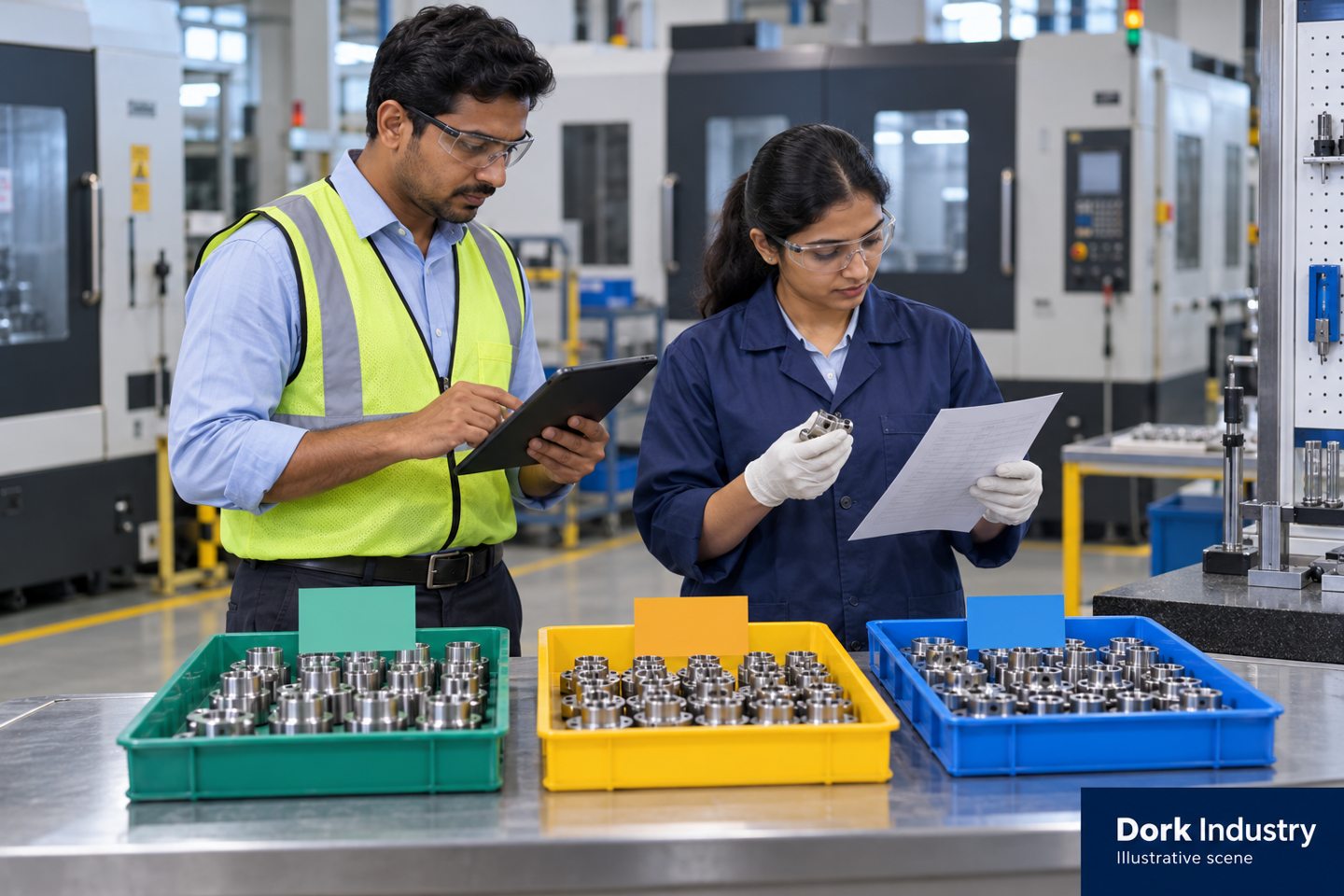
How do you reconcile rework without counting the same parts twice?
Keep each original unit or quantity linked to its first inspection and subsequent disposition. Repeat inspection is a new event on existing material, not a second receipt of the entire lot. Report first-pass results separately from final accepted quantity so successful rework does not erase the initial production loss.
The following is an invented example with full inspection of all 100 pieces. It is not a sampling recommendation or a factory benchmark.
| Quantity state | After first inspection | After rework review |
|---|---|---|
| Accepted | 80 pieces | 86 pieces: original 80 plus 6 released after rework |
| Approved rework pending review | 8 pieces | 0 pieces |
| Hold pending decision | 12 pieces | 12 pieces |
| Authorised scrap | 0 pieces | 2 pieces from the rework group |
| Accounted-for original quantity | 80 + 8 + 12 = 100 | 86 + 12 + 2 = 100 |
For this example, first-pass acceptance is 80 ÷ 100 = 80%. After rework, accepted quantity is 86 pieces, or 86% of the original lot at that point. Twelve pieces still need a decision. Neither figure proves that all work is complete, and the final accepted percentage should not be relabelled as first-pass performance.
Maintain a consistent counting unit. Eight pieces with two recorded defects each remain eight affected pieces; they are not sixteen rejected pieces. You may report defect occurrences separately, but label the denominator and keep it distinct from unit disposition.
What changes if you inspect only a sample?
The result belongs to the inspected sample and to the lot decision made under an approved sampling plan. Two failed pieces in a ten-piece sample are not proof that exactly 20% of an entire thousand-piece lot is defective. Record sample selection, inspected quantity, failure observations and the authorised lot disposition separately.
Your quality lead should define the appropriate sampling and acceptance method for the item and customer requirements. A software default is not an engineering justification. If the pilot uses full inspection, say so explicitly; if it uses a sample, keep that scope visible in every report.
Where is local Delhi context useful?
Use locality to describe handovers that genuinely affect evidence. For example, a Naraina or Wazirpur machining unit using an outside finishing operation needs the pre-dispatch identity, processor return reference and incoming result to stay connected. The inspected return can then be separated from material released to the customer.
A Bawana or Narela unit making moulded components across multiple shifts may need the mould or cavity reference, approved setup and specification revision attached to a check. An Okhla operation producing short custom batches may need each customer’s approved revision rather than one generic checklist. These are conditional workflow examples, not claims that every business in those areas has the same process.
The same controls can apply to a Patparganj factory or a unit outside Delhi. Do not create six near-identical pages by replacing the area name. A separate locality guide is justified only when there is a different process, evidence requirement or purchasing problem to explain.
Keep transport, supplier quality and production quality separate
A damaged return, a machining deviation and an incorrect drawing revision require different investigations. Record where the issue was observed and what evidence supports the proposed cause. Identifying a supplier on the receipt is not proof that the supplier caused the defect. Use the history to ask better questions, then document the conclusion and its basis.
Do you need a digital form, ERP module or custom inspection workflow?
A shared digital form can suit a small, controlled pilot. ERP integration is useful when quality decisions must govern receipts, material issues, work orders or dispatch. A custom workflow may fit special approvals, instruments or existing systems. Choose from the demonstrated process gap, not from the number of dashboard features in a sales presentation.
| Option | Useful when | Limitation to verify |
|---|---|---|
| Shared form and register | Few items, simple checks and one accountable reviewer | Revision control, linked identity and stock-release enforcement |
| ERP quality module | Inspection decisions must connect to stock and production records | Edition, configuration, split quantities and permission behavior |
| Dedicated quality system | More complex document, instrument or review workflows exist | How approved results reach the operational system |
| Custom integration | The current ERP is useful but a specific evidence or approval step is missing | Error queues, duplicate prevention and upgrade ownership |
| AI-assisted defect recognition | A defined visual or sensor-based inspection use case has suitable evidence | Validation, false acceptance, changing conditions and human review |
Do not assume that an AI result is an authorised lot release. Validate the relevant task and define the reviewer and exception workflow. A conventional inspection form can be the appropriate first solution when the main failure is missing records or unclear approval responsibility.
ERPNext’s Non Conformance documentation gives a separate example of observations linked to a quality procedure with recorded actions and status. Keeping the investigation linked to the inspection makes it possible to follow an issue beyond a failed reading.
What should a quality inspection software demonstration prove?
Use one representative item, one approved specification and a small test lot. Ask the vendor to show a failed check, partial release, rework and a later correction. Check the resulting records and stock behavior after each event. A green status card alone does not demonstrate that the process is controlled.
- Create a check with the approved revision. Record a reading with units and retain its original specification reference.
- Put part of the lot on hold. Show the held quantity separately from available quantity.
- Attempt an ordinary issue or dispatch. Verify the agreed block through each relevant screen and integration.
- Release a permitted portion. Confirm that only the approved quantity becomes usable.
- Rework and reinspect the remainder. Preserve the first failure, the new result and the quantity identity.
- Correct a wrong reading. Show editor, time, reason and original value.
- Change the specification revision. Confirm that historical results do not silently change.
- Export the evidence. Produce a readable inspection and disposition history linked to the job and batch.
How should you start the pilot?
Select one repeat problem and one product family. Agree item identities, units, specification ownership, inspection stages, roles and release rules. Compare the current record with the proposed workflow across representative handovers. Include an offline or failed-entry scenario if connectivity or integration is part of the scope.
An offline reading should show whether it has synchronized. A failed synchronization must not create a silent release or duplicate inspection. Define who reviews failed entries, how conflicts are resolved and which source remains authoritative during recovery.
How do you know the corrective action worked?
Closing an action means the documented work was completed; effectiveness needs follow-up evidence. Record the defect definition, affected scope, action owner and later review on comparable work. If the same defect recurs, reopen the investigation or create a linked follow-up rather than deleting the previous history.
Review repeat defect occurrences, unresolved hold age, rework pending review and completeness of specification references. Keep denominators consistent across products and stages. A lower rejection count after inspecting fewer units is not evidence of improved quality.

How can Dork Industry help with inspection tracking?
Dork Industry’s manufacturing services include ERP integration and quality-control analytics. These are relevant when production, inspection and stock decisions need dependable shared records. Begin with a workflow review; the appropriate scope may be a simple form, a configured module or a specific integration.
Use the factory visibility guide for the broader departmental picture. For externally held material, read the job-work tracking guide. For the physical-to-recorded quantity problem, use the stock reconciliation guide. This guide focuses on inspection evidence and release decisions rather than replacing those topics.
Bring one recent inspection issue, its approved specification and the current batch or job record. Include the people making hold and release decisions and the software already in use. Request an inspection workflow consultation or email Dork Industry with reference DORK-QI-DELHI. Mentioning the reference lets the team connect the enquiry to this guide; automatic conversion tracking is not claimed.
Quality inspection software: frequently asked questions
What is quality inspection software?
It records inspection evidence against an identified item, batch or operation and manages the resulting review and disposition. Useful workflows retain readings, specification revisions, people, timestamps and the history behind acceptance or rejection.
Can we begin without replacing our ERP?
Possibly. A form or integration may cover the missing workflow. Check which system owns item identity, stock state and approvals, and test failed synchronization and duplicate records before selection.
Should held stock appear as available for dispatch?
Under a process requiring quality release, held stock should remain distinguishable from approved usable stock. Confirm the actual block through each relevant transaction and integration, not just the dashboard display.
Does a failed sample tell us the defect percentage of the entire lot?
No. It describes observed failures in the inspected sample. The lot decision must follow the approved sampling and acceptance method. Keep sample results and full-lot disposition distinct.
How should software handle reinspection after rework?
Create a linked new inspection event on the existing quantity. Preserve the initial failure, approved rework and later result. Do not add the reinspected parts as a new receipt or rewrite first-pass performance.
Can inspection software guarantee certification or eliminate defects?
No. Software can support records and controls, but quality depends on the defined process, competent review, valid measurement and implementation. A generic product feature does not establish certification or a zero-defect outcome.
How much does quality inspection software in Delhi cost?
Scope depends on inspection stages, item and revision complexity, instruments, integrations, approvals, training and support. Ask for an itemised proposal after reviewing representative records rather than relying on a generic price.
What should we share before a Dork Industry consultation?
Share the locality, process, current reporting method, one inspection example and its authorised specification. Explain hold and release responsibilities. Remove passwords and unnecessary confidential information, and mention DORK-QI-DELHI.
Sources and editorial notes
Prepared for Dork Industry on 30 September 2026. The inspection template, quantity example and demonstration tests are original editorial recommendations for workflow planning. They are not a customer case study, sampling standard or substitute for an authorised quality procedure. All images are labelled illustrative.
- ERPNext: Quality Inspection—documented inspection workflow and configurable checks.
- ERPNext: Non Conformance—documented observation and action records.
- Dork Industry manufacturing services—verified service relevance.