
A rental asset tracking system should connect identity, custody, location, exceptions and return inspection. Give every asset a unique identity, record custody at checkout, choose QR, Bluetooth or GPS tracking according to value and movement, connect alerts to an accountable person, and close the journey with return inspection. Location alone is not enough; the business needs a traceable operating workflow.
This problem appears in construction-tool hire, camera and event-equipment rental, industrial machinery, medical devices and other businesses that move valuable products between depots, customers and project sites. A missing asset may actually be overdue, transferred without a scan, left at an approved site, offline, under repair or genuinely unaccounted for. The system should distinguish those conditions before anyone makes a serious allegation.
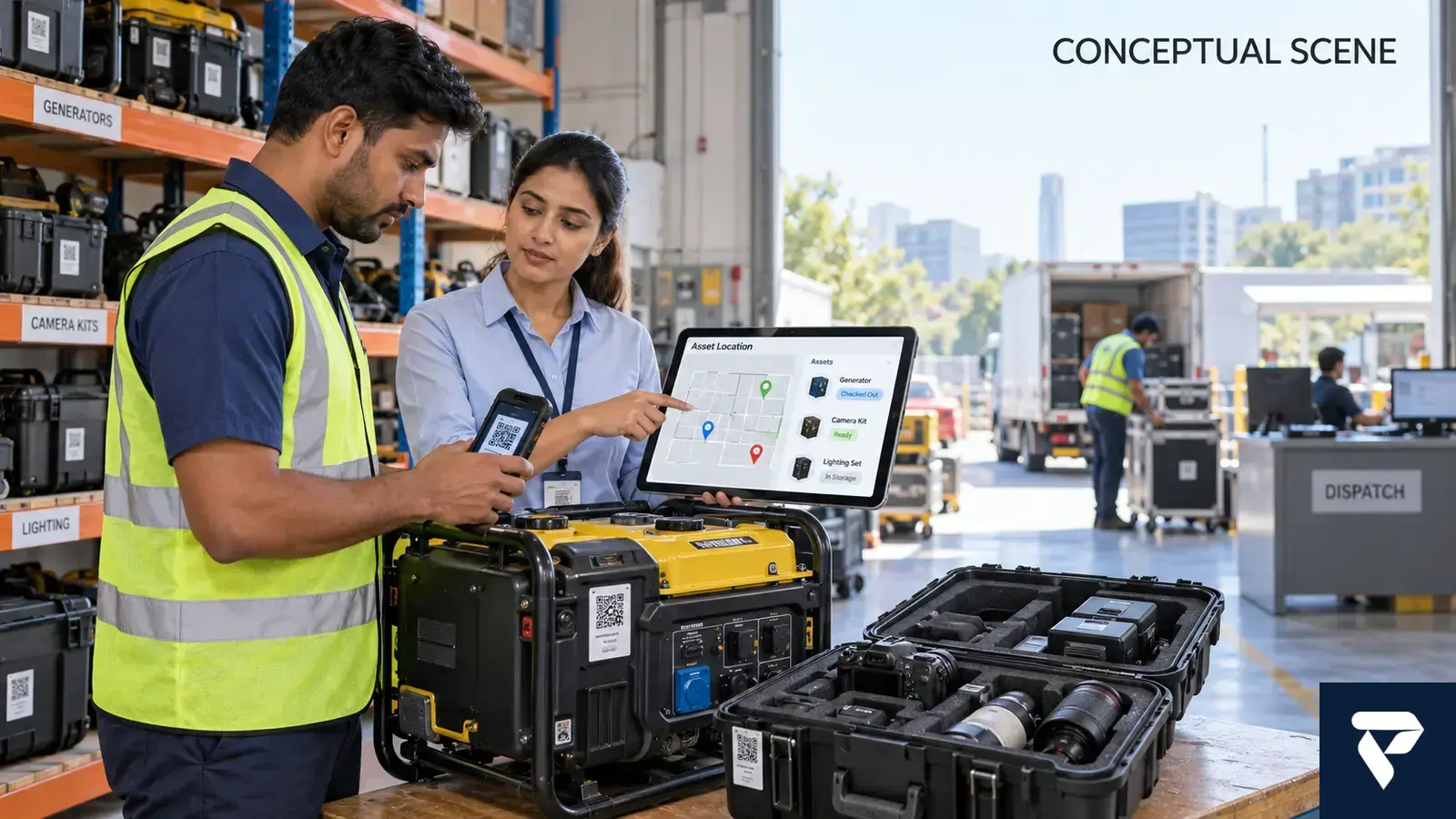
Why do rented assets become untraceable?
The visible problem is “we cannot find the equipment.” The control failure usually happened earlier. The item may have no dependable asset ID, the checkout may name a customer but not the receiving person, the destination may be free text, a transfer may occur by phone call, or the return may be closed before inspection. A map cannot repair missing custody evidence.
Start by defining the asset journey: reserved, prepared, checked out, accepted by the customer, at an approved site, transferred with approval, overdue, returned, inspected and available again. Every status needs an owner, timestamp and allowed next action. For businesses operating from Delhi, Noida, Gurugram or multiple project sites, depot and site identifiers should be controlled values rather than spelling variations in spreadsheets.
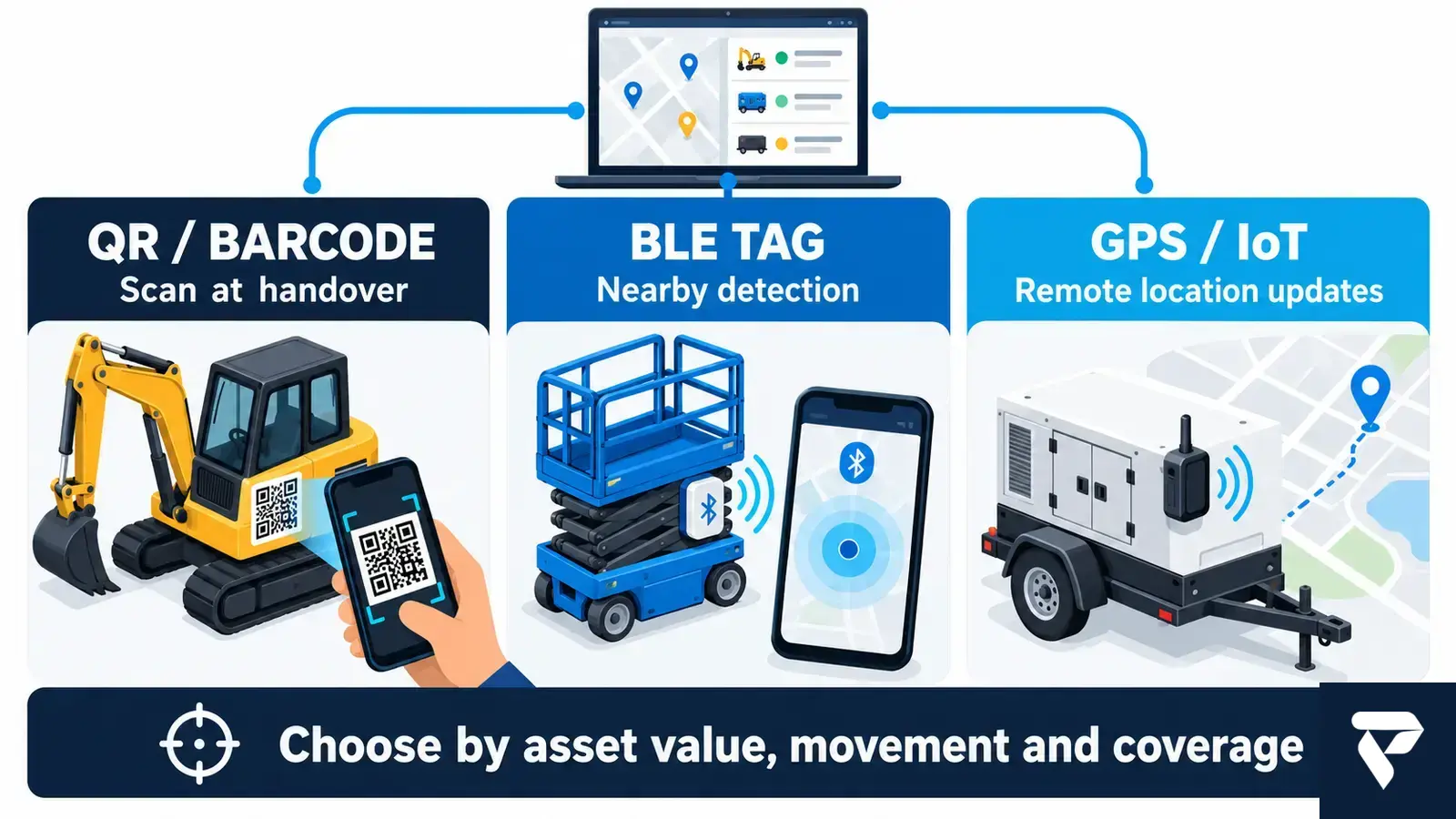
Which tracking method fits QR, Bluetooth or GPS?
| Method | What it can establish | Best fit | Important limitation |
|---|---|---|---|
| QR or barcode | A person scanned this asset at a known workflow step | Counter checkout, returns and inspections | No automatic location between scans |
| Bluetooth Low Energy tag | The tag was detected near a phone or gateway | Depot zones, tool cages and nearby detection | Coverage depends on nearby readers |
| GPS/cellular IoT tracker | The device reported a remote position and time | High-value mobile assets and trailers | Battery, installation, connectivity and subscription must be managed |
| Fixed RFID or gateway | The tagged item crossed or appeared within a controlled zone | High-volume depot movement | Infrastructure and tag placement need testing |
The asset identifier should remain stable even when the tracking device is replaced. GS1 defines the Global Individual Asset Identifier (GIAI) as a key for identifying an individual asset, and GS1 notes that asset identifiers can be encoded in barcodes or RFID tags. A rental company does not have to adopt that standard for every internal workflow, but it should understand the principle: identity and location are separate controls.
If a mobile application uses geofencing, permissions and user expectations matter. Android’s official geofencing guidance explains that background location is involved and should deliver an obvious user benefit. Tracking a staff phone without a clear operational purpose is not a substitute for fitting the correct tracker to the asset.
How should a rental asset tracking system operate?
- Register the asset. Store a unique ID, serial number, category, value band, ownership, depot, service state and suitable tracking method.
- Reserve the exact unit. Connect the booking to the specific asset or approved asset pool.
- Verify the handover. Scan the item, capture the receiving party, contract, destination, expected return and condition evidence.
- Monitor the agreed rule. Use scan events, nearby detections or device reports according to the asset profile.
- Route exceptions. Assign overdue, offline, geofence or unauthorized-transfer events to a named owner.
- Record an approved transfer. Do not let a phone call silently change custody.
- Close the return. Scan the asset, inspect condition, record accessories and determine whether it is available, quarantined or under service.
- Reconcile daily. Compare contracts, physical custody, tracker state, billing state and maintenance status.
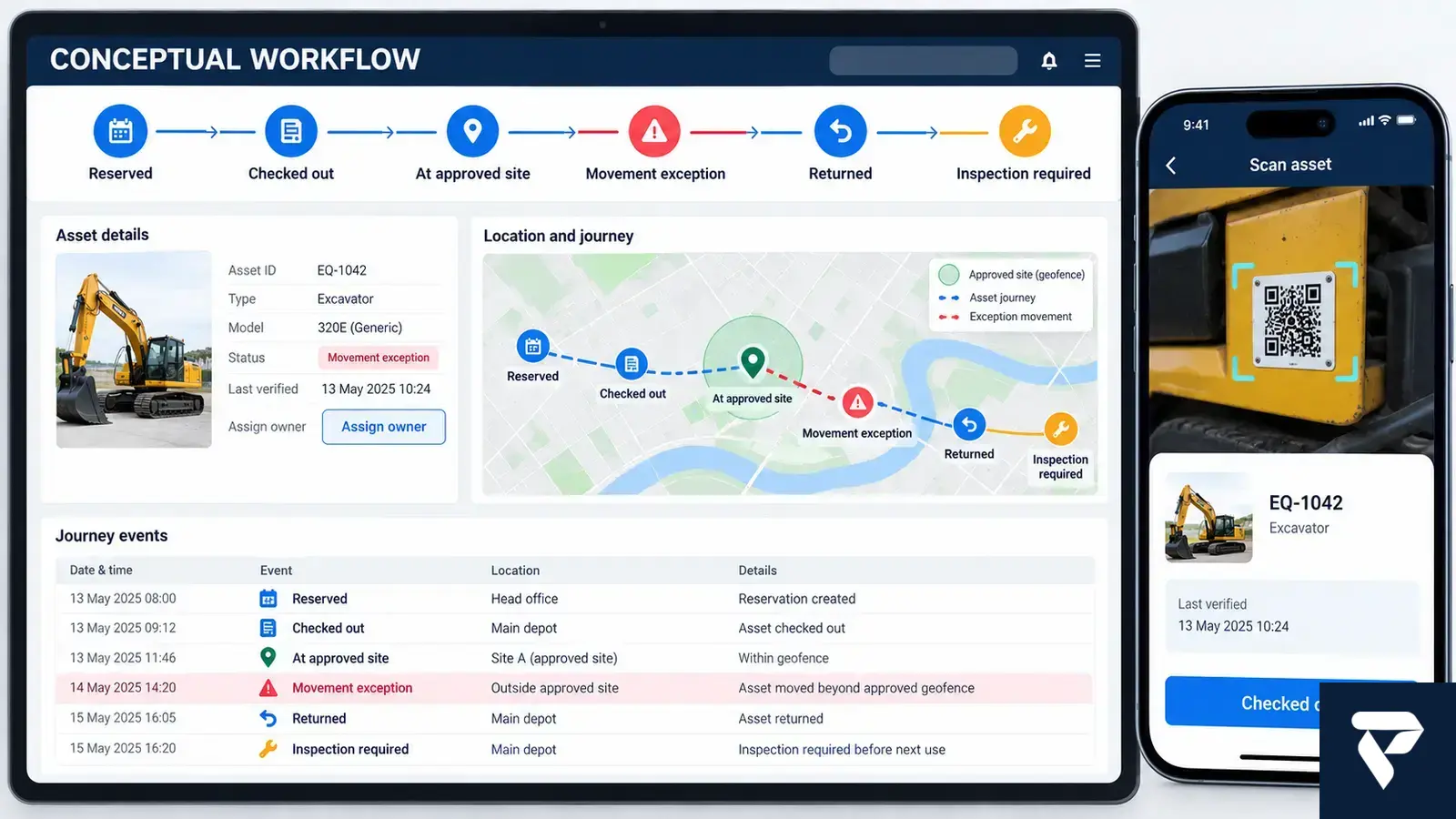
What should and should not be automated?
Automate asset identification, checkout validation, expected-return reminders, stale-device detection, movement exceptions, transfer requests, return checklists and escalation queues. These tasks are repeatable and produce evidence that a person can review.
Do not automate a theft accusation, customer penalty, employee blame or recovery action from a single location event. A tracker may be offline, moved for an approved reason, reporting an old location or attached incorrectly. A responsible person should review the contract, last verified event, customer communication and tracker health before deciding what happened.
A device can also disconnect while its last known state remains useful. AWS documents that an IoT Device Shadow provides a persistent representation that applications can query even when the device is offline. In a rental system, “last reported,” “last verified” and “currently online” must remain different fields.
Which systems must a rental tracking solution connect?
A rental asset tracking system should connect to the rental contract or ERP, customer and contact records, billing, maintenance, depot inventory, notification services, maps and identity management. Otherwise the business creates another dashboard that staff must reconcile manually.
| Integration | Required exchange | Failure to monitor |
|---|---|---|
| Rental system or ERP | Booking, asset, customer, due date and status | Closed contract with asset still outside |
| Mobile checkout app | Scan, person, signature or acceptance, photos and time | Offline scan not synchronized |
| IoT platform | Device identity, reported position, health and battery | Stale or incorrectly mapped tracker |
| Maintenance | Meter, damage, inspection and service hold | Returned asset released before inspection |
| Notifications | Reminder, exception, escalation and acknowledgement | Alert sent with no accountable owner |
Dork Industry’s verified scope connects this problem to IoT and automation, custom software development, mobile application development and, where a dedicated tracker or enclosure is required, hardware design. For the maintenance side of the workflow, see the related asset-maintenance software testing guide.
What data must be ready before implementation?
Use this rental asset tracking system worksheet for one asset category before selecting software or hardware.
| Readiness question | Decision to record | Evidence |
|---|---|---|
| What uniquely identifies the asset? | ID, serial number and replacement-tag rule | Sample asset register |
| Who can receive or transfer it? | Roles and approval limits | Custody matrix |
| Where may it operate? | Approved depots, sites and transfer rules | Location master |
| How often must location be known? | Scan-only, nearby detection or remote update | Asset risk profile |
| What happens when it is offline? | Stale threshold and escalation owner | Exception procedure |
| What personal data is involved? | Purpose, access, notice and retention | Approved privacy rule |
| What closes the rental? | Return scan, accessories, condition and inspection | Signed return checklist |
How should an asset-tracking pilot be tested?
Test the rental asset tracking system with representative assets rather than the easiest device in the depot. Include a powered asset, an unpowered asset, one that leaves network coverage and one with removable accessories. Run the following acceptance tests:
- Scan the wrong asset during checkout and confirm the system blocks or clearly warns.
- Complete a valid handover while the mobile app is offline, then verify one safe synchronization.
- Move an asset between approved sites using the formal transfer process.
- Move it outside an approved rule and confirm an exception reaches the correct owner.
- Disconnect or silence the tracker and verify that “offline” is not presented as a current location.
- Return an asset with a missing accessory and ensure the contract and inspection remain open.
- Attempt to view another customer’s asset and verify access is denied.
- Replace the physical tracker without changing the asset’s history.
- Reconcile the rental system, tracker state and physical depot count.
Choose a configured rental asset tracking system when its checkout, maintenance and integrations match the operating model. Add an integration layer when existing rental software should remain the system of record. Consider a custom portal or mobile application when the company has unusual custody rules, partner transfers, white-labelled customer access, mixed tracker hardware or a global rental network that standard tools cannot represent cleanly.
What do rental-business owners ask about asset tracking?
Can QR codes prevent rented equipment from going missing?
QR codes create strong handover and return evidence when staff consistently scan them. They do not report location by themselves. For equipment that moves without controlled scans, combine the asset record with Bluetooth, GPS or another suitable detection method.
Does every rental asset need a GPS tracker?
No. Tracker selection should follow asset value, mobility, power availability, coverage, update frequency and operational risk. Low-cost tools may need only a barcode workflow, while high-value mobile equipment may justify a remotely reporting device.
What is the difference between last reported and last verified?
Last reported is the most recent device or scan event received by the platform. Last verified means a trusted workflow confirmed custody or condition. Keeping both prevents an old device coordinate from being presented as proof of current possession.
Can geofencing automatically prove that an asset was stolen?
No. A geofence exit is an exception requiring review. Confirm tracker health, approved transfers, contract terms, customer communication and the timestamp before deciding whether the event is unauthorized or simply incomplete operational data.
Should the tracking system connect to billing and maintenance?
Yes, when those workflows depend on asset state. An overdue return may affect billing, while a damaged return should create an inspection or service hold. The integration needs clear ownership and failure monitoring rather than silent synchronization.
What should be shared for a rental asset tracking system estimate?
Provide anonymized asset types, depot and site flow, rental statuses, user roles, current software, tracker candidates, required alerts, connectivity conditions and acceptance tests. Do not send live credentials, private customer details or precise asset locations in an initial enquiry.
Discuss this for your business?
Book a free consultation — we scope the problem, outline the approach, and give you an honest verdict before any development is discussed.

[…] Theme code rarely controls the core hosted payment-method list, but custom carts, checkout extensions, payment customizations and apps can influence the journey or eligibility. If the cart itself is broken, use the Shopify Add to Cart repair guide. If a promotion changes the outcome, compare the Shopify discount diagnosis. […]