
A Shopify order cannot be shipped to address when checkout resolves no eligible rate; reproduce the exact cart and destination before editing rates. The checkout message usually means Shopify could not resolve an eligible shipping rate across the products, fulfilment locations, shipping profiles, market, destination zone and any carrier or app callback.
The business impact is an abandoned checkout even when products appear available and payment methods work. A rushed global free-shipping rule can hide the symptom while creating unserviceable orders. Preserve the cart composition, variants, quantities, destination country/postal code, market and time of failure.
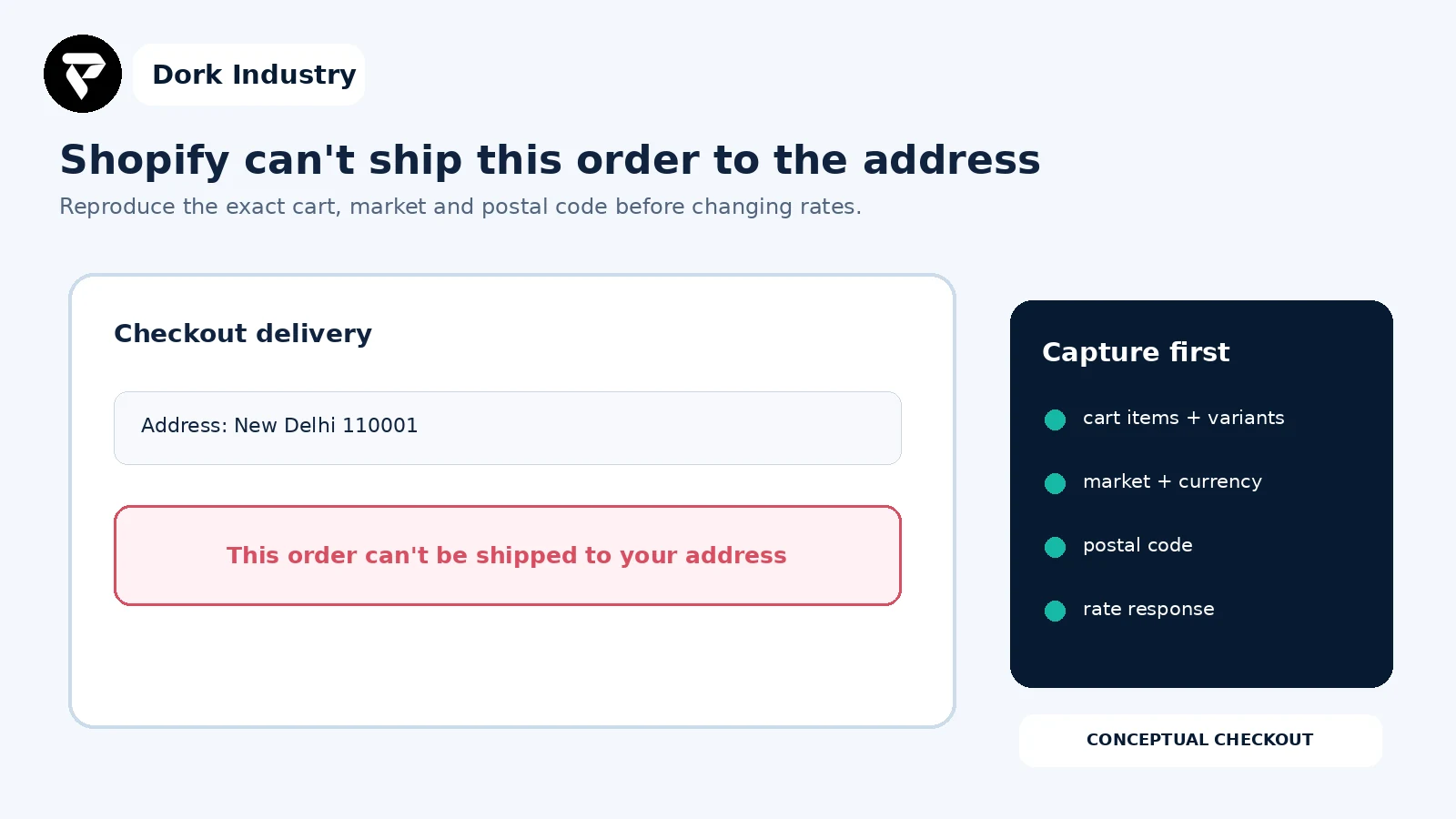
Why a Shopify order cannot be shipped to address
It means checkout found no applicable delivery option for the current cart and destination. Shopify documents that checkout rates can be flat, free or carrier-calculated, and that shipping profiles can assign different rates to specific products or fulfilment needs. Review Shopify’s shipping and fulfilment setup guidance.
The error does not prove the address is invalid. A single product can belong to a profile without a matching zone, inventory can sit at a location that does not fulfil online orders, cart weight can exceed a rate condition, or a carrier/app rate can return nothing.
What should you capture before changing shipping?
- Exact product variants, quantities, weights and whether each requires shipping.
- Customer country, province/state and postal code—redacted in tickets.
- Active Shopify market, currency and storefront domain.
- Inventory locations available to fulfil every line.
- Shipping profile and location group for each product.
- Configured zone, rate conditions, package and carrier/app response.
- A working cart and address for comparison.
Customers reach checkout but no delivery option appears?
Send the redacted cart, destination, product/profile assignments, fulfilment locations and rate evidence. Dork Industry can scope a focused Shopify checkout diagnosis, shipping-rule repair or carrier-app integration fix.
Which nine checks fix a Shopify order that cannot be shipped to an address?
| Check | Evidence | Decision |
|---|---|---|
| 1. Reproduce exact cart | variants, quantities, destination | stable failure case |
| 2. Verify shippable products | physical flag, weight, SKU | valid delivery input |
| 3. Verify fulfilment locations | stock and online fulfilment | eligible origin |
| 4. Map shipping profiles | product and location groups | complete rate coverage |
| 5. Match zones | country, region, postal code | destination included |
| 6. Test rate conditions | price and weight boundaries | at least one rate qualifies |
| 7. Trace carrier/app rates | request, response, timeout | service returned |
| 8. Test mixed carts | rate groups and combinations | compatible combined rate |
| 9. Prove recovery | cart/address matrix | safe release |
1. Can you reproduce the exact failing cart?
Create the same variants and quantities in a clean session, then enter the same country and postal code. Test one item at a time before rebuilding the mixed cart. If a single line triggers the failure, focus on that product’s location and profile rather than changing the whole store.
2. Are all products configured as physical goods with valid weights?
Confirm every deliverable variant requires shipping and has realistic weight data in the store’s configured unit. Check bundled, gift, subscription and custom products created by apps. Missing or extreme weights can break weight-based tables or carrier services.
3. Is inventory available at a location allowed to fulfil online orders?
A product may show stock while checkout cannot use the stocked location. Verify inventory assignment, fulfilment priority, online-order eligibility and any app-managed location. Test whether all cart lines share an origin that can serve the destination.
4. Does each product belong to a shipping profile with complete coverage?
Review the general profile and every custom profile. Check the product assignment, location groups and whether each group has rates for the destination. Shopify states that profiles can provide different rates for specific products or locations; that flexibility also creates gaps when assignments drift.
5. Does the shipping zone actually include the destination?
Match country, region and postal-code restrictions exactly. Verify the customer is in an active market, but do not confuse market activation with rate coverage. Shopify Markets can customize product availability and other regional experiences; shipping still needs an applicable delivery configuration. See Shopify Markets documentation.
6. Do price or weight conditions leave a gap?
Test amounts immediately below, at and above each boundary. Watch for gaps between ranges, currency assumptions and mixed carts whose combined weight exceeds the last configured band. Record which rate should qualify before editing it.
7. Did a carrier or shipping app return no service?
Capture the carrier/app request time, package data and response without customer details. Confirm credentials, origin postal code, supported destination, package limits and service availability. A timeout or empty response needs an owned fallback or clear exception—not a silent global free rate.
8. Can rates from multiple profiles be combined?
A cart containing products from different profiles or locations may require compatible rate groups. Test each group separately and together. If individual carts work but the combined cart fails, repair profile/location design or app logic rather than the address form.
9. Does the repair pass a checkout acceptance matrix?
Test normal, boundary, mixed-profile, heavy and unavailable carts across representative destinations. Confirm expected rate name, amount and fulfilment origin. Retest mobile and accelerated checkout where applicable, then monitor no-rate events after release.
Where should shipping-rate diagnosis start?
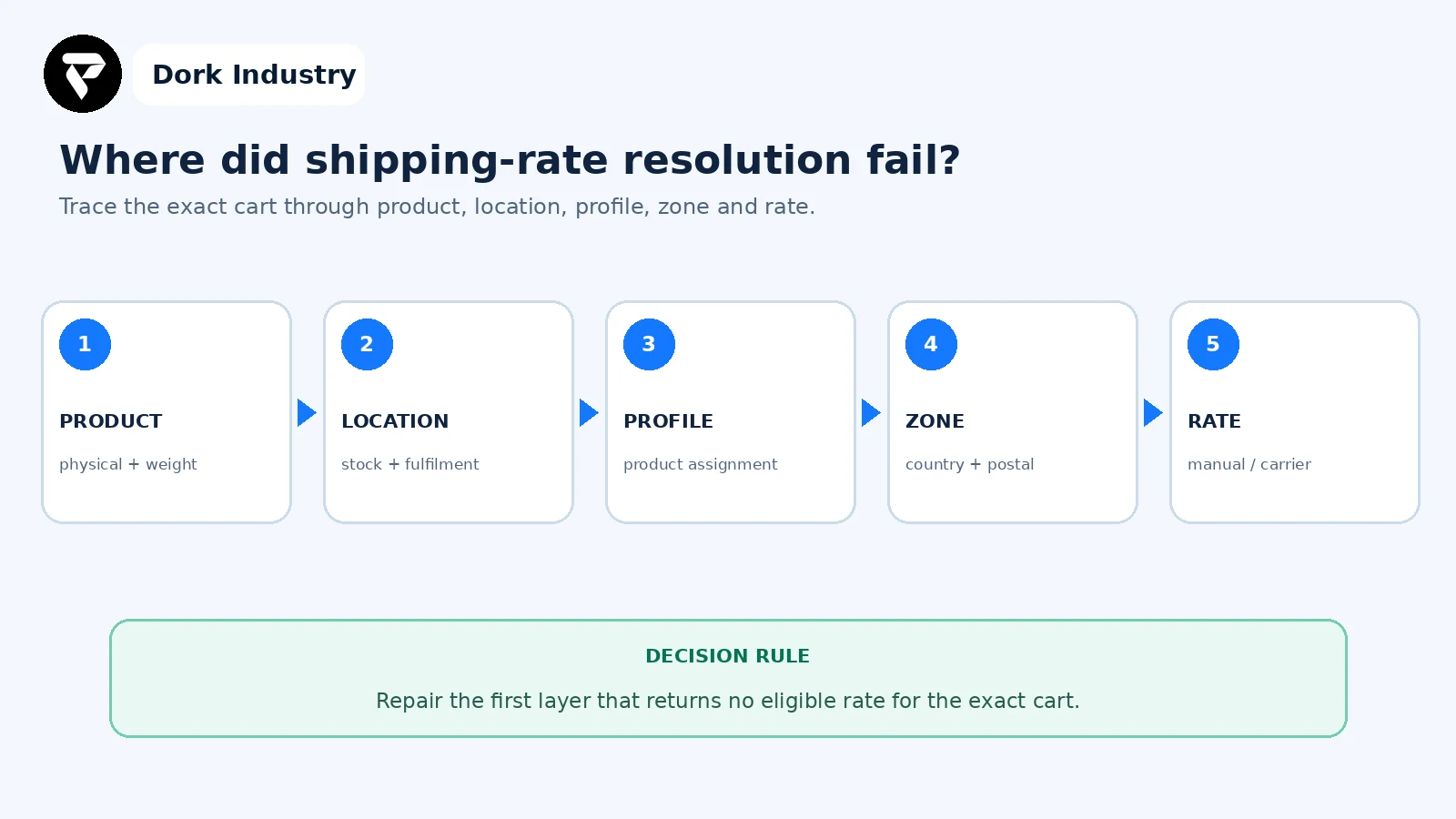
Change one layer at a time. Adding rates, moving inventory and reassigning products simultaneously may make one cart work while creating incorrect charges elsewhere.
Worked example: individual items ship but the mixed cart fails
This is an illustrative diagnostic example, not a client result. A Delhi customer can buy a standard accessory or a bulky item separately. Together, checkout shows no shipping option. The accessory is in the general profile at the primary warehouse; the bulky product is in a custom profile tied to another location. Each group has a Delhi rate, but the carrier app supplies no compatible combined service.
- The team preserves both successful single-item carts and the failing mixed cart.
- They compare profile, origin, package and carrier responses.
- They decide whether split fulfilment is supported and configure an intentional combined-rate strategy.
- They test boundary weights, Delhi postal codes, another serviceable region and an unsupported destination.
- They document fallback ownership rather than silently accepting an unpriced order.
The paid project can include profile redesign, location/inventory correction, carrier-app debugging, theme/app conflict checks and a repeatable checkout test suite.
What belongs in the checkout shipping test matrix?
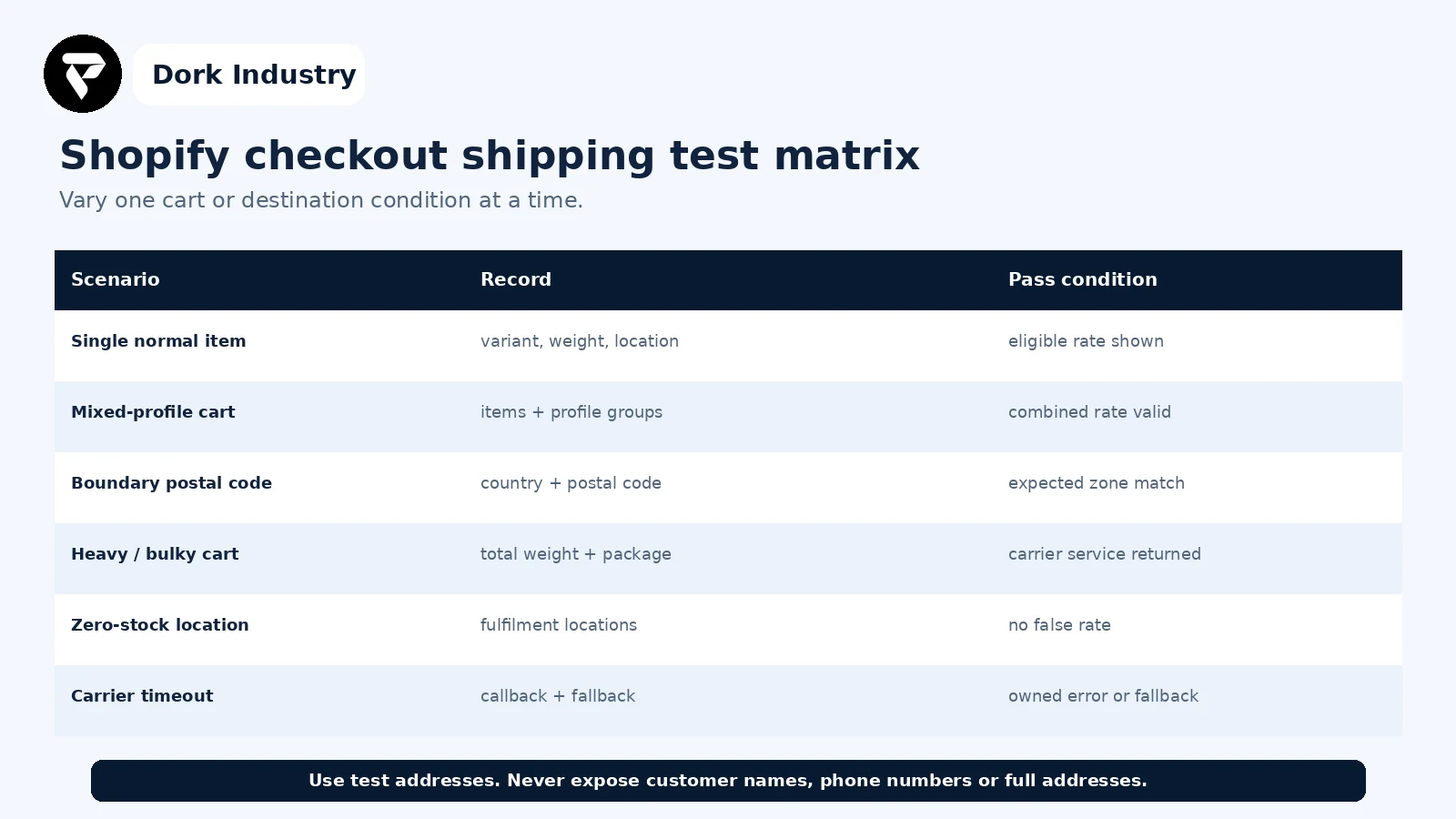
Use test addresses and redact personal data. Save the expected profile, origin, zone and rate beside the observed result so future catalogue or fulfilment changes can be regression-tested.
When is professional Shopify help warranted?
| Finding | Likely work | Professional help is warranted when |
|---|---|---|
| One missing zone | scoped rate correction | markets or postal rules overlap |
| Profile gaps | product/location mapping repair | large catalogues or multiple origins are involved |
| Carrier returns nothing | callback/app integration diagnosis | live rates or credentials are involved |
| Mixed cart failure | rate-group and fulfilment design | split shipments affect operations |
| Recurring regressions | automated checkout test matrix | catalogue/location changes are frequent |
Dork Industry can reproduce the checkout failure, audit products, locations, profiles and zones, inspect carrier/app responses, repair custom theme or app interactions and build regression checks. Review Dork Industry’s ecommerce and custom-development scope, industry solutions, Shopify variant visibility guide, payment-method guide, and add-to-cart repair guide. Those articles address product selection and payment; this guide addresses delivery-rate resolution after address entry.
Turn the no-shipping message into a reproducible repair brief
Send the failing cart, redacted destination, market, product/profile assignments, fulfilment locations and carrier/app evidence. Dork Industry can propose a focused checkout repair or Shopify developer-support scope.
Frequently asked questions
Why does Shopify say my address cannot be shipped to?
The address may be valid while the cart has no eligible rate. Check fulfilment location, shipping profile, destination zone, rate conditions and carrier/app response for the exact products and postal code.
Can one product cause the whole Shopify cart to have no shipping rate?
Yes. A product assigned to an uncovered profile, unavailable location or unsupported carrier package can prevent the mixed cart from resolving a valid delivery option.
Should I add free shipping to remove the error?
Only if free shipping is genuinely serviceable and commercially approved. A broad free rate can accept destinations or products operations cannot fulfil and can hide the actual configuration defect.
What should I send a Shopify developer?
Provide product and variant IDs, quantities, weights, destination country/postal code, market, fulfilment locations, shipping profiles, expected rate and redacted carrier/app evidence.
Need help with your store?
Book a free consultation — we find the cause, fix it, and make sure it stays fixed through your next campaign.



[…] Theme code rarely controls the core hosted payment-method list, but custom carts, checkout extensions, payment customizations and apps can influence the journey or eligibility. If the cart itself is broken, use the Shopify Add to Cart repair guide. If a promotion changes the outcome, compare the Shopify discount diagnosis. […]